

Presents


Magnus Mårtensson
Microsoft Regional Director, Azure MVP, CEO Loftysoft
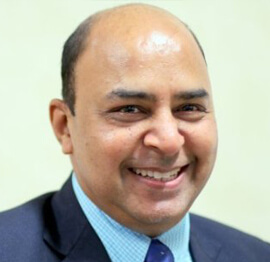
Avirag Jain
Director & CTO R Systems

Mahesh Chand
Founder C# Corner, CEO Mindcracker

Chris Gali
CEO & Co-Founder Graphite

Subinder Khurana
Chief Architect StoryProcess, Founder NASSCOM DeepTech Club

Bryan Rishforth
Investor, Chairman Graphite

Bryn Everson
Director Biz Dev Graphite
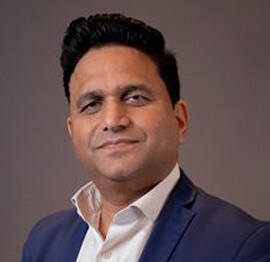
Raj Tiwari
Digital Transformation Leader, Futurist and Visionary

Joseph Guadagno
Microsoft MVP, Lead Quicken Loans

Nikita Sachdev
Entrepreneur, Blockchain Enthusiast & Advisor, Social Media Influencer

Doug Wagner
COO & Founder Adapt Technical Group

Ritesh Modi
Architect, Senior Evangelist, Cloud Architect

Crystal Wenrick
Director Communications Mindcracker

Allen O’Neill
Microsoft MVP, Consulting Engineer/Architect
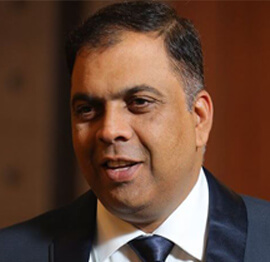
Praveen Kumar
CEO MCN Solutions

Chris Love
Founder Love2Dev, Microsoft MVP, Author

Sanjay Vyas
Microsoft Regional Director, Microsoft MVP, Founder & CEO SkillLabs Technologies

Veena Sarda
Deep Learning Consultant, Author

Sekhar Srinivasan
C# Corner MVP, Microsoft Certified Trainer, Pluralsight Author
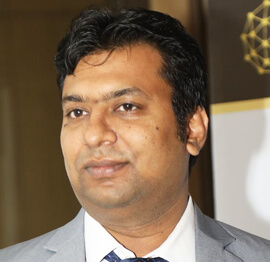
Lalit Bansal
Founder & CEO - EIY SYS

Navdeep Garg
CEO Revinfotech

Prakash Tripathi
Tech Manager/Leader, Microsoft MVP, Blogger
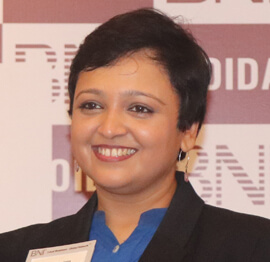
Bhavna Jain
Breakthrough Consultant

Naveen Sharma
Enterprise Architect, Leadership Coach, Author

Vidya Vrat Agarwal
Principal Architect, Microsoft MVP, Author

Sheetal Agarwal
Founder Clownselors, Medical Clown, Trainer

Abhishek Kant
Founder GTM Catalyst

Vishnu Saran
Founder & CEO VoiceQube

Sandeep Soni
Founder & CEO Deccansoft, Microsoft Certified Trainer

Parveen Malik
AVP InfoSec & Vulnerability Management, Information Security Expert

Nitin Pandit
Microsoft MVP, Developer Evangelist, Author

Niloshima Srivastava
C# Corner MVP, Tech Architect, Trainer, Blogger

Bala Chirtsabesan
Senior Software Engineer at Microsoft, Author

Manoj Mittal
Sr. Technical Architect, C# Corner MVP, Author

Chandni Di
Co-Founder Voice of Slum

Vithal Wadje
Technical Lead, Microsoft MVP, Author

Shivam Ahuja
Founder SkillCircle, Business Mentor

Chervine Bhiwoo
Solution Architect, Microsoft MVP, Author

Saurabh Jain
Vice President Paytm, Founder Fun2Do Labs, Author

Vinay Solanki
Head IoT at Lenovo, Founder IoT-NCR

Anshu kumari
Founder Blockchainkids, Inventor, Trainer

Amit Singal
CEO Startup Buddy

Dev Pratap
Co-Founder & CEO Voice of Slum

Amey Vartak
Technology Consultant, Full Stack Developer, C# Corner MVP, Author

Viswanatha Swamy
Principal Software Engineer, C# Corner MVP, Author

Sanket Verma
Research Engineer @ Ballistics (Forensics) and Chair, PyData Delhi

Sourabh Somani
Lead Developer, Microsoft MVP, Author

Abhishek Mishra
Software Architect, C# Corner MVP, Author

Siddharth Vaghasia
Technical Consultant, C# Corner MVP, Blogger

Bassam Alugili
Senior Software Specialist, Database Expert

S Ravi Kumar
Solution Architect, C# Corner MVP, Author

Sundaram Subramanian
Full Stack Developer, C# Corner MVP, Speaker

Deepesh Somani
Solution Architect, Microsoft MVP, Author

Debasis Saha
Technical Project Manager, C# Corner MVP, Blogger, Author

Vipul Jain
Software Architect, C# Corner MVP, Author

Akshay Patel
Technical Architect, Microsoft Certified Trainer, C# Corner MVP, Author

Stephen Simon
RPA Developer, Evangelist, Author

Vivek Sharma
Founder Kingster636, AR/VR Specialist

Jeetendra Gund
Technical Lead, C# Corner MVP, Author

Sujal Beniwal
AI Enthusiast, Student

M Viknaraj
Microsoft MVP, Azure Architect, Author

Prasham Sabadra
Software Architect, C# Corner MVP, Trainer, Author

Aakash Maurya
Senior Developer, C# Corner MVP, Speaker

Ankit Sharma
Senior Software Engineer, C# Corner MVP, Author

Mangesh Gaherwar
Team Lead, C# Corner MVP, Author

Viral Jain
Technical Consultant, C# Corner MVP, Author

Bhasker Das
Solution Architect, Evangelist

Manish Dwivedi
Associate Project Manager

Ck Nitin
Programmer, Author

Rohit Gupta
Technical Trainer, Author

Manish Tewatia
Full-stack Marketer, UX Designer

Bhavya Gaur
Technical Illustrator

Rohit Tomar
SEO/SMO Expert
Web Track
Cloud & Data Track
Dev Track
Registration & Breakfast
Future of Desktop Apps with JS (ElectronJs)
Nitin Pandit
Building Serverless Microservices Using Microsoft Azure
Vithal Wadje
Innovating RPA: A Robot for Every Person
Stephen Simon
Managing Cloud Storage Accounts using Logic Apps
Viknaraj Manogararajah
Data visualization using Python
Sekhar Srinivasan
Going Cross platform with AR Foundation
Vivek Sharma
Keynote
Managing your Azure dependencies in ASP.NET Core apps using VS
Bala Chirtsabesan
Securing Applications on Intelligent Azure
Abhishek Mishra
Getting started with Blazor the Framework of Future
S Ravi Kumar
Lunch
Build Progressive Web Apps using Angular 9
Debasis Saha
Build and deploy to any platform using Azure DevOps
Chervine Bhiwoo
Deep Dive in Azure Service Bus
Akshay Patel
Build a Native Mobile Application using React Native and JavaScript
Joseph Guadagno
Making sense of Web Job, Web Job SDK and Functions in Azure
Prakash Tripathi
CloudFront Distribution in AWS
Viral Jain
Tea Break
Introduction to PowerBI
Aakash Maurya
Build Advanced SPFx solutions with React and Graph API
Siddharth Vaghasia
Build Business Intelligence Analyst (BIA) Skills
Sundaram Subramanian
Deep dive of Power Platform – AI BUILDER
Prasham Sabadra
Panel 1
What's new in SharePoint development
Vipul Jain
Build a SSO (Single Sign On) based Native JavaScript application with Microsoft Identity within 10 minutes
Manoj Mittal
Panel 2
Applications and working of AI
Veena Sarda
Deploying serverless API's with .Net core 3.0 on AWS & Azure
Amey Vartak
Panel 3
Blockchain with .NET Core (Ark)
Anshu Kumari
Closing Note & Prize Distribution
Dev Track
Cloud Track
Architecture Track
Emerging Tech Track
Registration & Breakfast
Creating Full-Stack Web Apps Using Server-Side Blazor
Ankit Sharma
Real time face recognition with MS Cognitive Services
Niloshima Srivastava
Building Scalable APIs with GraphQL
Jeetendra Gund
Future of development with AI and Blockchain
Navdeep Garg
Debugging Tips and Tricks with Visual Studio 2019
Joseph Guadagno
Azure Containers
Abhishek Kant
Enterprise Architecture
Naveen Sharma
Bot Framework - learn it fast and look like a boss!
Allen O’Neill
Keynote
.Net Core & C# 8 Performance
David McCarter
Working with Azure kubernetes services
Ritesh Modi
Becoming an Architect
Vidyavrat Agarwal
Why Techies Need to Learn Product Management
Saurabh Jain
Lunch
Build a rules engine in .Net Core
Sanjay Vyas
Building CI and CD Pipeline using Azure DevOps
Sandeep Soni
Entity Framework Core - Tips and Tricks, Performance Optimization, and Tuning
Bassam Alugili
Hacking your way into Data Science
Sanket Verma
Speed up your .Net Core Website
Sourabh Somani
Azure
Magnus Mårtensson
Demystifying Open Distro for Elasticsearch
Suman Debnath
Future of Data
Shivam Ahuja
Tea Break
gRPC with C# and .Net Core
Mangesh Gaherwar
Panel 1
Essentials of Cloud security
Parveen Malik
Power platform and Dynamics 365
Deepesh Somani
Microservices - the gRPC Way
Viswanatha Swamy
Panel 2
Reserved
Reserved
Closing Note & Prize Distribution
Using Entity Framework Core with SQLite for offline desktop apps
Field teams across Australia regularly work beyond reliable mobile coverage. Surveyors in the Pilbara, farm advisers across regional Victoria and community health workers travelling through the Red Centre can spend hours or days without a dependable connection. An offline desktop application must keep working with local records instead of failing whenever a VPN or cloud service is unreachable.
Using Entity Framework Core with SQLite for offline desktop apps creates a local-first architecture: queries and writes target a database file on the device, while synchronisation remains a separate concern. This suits Australian organisations that need Windows applications for small teams, field operations and sites with intermittent links. It also gives developers familiar LINQ, change tracking and migrations without requiring a database server beside every workstation.
Why SQLite suits offline desktop applications
SQLite is an embedded relational engine that stores data in a file managed by the operating system. It supports transactions, foreign keys, indexes and concurrent reads, yet needs no separate service to remain available. A desktop build can therefore continue capturing inspections, orders or case notes while disconnected, then reconnect later without changing the primary user workflow.
Entity Framework Core sits between the application and SQLite, mapping database rows to C# objects and handling queries, writes and schema changes. The local file remains the source of truth for the running app; synchronisation must be designed explicitly rather than treated as an automatic feature of the provider.
| Area | Entity Framework Core with SQLite | JSON or custom flat-file storage |
|---|---|---|
| Offline access | Full relational queries and transactions against one local file | Document retrieval is simple, but relationships and complex filters become difficult |
| C# integration | Typed entities, LINQ and change tracking | Manual mapping and custom search or serialisation code |
| Schema evolution | Versioned migrations can update an existing database | Application code must create, migrate and validate each document format |
| Consistency | Transactional batches and database constraints | Partial updates need application-level locking or atomic file replacement |
| Operational load | One main file plus possible journal side-files during writes | Often one file, but custom backup and corruption handling |
Setting up the Entity Framework Core data layer
Create a dedicated data project and install the provider plus design package, keeping all Entity Framework Core packages on the same major version. The CLI commands are:
dotnet add package Microsoft.EntityFrameworkCore.Sqlite
dotnet add package Microsoft.EntityFrameworkCore.Design
Define one DbContext for the application and resolve the database path under Environment.SpecialFolder.LocalApplicationData, creating its directory at startup. Avoid the executable folder because it may be read-only after installation. Register the context through dependency injection for testability, with the essential configuration resembling:
protected override void OnConfiguring(DbContextOptionsBuilder optionsBuilder)
{
    optionsBuilder.UseSqlite($"Data Source={databasePath};Foreign Keys=True");
}
Manage the schema with migrations. Run dotnet ef migrations add InitialCreate during development, include the generated migration files in the desktop build, and apply them through Database.Migrate() during a controlled startup. Do not combine EnsureCreated() with migrations, because that can leave an existing database without the migration history needed for later upgrades.
Modelling data for local-first work
Give entities stable identifiers, such as Guid values generated by the application, so records can be created offline without relying on a server sequence. Add local metadata such as CreatedAtUtc, LastModifiedUtc, a server version and a synchronisation state when records will be shared. Keep these values on the entity or in a focused synchronisation entity, and test them against the round-trip behaviour of your chosen API.
Choose SQLite mappings deliberately. The provider stores decimal values as text by default, so monetary or measurement fields may be better represented as scaled integers or documented as strings. SQLite also has limited ordering support for some decimal and offset-date comparisons; store DateTime values in UTC when ordering matters, retain an offset separately, and map DateTimeOffset only after testing the required queries. Explicit indexes should reflect real filters, while large related graphs can be loaded selectively to keep memory use low.
Practical safeguards for dependable operation
A controlled startup routine prevents version, locking and storage problems from reaching the main workflow.
- Resolve the database location and ensure its directory exists.
- Enable foreign keys and configure a sensible busy timeout for competing access.
- Verify the schema against included migrations before allowing edits.
- Run a small read-and-write check, then report a locked or corrupt file clearly.
During normal operation, preserve work even when the application closes unexpectedly.
- Group related changes in a transaction so one failure cannot leave partial records.
- Use Entity Framework’s async APIs, while remembering that SQLite performs much of its I/O synchronously.
- Log operation, entity and error details without recording sensitive field values.
Synchronising local changes with a server
A local database does not remove the need to reconcile records created in different places. For teams working around Alice Springs, Broken Hill or isolated properties in western Queensland, the sync service should resume after connectivity returns, report its progress and remain independent of the desktop user interface. An ASP.NET Core API backed by Azure services is one option, but the transport and hosting choices should follow the organisation’s security and support needs.
Capture outbound changes in an outbox entity written during the same local transaction as the business change. Upload batches with an idempotency key so a timeout cannot create duplicate server records, and retain failed items locally for retry. Include tombstones for deletions, because a missing local row cannot otherwise tell the server that a record was intentionally removed.
Conflicts need domain-specific handling. Comparing the original client version with the current server version can detect competing edits; users may resolve material differences, while an agreed rule can merge low-risk fields. Blind last-write-wins is convenient but can discard a clinically significant note or a changed order, so each record type should have an explicit conflict policy and an audit trail.
Protecting performance and sensitive records
SQLite can handle a substantial desktop workload when queries are intentional. Add indexes for common filters and sort columns, use AsNoTracking() for read-only views, paginate long lists and avoid loading entire graphs for simple edits. Write-ahead logging can let readers work during a write, although the application should close connections cleanly and back up the database with SQLite-aware tooling rather than copying only the main file while write-ahead logging is active.
The local file is not automatically encrypted. Use operating-system controls such as BitLocker on Windows or encrypted Linux volumes, restrict file permissions, and keep credentials outside the database. If regulatory requirements demand encryption inside the file, evaluate SQLCipher or another supported encrypted format and test its provider and packaging path. Australian Privacy Principles, health-service requirements and organisational governance rules may all affect what can be synchronised, logged or retained; an Aboriginal community-controlled health service should also apply its own information-governance decisions.
Backups should preserve recoverable work without exposing another copy unnecessarily. Use a SQLite backup mechanism or a consistent snapshot, include the relevant journal files, encrypt the destination and test restoration on a separate machine. Monitor free disk space because a failed write can strand users on a remote site until an administrator supplies more capacity.
Testing, packaging and Australian field support
Automate tests against a temporary SQLite file so they exercise real transactions, migrations and locking behaviour. Include cases for interrupted synchronisation, duplicate delivery, a process closing during a write, a read-only location and a full disk. Seed representative Australian dates and time zones, and verify that a failed upload can be retried without creating a second record or losing its local audit history.
Package a signed Windows installer or MSIX where appropriate, then test installation, first launch, upgrades and uninstall on machines managed by Australian small and mid-sized organisations. These buyers often value a self-contained product, predictable licensing and access to a local support vendor more than an elaborate backend they must operate themselves. Keep the database in user data rather than the program folder so upgrades do not overwrite field records.
Support material should use plain Australian English and match how teams speak without becoming cryptic. A local run book might call an afternoon connectivity test an “arvo check”, while the application itself should still identify errors clearly. Store timestamps in UTC and convert them for the user’s location because Perth, Adelaide, Brisbane and Sydney operate on different offsets and daylight-saving rules. A well-tested local-first release then remains dependable from a city office to an isolated worksite, with recovery and synchronisation handled as part of normal operation.











1, CBD, Maharaj Surajmal Road, Near Yamuna Sports Complex, Delhi, 110032





GENERAL QUERIES
Manish Tewatia
manish@csharpcon.com
+91-9718-431-042
TICKET QUERIES
Atul Gupta
conference@csharpcon.com
+91-9910-125-804