

Presents


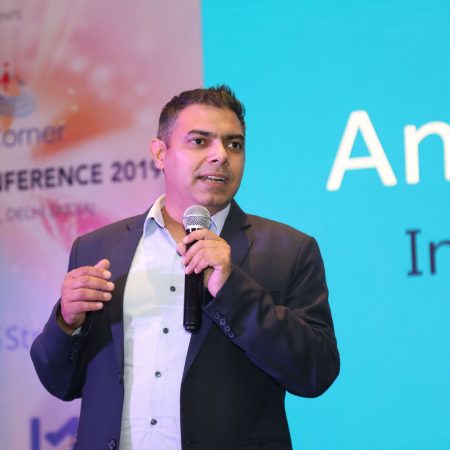
Magnus Mårtensson
Microsoft Regional Director, Azure MVP, CEO Loftysoft
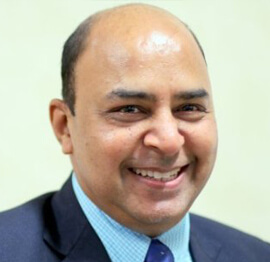
Avirag Jain
Director & CTO R Systems

Mahesh Chand
Founder C# Corner, CEO Mindcracker

Chris Gali
CEO & Co-Founder Graphite

Subinder Khurana
Chief Architect StoryProcess, Founder NASSCOM DeepTech Club

Bryan Rishforth
Investor, Chairman Graphite

Bryn Everson
Director Biz Dev Graphite
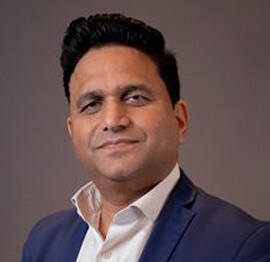
Raj Tiwari
Digital Transformation Leader, Futurist and Visionary

Joseph Guadagno
Microsoft MVP, Lead Quicken Loans

Nikita Sachdev
Entrepreneur, Blockchain Enthusiast & Advisor, Social Media Influencer

Doug Wagner
COO & Founder Adapt Technical Group

Ritesh Modi
Architect, Senior Evangelist, Cloud Architect

Crystal Wenrick
Director Communications Mindcracker

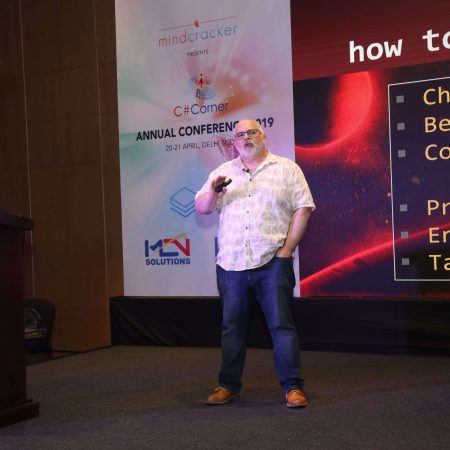
Allen O’Neill
Microsoft MVP, Consulting Engineer/Architect
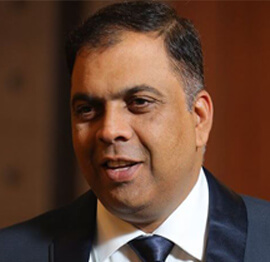
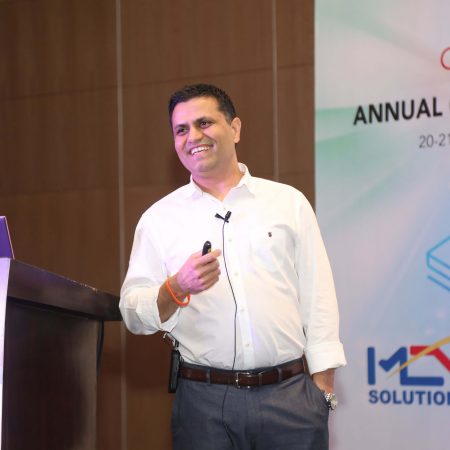
Praveen Kumar
CEO MCN Solutions

Chris Love
Founder Love2Dev, Microsoft MVP, Author

Sanjay Vyas
Microsoft Regional Director, Microsoft MVP, Founder & CEO SkillLabs Technologies

Veena Sarda
Deep Learning Consultant, Author

Sekhar Srinivasan
C# Corner MVP, Microsoft Certified Trainer, Pluralsight Author

Lalit Bansal
Founder & CEO - EIY SYS

Navdeep Garg
CEO Revinfotech

Prakash Tripathi
Tech Manager/Leader, Microsoft MVP, Blogger
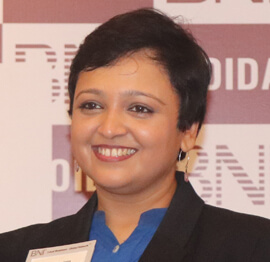
Bhavna Jain
Breakthrough Consultant

Naveen Sharma
Enterprise Architect, Leadership Coach, Author

Vidya Vrat Agarwal
Principal Architect, Microsoft MVP, Author

Sheetal Agarwal
Founder Clownselors, Medical Clown, Trainer

Abhishek Kant
Founder GTM Catalyst

Vishnu Saran
Founder & CEO VoiceQube

Sandeep Soni
Founder & CEO Deccansoft, Microsoft Certified Trainer

Parveen Malik
AVP InfoSec & Vulnerability Management, Information Security Expert

Nitin Pandit
Microsoft MVP, Developer Evangelist, Author

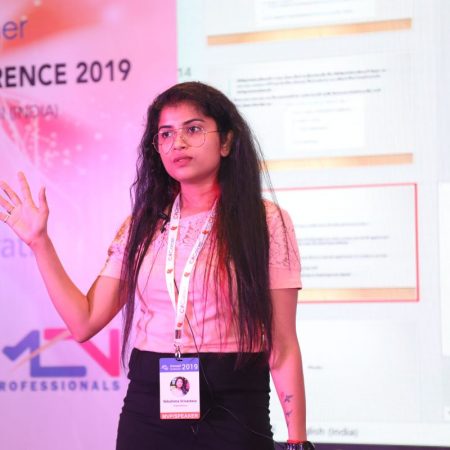
Niloshima Srivastava
C# Corner MVP, Tech Architect, Trainer, Blogger

Bala Chirtsabesan
Senior Software Engineer at Microsoft, Author

Manoj Mittal
Sr. Technical Architect, C# Corner MVP, Author

Chandni Di
Co-Founder Voice of Slum

Vithal Wadje
Technical Lead, Microsoft MVP, Author

Shivam Ahuja
Founder SkillCircle, Business Mentor

Chervine Bhiwoo
Solution Architect, Microsoft MVP, Author

Saurabh Jain
Vice President Paytm, Founder Fun2Do Labs, Author

Vinay Solanki
Head IoT at Lenovo, Founder IoT-NCR

Anshu kumari
Founder Blockchainkids, Inventor, Trainer

Amit Singal
CEO Startup Buddy

Dev Pratap
Co-Founder & CEO Voice of Slum

Amey Vartak
Technology Consultant, Full Stack Developer, C# Corner MVP, Author

Viswanatha Swamy
Principal Software Engineer, C# Corner MVP, Author

Sanket Verma
Research Engineer @ Ballistics (Forensics) and Chair, PyData Delhi

Sourabh Somani
Lead Developer, Microsoft MVP, Author

Abhishek Mishra
Software Architect, C# Corner MVP, Author

Siddharth Vaghasia
Technical Consultant, C# Corner MVP, Blogger

Bassam Alugili
Senior Software Specialist, Database Expert

S Ravi Kumar
Solution Architect, C# Corner MVP, Author

Sundaram Subramanian
Full Stack Developer, C# Corner MVP, Speaker

Deepesh Somani
Solution Architect, Microsoft MVP, Author

Debasis Saha
Technical Project Manager, C# Corner MVP, Blogger, Author

Vipul Jain
Software Architect, C# Corner MVP, Author

Akshay Patel
Technical Architect, Microsoft Certified Trainer, C# Corner MVP, Author

Stephen Simon
RPA Developer, Evangelist, Author

Vivek Sharma
Founder Kingster636, AR/VR Specialist

Jeetendra Gund
Technical Lead, C# Corner MVP, Author

Sujal Beniwal
AI Enthusiast, Student

M Viknaraj
Microsoft MVP, Azure Architect, Author

Prasham Sabadra
Software Architect, C# Corner MVP, Trainer, Author

Aakash Maurya
Senior Developer, C# Corner MVP, Speaker

Ankit Sharma
Senior Software Engineer, C# Corner MVP, Author

Mangesh Gaherwar
Team Lead, C# Corner MVP, Author

Viral Jain
Technical Consultant, C# Corner MVP, Author

Bhasker Das
Solution Architect, Evangelist

Manish Dwivedi
Associate Project Manager

Ck Nitin
Programmer, Author

Rohit Gupta
Technical Trainer, Author

Manish Tewatia
Full-stack Marketer, UX Designer

Bhavya Gaur
Technical Illustrator

Rohit Tomar
SEO/SMO Expert
Web Track
Cloud & Data Track
Dev Track
Registration & Breakfast
Future of Desktop Apps with JS (ElectronJs)
Nitin Pandit
Building Serverless Microservices Using Microsoft Azure
Vithal Wadje
Innovating RPA: A Robot for Every Person
Stephen Simon
Managing Cloud Storage Accounts using Logic Apps
Viknaraj Manogararajah
Data visualization using Python
Sekhar Srinivasan
Going Cross platform with AR Foundation
Vivek Sharma
Keynote
Managing your Azure dependencies in ASP.NET Core apps using VS
Bala Chirtsabesan
Securing Applications on Intelligent Azure
Abhishek Mishra
Getting started with Blazor the Framework of Future
S Ravi Kumar
Lunch
Build Progressive Web Apps using Angular 9
Debasis Saha
Build and deploy to any platform using Azure DevOps
Chervine Bhiwoo
Deep Dive in Azure Service Bus
Akshay Patel
Build a Native Mobile Application using React Native and JavaScript
Joseph Guadagno
Making sense of Web Job, Web Job SDK and Functions in Azure
Prakash Tripathi
CloudFront Distribution in AWS
Viral Jain
Tea Break
Introduction to PowerBI
Aakash Maurya
Build Advanced SPFx solutions with React and Graph API
Siddharth Vaghasia
Build Business Intelligence Analyst (BIA) Skills
Sundaram Subramanian
Deep dive of Power Platform – AI BUILDER
Prasham Sabadra
Panel 1
What's new in SharePoint development
Vipul Jain
Build a SSO (Single Sign On) based Native JavaScript application with Microsoft Identity within 10 minutes
Manoj Mittal
Panel 2
Applications and working of AI
Veena Sarda
Deploying serverless API's with .Net core 3.0 on AWS & Azure
Amey Vartak
Panel 3
Blockchain with .NET Core (Ark)
Anshu Kumari
Closing Note & Prize Distribution
Dev Track
Cloud Track
Architecture Track
Emerging Tech Track
Registration & Breakfast
Creating Full-Stack Web Apps Using Server-Side Blazor
Ankit Sharma
Real time face recognition with MS Cognitive Services
Niloshima Srivastava
Building Scalable APIs with GraphQL
Jeetendra Gund
Future of development with AI and Blockchain
Navdeep Garg
Debugging Tips and Tricks with Visual Studio 2019
Joseph Guadagno
Azure Containers
Abhishek Kant
Enterprise Architecture
Naveen Sharma
Bot Framework - learn it fast and look like a boss!
Allen O’Neill
Keynote
.Net Core & C# 8 Performance
David McCarter
Working with Azure kubernetes services
Ritesh Modi
Becoming an Architect
Vidyavrat Agarwal
Why Techies Need to Learn Product Management
Saurabh Jain
Lunch
Build a rules engine in .Net Core
Sanjay Vyas
Building CI and CD Pipeline using Azure DevOps
Sandeep Soni
Entity Framework Core - Tips and Tricks, Performance Optimization, and Tuning
Bassam Alugili
Hacking your way into Data Science
Sanket Verma
Speed up your .Net Core Website
Sourabh Somani
Azure
Magnus Mårtensson
Demystifying Open Distro for Elasticsearch
Suman Debnath
Future of Data
Shivam Ahuja
Tea Break
gRPC with C# and .Net Core
Mangesh Gaherwar
Panel 1
Essentials of Cloud security
Parveen Malik
Power platform and Dynamics 365
Deepesh Somani
Microservices - the gRPC Way
Viswanatha Swamy
Panel 2
Reserved
Reserved
Closing Note & Prize Distribution
Experimental Attributes for C# 12 Source Generators
Source generators turn a Roslyn build into a code-generation pipeline, adding types and members before compilation without requiring an application to load a runtime dependency. C# 12 experimental attributes give library authors a deliberate way to mark APIs as provisional. This matters because the .NET 8 SDK also treats source-generator support as experimental, issuing EXP0012 when a generator is consumed. The two mechanisms are related but distinct: an attribute describes your contract, while EXP0012 describes the SDK feature.
For teams in Sydney and Melbourne, the value is not merely using newer syntax. It is creating a controlled path from an experimental generator to a supported internal library, with reproducible builds, visible diagnostics and a clear retirement policy. The generator must behave consistently on developer laptops, hosted build agents and cloud build images used by Australian organisations.
| Concern | Mechanism | Compiler behaviour | Appropriate use |
|---|---|---|---|
| Ordinary public API | No experimental marker | No warning from the API’s status | Stable, supported contracts |
| Your evolving API | [Experimental("SG001")] |
Warning carrying the SG001 identifier | Controlled evaluation of a new contract |
| Your retired API | [Obsolete(..., DiagnosticId = "SG002")] |
Directed obsolete warning | Migration towards a replacement |
| Source generators in .NET 8 | SDK experimental designation | EXP0012 in affected toolchains | Assessing generator adoption |
| Unreleased C# syntax | Preview compiler configuration | Preview-specific diagnostics | Testing language features before release |
Why Experimental Metadata Matters
Using C# 12 experimental attributes for source generators is a governance choice, not a syntax toggle. ExperimentalAttribute, supplied by .NET 8, lets an author label a public API as provisional and attach a diagnostic identifier. A consumer that calls the marked API receives a compiler warning with that identifier, making the decision visible in build output rather than hidden in release notes. The marker does not change runtime behaviour or make the API binary-incompatible; it communicates that its shape may change.
C# 12 does not add a special attribute exclusively for generators. The general-purpose ExperimentalAttribute is the relevant mechanism, while the compiler supplies its own EXP0012 designation for experimental source-generator support. Your attribute does not create or remove that warning, and suppressing EXP0012 does not make a custom SG001 contract stable.
Preview compilation is not required merely to use this attribute or implement an incremental generator. Reserve LangVersion=preview for experiments with unreleased language syntax. An experimental API marker and a preview compiler are separate decisions that should not be conflated.
Building a Focused Generator
Create the generator as a separate class library and pin its compiler dependencies deliberately. The following project targets .NET 8, selects C# 12 and identifies itself as a Roslyn component:
<Project Sdk="Microsoft.NET.Sdk">
  <PropertyGroup>
    <TargetFramework>net8.0</TargetFramework>
    <LangVersion>12.0</LangVersion>
    <Nullable>enable</Nullable>
    <ImplicitUsings>enable</ImplicitUsings>
    <IsRoslynComponent>true</IsRoslynComponent>
    <EnforceExtendedAnalyzerRules>true</EnforceExtendedAnalyzerRules>
  </PropertyGroup>

  <ItemGroup>
    <PackageReference Include="Microsoft.CodeAnalysis.CSharp"
                      Version="4.8.0"
                      PrivateAssets="all" />
  </ItemGroup>
</Project>
The generator below finds methods marked with Contoso.EndpointAttribute and emits a route constant. ForAttributeWithMetadataName avoids repeatedly scanning the entire syntax tree, while RegisterSourceOutput connects the semantic model to the generated text.
using System.Text;
using Microsoft.CodeAnalysis;
using Microsoft.CodeAnalysis.CSharp.Syntax;
using Microsoft.CodeAnalysis.Text;

[Generator(LanguageNames.CSharp)]
public sealed class EndpointGenerator : IIncrementalGenerator
{
    public void Initialize(IncrementalGeneratorInitializationContext context)
    {
        var methods = context.SyntaxProvider.ForAttributeWithMetadataName(
            "Contoso.EndpointAttribute",
            static (node, _) => node is MethodDeclarationSyntax,
            static (ctx, _) => (IMethodSymbol)ctx.TargetSymbol);

        context.RegisterSourceOutput(methods, static (production, method) =>
        {
            var typeName = $"Generated{method.ContainingType.Name}{method.Name}";
            var route = $"/{method.Name.ToLowerInvariant()}";
            var source = $@"// <auto-generated/>
#nullable enable
namespace Contoso.Generated;

public static class {typeName}
{{
    public const string Route = ""{route}"";
}}";

            production.AddSource(
                typeName + ".g.cs",
                SourceText.From(source, Encoding.UTF8));
        });
    }
}
Keep source generation narrow. A method-level marker gives the compiler a precise trigger and makes the generator easier to test than one that reflects over every type. A larger implementation should validate naming, accessibility and namespace conflicts before adding output. Incremental execution also allows Roslyn to reuse cached results between compilations, which matters for large solutions running in Azure Pipelines or another hosted build service.
Marking Your Own Contracts
The experimental attribute works well on a public contract deliberately offered for evaluation. Put it in a small API assembly referenced by the generator and its adopters, rather than scattering it across generated output:
using System;
using System.Diagnostics.CodeAnalysis;

[Experimental("SG001")]
public sealed class GeneratorOptions
{
    public string Namespace { get; init; } = "Contoso.Generated";
}

[Obsolete("Use GeneratorOptions instead.", DiagnosticId = "SG002")]
public sealed class LegacyGeneratorOptions
{
    public string Namespace { get; init; } = "Contoso.Generated";
}
SG001 is your diagnostic identifier, not a compiler-defined number. Keep it stable while the API is experimental, document it in the package release notes and use the same identifier in build configuration. Obsolete serves a different purpose: it signals that an existing API has entered its replacement cycle. Its optional DiagnosticId gives that migration path a distinct warning code.
Place markers on the APIs that callers reference. Generated helper types usually should not carry them unless every consumer is expected to acknowledge an experimental surface. Because ExperimentalAttribute first ships in .NET 8, a generator targeting netstandard2.0 needs a compatible internal polyfill. Avoid publishing duplicate public definitions of that attribute from several packages.
Controlling Compiler Warnings
Under the .NET 8 SDK, EXP0012 can make an otherwise successful build fail when warnings are treated as errors. If the generator has passed your acceptance checks, suppress that known diagnostic at the consuming project level. A scoped .editorconfig keeps the policy visible:
[*.cs]
dotnet_diagnostic.EXP0012.severity = none
Alternatively, the consuming project can add the identifier to NoWarn:
<PropertyGroup>
  <NoWarn>$(NoWarn);EXP0012</NoWarn>
</PropertyGroup>
Depending on the Roslyn packages used to compile the generator, EXP0012 can also appear in the generator project itself. Configure each scope deliberately rather than assuming only downstream consumers are affected.
Both mechanisms change reporting, not analysis. They do not hide defects in generated code, disable validation or establish compatibility. Scope the exception to projects that deliberately adopt the generator instead of applying it across the entire repository, and record the reason for the suppression. If your own experimental contract produces SG001, decide separately whether consumers should see a warning, an error or no diagnostic; experimental does not automatically mean forbidden.
Designing for Australian Deployments
Australian development teams commonly work with mixed estates: a Windows laptop may build a service that runs on Linux in an Australian data centre or in Azure. A source generator therefore needs the same package references, SDK version and environment on every agent. Avoid reading machine-specific paths, environment variables or the current clock during generation. Such values can leak into source control and make a build differ between a developer in Sydney and a build agent used by a Melbourne team.
For endpoints that return prices, explicitly choose en-AU and AUD in generated contracts rather than inheriting an operating-system culture. The generator can expose currency as configuration, but its default should be deliberate and documented. Australian dollar formatting is a business rule, not something a developer’s workstation should decide.
Privacy and messaging rules affect what generated clients should do by default. Under the Privacy Act 1988, organisations handling personal information may need to assess collection, use, disclosure and security under the Australian Privacy Principles. A generator that adds logging, analytics or message-sending code should not enable those behaviours silently. Keep network access out of the generator itself, and review any generated telemetry for personal information before release.
Commercial messaging introduces another local constraint: the Spam Act 2003 governs consent, identification and unsubscribe mechanisms for email and SMS. A generator that scaffolds notification code should leave commercial messages disabled until the responsible team supplies compliant consent data. These checks belong in the generator’s acceptance criteria, not in an informal review that happens only after the first customer complaint.
Testing and Releasing the Generator
Treat a generator as a product with its own compatibility tests. Use CSharpGeneratorDriver to run it against a small compilation, assert the expected diagnostics and compare the generated output. Include cases for duplicate names, missing attributes, unsupported target frameworks and cancellation. The driver catches mistakes before a consumer’s build discovers them.
Package the assembly as an analyzer and reference it from a test consumer using an analyzer project reference. This keeps the test focused on what downstream projects actually receive:
<ProjectReference Include="../Contoso.Generator/Contoso.Generator.csproj"
                  OutputItemType="Analyzer"
                  ReferenceOutputAssembly="false" />
Before release, build with the pinned .NET 8 SDK on Windows and Linux, run the consumer build with warnings enabled and confirm that repeated generation produces identical files. Publish the supported C# and .NET versions, the EXP0012 handling policy and the diagnostic identifiers alongside the package. That release information lets an Australian organisation decide whether a generator belongs in a production or regulated workload without relying on undocumented knowledge from its original authors.








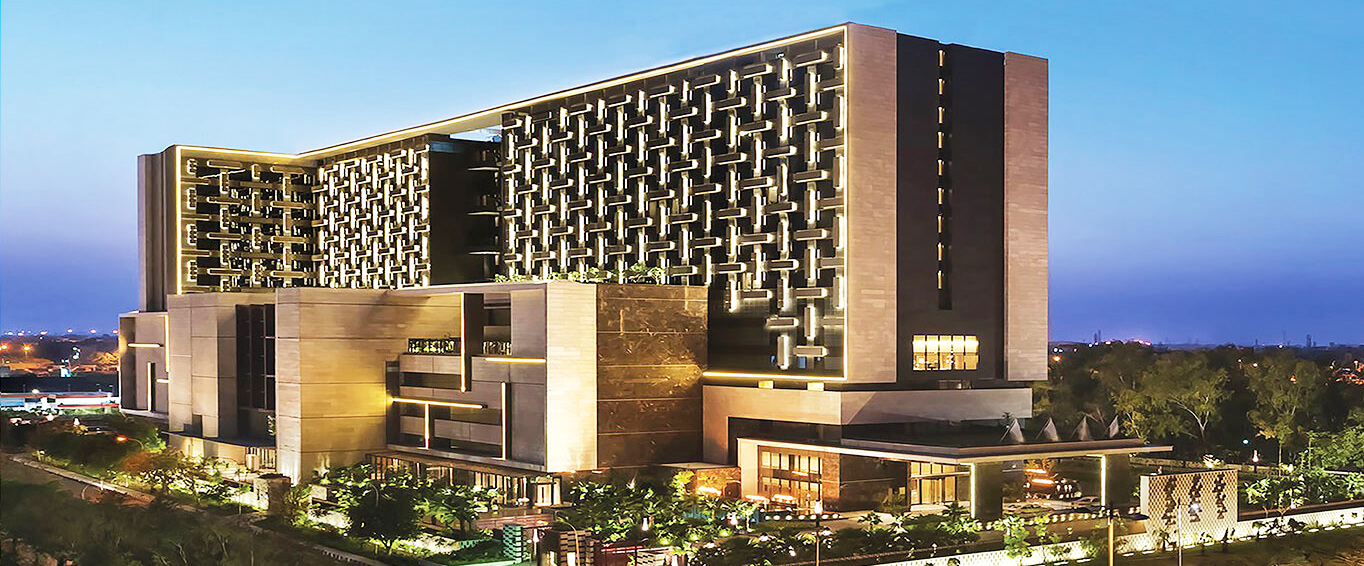
1, CBD, Maharaj Surajmal Road, Near Yamuna Sports Complex, Delhi, 110032



GENERAL QUERIES
Manish Tewatia
manish@csharpcon.com
+91-9718-431-042
TICKET QUERIES
Atul Gupta
conference@csharpcon.com
+91-9910-125-804