

Presents


Magnus Mårtensson
Microsoft Regional Director, Azure MVP, CEO Loftysoft

Avirag Jain
Director & CTO R Systems

Mahesh Chand
Founder C# Corner, CEO Mindcracker

Chris Gali
CEO & Co-Founder Graphite

Subinder Khurana
Chief Architect StoryProcess, Founder NASSCOM DeepTech Club

Bryan Rishforth
Investor, Chairman Graphite

Bryn Everson
Director Biz Dev Graphite

Raj Tiwari
Digital Transformation Leader, Futurist and Visionary

Joseph Guadagno
Microsoft MVP, Lead Quicken Loans

Nikita Sachdev
Entrepreneur, Blockchain Enthusiast & Advisor, Social Media Influencer

Doug Wagner
COO & Founder Adapt Technical Group

Ritesh Modi
Architect, Senior Evangelist, Cloud Architect

Crystal Wenrick
Director Communications Mindcracker

Allen O’Neill
Microsoft MVP, Consulting Engineer/Architect
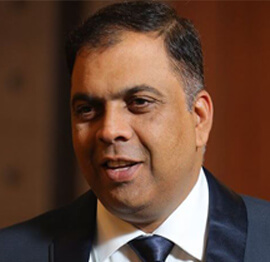
Praveen Kumar
CEO MCN Solutions

Chris Love
Founder Love2Dev, Microsoft MVP, Author

Sanjay Vyas
Microsoft Regional Director, Microsoft MVP, Founder & CEO SkillLabs Technologies

Veena Sarda
Deep Learning Consultant, Author

Sekhar Srinivasan
C# Corner MVP, Microsoft Certified Trainer, Pluralsight Author

Lalit Bansal
Founder & CEO - EIY SYS

Navdeep Garg
CEO Revinfotech

Prakash Tripathi
Tech Manager/Leader, Microsoft MVP, Blogger

Bhavna Jain
Breakthrough Consultant

Naveen Sharma
Enterprise Architect, Leadership Coach, Author

Vidya Vrat Agarwal
Principal Architect, Microsoft MVP, Author

Sheetal Agarwal
Founder Clownselors, Medical Clown, Trainer

Abhishek Kant
Founder GTM Catalyst

Vishnu Saran
Founder & CEO VoiceQube

Sandeep Soni
Founder & CEO Deccansoft, Microsoft Certified Trainer

Parveen Malik
AVP InfoSec & Vulnerability Management, Information Security Expert

Nitin Pandit
Microsoft MVP, Developer Evangelist, Author

Niloshima Srivastava
C# Corner MVP, Tech Architect, Trainer, Blogger

Bala Chirtsabesan
Senior Software Engineer at Microsoft, Author

Manoj Mittal
Sr. Technical Architect, C# Corner MVP, Author

Chandni Di
Co-Founder Voice of Slum

Vithal Wadje
Technical Lead, Microsoft MVP, Author

Shivam Ahuja
Founder SkillCircle, Business Mentor

Chervine Bhiwoo
Solution Architect, Microsoft MVP, Author

Saurabh Jain
Vice President Paytm, Founder Fun2Do Labs, Author

Vinay Solanki
Head IoT at Lenovo, Founder IoT-NCR

Anshu kumari
Founder Blockchainkids, Inventor, Trainer

Amit Singal
CEO Startup Buddy

Dev Pratap
Co-Founder & CEO Voice of Slum

Amey Vartak
Technology Consultant, Full Stack Developer, C# Corner MVP, Author

Viswanatha Swamy
Principal Software Engineer, C# Corner MVP, Author

Sanket Verma
Research Engineer @ Ballistics (Forensics) and Chair, PyData Delhi

Sourabh Somani
Lead Developer, Microsoft MVP, Author

Abhishek Mishra
Software Architect, C# Corner MVP, Author

Siddharth Vaghasia
Technical Consultant, C# Corner MVP, Blogger

Bassam Alugili
Senior Software Specialist, Database Expert

S Ravi Kumar
Solution Architect, C# Corner MVP, Author

Sundaram Subramanian
Full Stack Developer, C# Corner MVP, Speaker

Deepesh Somani
Solution Architect, Microsoft MVP, Author

Debasis Saha
Technical Project Manager, C# Corner MVP, Blogger, Author

Vipul Jain
Software Architect, C# Corner MVP, Author

Akshay Patel
Technical Architect, Microsoft Certified Trainer, C# Corner MVP, Author

Stephen Simon
RPA Developer, Evangelist, Author

Vivek Sharma
Founder Kingster636, AR/VR Specialist

Jeetendra Gund
Technical Lead, C# Corner MVP, Author

Sujal Beniwal
AI Enthusiast, Student

M Viknaraj
Microsoft MVP, Azure Architect, Author

Prasham Sabadra
Software Architect, C# Corner MVP, Trainer, Author

Aakash Maurya
Senior Developer, C# Corner MVP, Speaker

Ankit Sharma
Senior Software Engineer, C# Corner MVP, Author

Mangesh Gaherwar
Team Lead, C# Corner MVP, Author

Viral Jain
Technical Consultant, C# Corner MVP, Author

Bhasker Das
Solution Architect, Evangelist

Manish Dwivedi
Associate Project Manager

Ck Nitin
Programmer, Author

Rohit Gupta
Technical Trainer, Author

Manish Tewatia
Full-stack Marketer, UX Designer

Bhavya Gaur
Technical Illustrator

Rohit Tomar
SEO/SMO Expert
Web Track
Cloud & Data Track
Dev Track
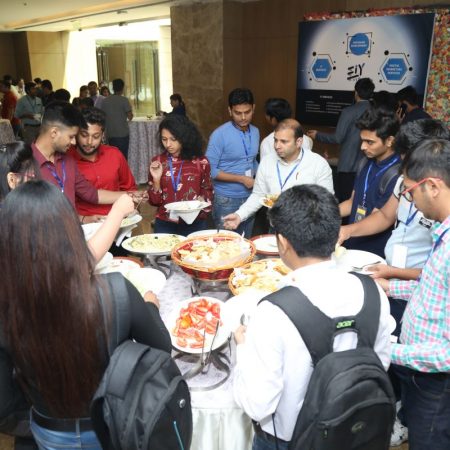
Registration & Breakfast
Future of Desktop Apps with JS (ElectronJs)
Nitin Pandit
Building Serverless Microservices Using Microsoft Azure
Vithal Wadje
Innovating RPA: A Robot for Every Person
Stephen Simon
Managing Cloud Storage Accounts using Logic Apps
Viknaraj Manogararajah
Data visualization using Python
Sekhar Srinivasan
Going Cross platform with AR Foundation
Vivek Sharma
Keynote
Managing your Azure dependencies in ASP.NET Core apps using VS
Bala Chirtsabesan
Securing Applications on Intelligent Azure
Abhishek Mishra
Getting started with Blazor the Framework of Future
S Ravi Kumar
Lunch
Build Progressive Web Apps using Angular 9
Debasis Saha
Build and deploy to any platform using Azure DevOps
Chervine Bhiwoo
Deep Dive in Azure Service Bus
Akshay Patel
Build a Native Mobile Application using React Native and JavaScript
Joseph Guadagno
Making sense of Web Job, Web Job SDK and Functions in Azure
Prakash Tripathi
CloudFront Distribution in AWS
Viral Jain
Tea Break
Introduction to PowerBI
Aakash Maurya
Build Advanced SPFx solutions with React and Graph API
Siddharth Vaghasia
Build Business Intelligence Analyst (BIA) Skills
Sundaram Subramanian
Deep dive of Power Platform – AI BUILDER
Prasham Sabadra
Panel 1
What's new in SharePoint development
Vipul Jain
Build a SSO (Single Sign On) based Native JavaScript application with Microsoft Identity within 10 minutes
Manoj Mittal
Panel 2
Applications and working of AI
Veena Sarda
Deploying serverless API's with .Net core 3.0 on AWS & Azure
Amey Vartak
Panel 3
Blockchain with .NET Core (Ark)
Anshu Kumari
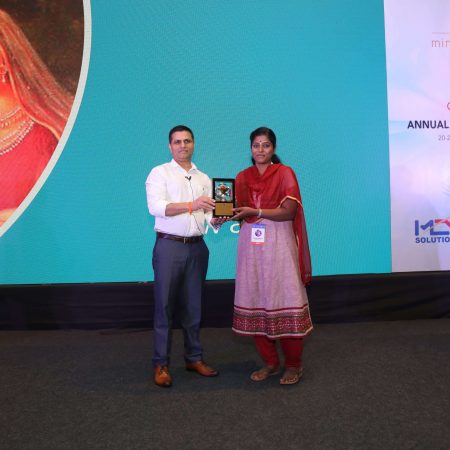
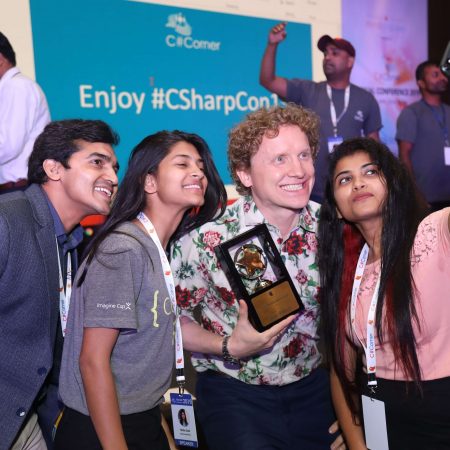
Closing Note & Prize Distribution
Dev Track
Cloud Track
Architecture Track
Emerging Tech Track
Registration & Breakfast
Creating Full-Stack Web Apps Using Server-Side Blazor
Ankit Sharma
Real time face recognition with MS Cognitive Services
Niloshima Srivastava
Building Scalable APIs with GraphQL
Jeetendra Gund
Future of development with AI and Blockchain
Navdeep Garg
Debugging Tips and Tricks with Visual Studio 2019
Joseph Guadagno
Azure Containers
Abhishek Kant
Enterprise Architecture
Naveen Sharma
Bot Framework - learn it fast and look like a boss!
Allen O’Neill
Keynote
.Net Core & C# 8 Performance
David McCarter
Working with Azure kubernetes services
Ritesh Modi
Becoming an Architect
Vidyavrat Agarwal
Why Techies Need to Learn Product Management
Saurabh Jain
Lunch
Build a rules engine in .Net Core
Sanjay Vyas
Building CI and CD Pipeline using Azure DevOps
Sandeep Soni
Entity Framework Core - Tips and Tricks, Performance Optimization, and Tuning
Bassam Alugili
Hacking your way into Data Science
Sanket Verma
Speed up your .Net Core Website
Sourabh Somani
Azure
Magnus Mårtensson
Demystifying Open Distro for Elasticsearch
Suman Debnath
Future of Data
Shivam Ahuja
Tea Break
gRPC with C# and .Net Core
Mangesh Gaherwar
Panel 1
Essentials of Cloud security
Parveen Malik
Power platform and Dynamics 365
Deepesh Somani
Microservices - the gRPC Way
Viswanatha Swamy
Panel 2
Reserved
Reserved
Closing Note & Prize Distribution
Running Resilient Background Jobs with Azure Service Bus and .NET
Long-running work rarely belongs inside a web request. When a customer drops off a batch of documents or a partner fires a webhook, the sensible move is to acknowledge the caller straight away and pass the actual processing somewhere else. Azure Service Bus queues provide that hand-off point, and a .NET Worker Service built on BackgroundService gives it a home, replacing sleep-and-poll loops with a broker that absorbs bursts and lets you add consumers as demand grows. Learn more about Using Nsubstitute Over Moq For Dynamic Mocking In C Tests.
Australian workloads make the pattern obvious. The Australian Taxation Office copes with a predictable rush of lodgements in the weeks around 30 June, freight operators around Melbourne and insurers in Sydney see work arrive in spikes rather than a steady drip, and reconciliation jobs for the National Electricity Market chew through overnight batches. A queue absorbs that spike while a worker drains it at the pace downstream systems can actually sustain.
The details behind the idea matter just as much: region and SKU choices, identity and access, dead-letter handling, lock renewal, and the tests that prove a consumer behaves without touching production. Sessions in the cloud and DevOps tracks of the C# Corner Annual Conference 2020 cover the surrounding ground, and this pattern sits neatly beside them.
Local conditions shape several of the answers that follow. Azure's Australia East (New South Wales) and Australia Southeast (Victoria) regions keep data onshore for organisations bound by the Privacy Act 1988 and the notifiable data breaches scheme, local pricing pages quote Australian dollars with GST included, and support rosters stretch across AEST, AEDT and Perth's two-hour gap.
What a .NET worker service is actually for
A Worker Service is a console application with hosting built in. The dotnet new worker template produces a class deriving from BackgroundService, where the ExecuteAsync method runs for the life of the process and receives a CancellationToken that flips during shutdown. Dependency injection, configuration and logging all come from the generic host, so the same container that wires up an ASP.NET Core API works here.
Running that process separately from the API is the point. It scales on its own, sits behind its own deployment pipeline, and keeps CPU-heavy work away from request handling. Several instances can run at once, each pulling from the same queue, which turns a slow consumer into a fleet of consumers without changing application code. On Kubernetes or Container Apps, that means a second deployment scale setting rather than a new architecture.
The loop itself should be cheap when idle. Blocking on a long receive beats a tight poll that spins the CPU, and the worker should honour the cancellation token promptly so a scaled-down pod exits without dropping in-flight work.
Why a broker sits between producer and consumer
Decoupling is the first benefit. The producer publishes a message and moves on, knowing the broker will hold it even if no consumer is online. Delivery is at-least-once, so the real engineering work shifts to the handler: a message can arrive twice, and any side effect should be keyed on the message id so a replay stays harmless.
The broker also carries the retry semantics that every distributed system eventually needs. A transient fault in a downstream API becomes a redelivery rather than a lost job, and the queue applies backpressure so a slow dependency throttles consumption rather than piling failures onto the producer.
Lock mechanics underpin all of this. A received message becomes invisible to other consumers for the duration of its lock, up to five minutes by default. Long handlers need lock renewal, abandoned messages return to the queue after the lock expires, and completing a message removes it for good. Those three verbs — complete, abandon, dead-letter — are the vocabulary the rest of this article uses.
Provisioning the namespace and queue in Australia
Start by creating a namespace in Australia East or Australia Southeast if data residency matters to your organisation; both keep traffic inside Australian borders. The Standard SKU suits most queue workloads and is priced per million operations, which is why buffering bursts is cheaper than keeping a fleet of workers running flat out around the clock. Premium adds long transactions and dedicated capacity for organisations that need them.
Identity is the next decision. Entra ID with role-based access control lets the worker authenticate as a managed identity, which suits Kubernetes and removes connection strings from source control entirely. Shared access policies still work, and the connection string they generate belongs in Key Vault rather than in an appsettings file pushed through a pipeline.
Configure the queue with intent: a sensible maxDeliveryCount, a lock duration that matches your longest realistic handler, dead-lettering enabled, and a default time-to-live so abandoned backlog does not linger forever. Terraform and Bicep resources for Service Bus queues are mature, so treating the namespace as code fits comfortably into an Australian DevOps pipeline that already manages everything else through Azure DevOps.
Choosing the right messaging primitive
The queue is not the only option in the platform, and picking the wrong one creates rework later.
| Primitive | Delivery model | Error handling | Typical fit |
|---|---|---|---|
| Service Bus queue | Competing consumers, one shared backlog | Retry policy, dead-letter queue, manual abandon | Work items with a single logical owner |
| Service Bus topic and subscription | One publish, many independent subscriptions | Dead-letter handling per subscription | Events several teams each need in their own copy |
| Azure Storage queue | Competing consumers, lightweight backlog | Visibility timeout only | Low-volume, low-cost backlog |
| Direct HTTPS or webhook call | Caller drives the work immediately | You own the retry loop and back-off | Small volumes, tightly coupled endpoints |
Ordering is the tie-breaker when it comes to queues. FIFO behaviour requires sessions and a single active consumer, which caps throughput, so use it for genuine sequencing requirements such as reconciliation steps. Partitioned entities spread load across brokers and suit high-volume, order-insensitive work such as document indexing.
Building the consumer loop in .NET
Work with the current Azure.Messaging.ServiceBus package rather than the older Microsoft.Azure.ServiceBus namespace, and authenticate with DefaultAzureCredential so the same code runs locally and in the cloud.
var client = new ServiceBusClient(
    "sb://your-namespace.servicebus.windows.net/");

var processor = client.CreateProcessor(
    "document-work",
    new ServiceBusProcessorOptions
    {
        MaxConcurrentCalls = 8,
        AutoLockRenewal = true
    });

processor.ProcessMessageAsync += async args =>
{
    logger.LogInformation("Handling {MessageId}", args.Message.MessageId);
    await ProcessAsync(args.Message, args.CancellationToken);
    await args.CompleteMessageAsync(args.CancellationToken);
};

processor.ProcessErrorAsync += async args =>
{
    logger.LogError(args.Exception, "Broker error on {MessageId}",
        args.Message?.MessageId);
};

await processor.StartProcessingAsync(stoppingToken);
Auto lock renewal matters more than it looks. Without it, a handler that takes longer than the lock duration allows will see LockLostException, and the message will be delivered again while the first attempt is still running. Renewal keeps the lease alive for as long as the handler is making progress.
Where you need fine-grained control over batching or ordering, a receiver gives it to you. Pull a batch, process each message, complete the successes and abandon the failures, then loop.
ServiceBusReceivedMessage[] batch =
    await receiver.ReceiveMessagesAsync(
        maxMessages: 10,
        maxWaitTime: TimeSpan.FromSeconds(5),
        cancellationToken: stoppingToken);
Retries, dead letters and proof of behaviour
Client-side retries are configured through ServiceBusRetryOptions, covering the attempt timeout, the delay between attempts and the back-off mode. Start with a small number of retries for genuinely transient faults and let anything else dead-letter immediately rather than tying up a consumer slot for minutes.
The dead-letter queue is where failures become visible work. Have a gander at its depth and the age of the oldest message before you close any incident, because a pipeline that looks healthy can still be quietly dropping everything it cannot handle. Re-driving dead letters is straightforward: open a receiver against the dead-letter subqueue, publish the payloads to the original queue with a marker, and track what came back.
Testing the handler without a real namespace is where most teams get stuck, because the SDK types are awkward to fake. Teams that stub the client often find that using NSubstitute over Moq pays off, since dynamic substitutes survive renames and refactors that fixed mocks do not. Integration tests can then run against a local emulator or an isolated test namespace.
Observability closes the loop. Application Insights captures the SDK's diagnostic traces, and the administration client exposes runtime properties such as active message count, dead-letter count and oldest message age. Alert on queue age and dead-letter depth, not only on processor exceptions.
A pragmatic rollout checklist
These are the checks that tend to matter before a queue carries anything a customer depends on.
- Pick the Australia East or Australia Southeast region for anything covered by the Privacy Act, and confirm the residency story with your compliance lead.
- Authenticate with Entra ID and a managed identity, and keep connection strings in Key Vault rather than in source control.
- Set
MaxConcurrentCallsandMaxDeliveryCountdeliberately, and document how those numbers relate to downstream throughput. - Make handlers idempotent by keying side effects on the message id, so redelivery after a crash stays harmless.
- Alert on dead-letter depth and oldest message age, because a queue that stops draining fails quietly.
- Rehearse a dead-letter replay against a copy of the namespace, and load-test with a synthetic producer well before peak season.
Treat each item as a gate rather than a suggestion. Australian teams are usually keen to move quickly once a design is agreed, and a queue that survives its first burst of real traffic is worth more than a clever prototype that only ever sees tidy sample data.












1, CBD, Maharaj Surajmal Road, Near Yamuna Sports Complex, Delhi, 110032





GENERAL QUERIES
Manish Tewatia
manish@csharpcon.com
+91-9718-431-042
TICKET QUERIES
Atul Gupta
conference@csharpcon.com
+91-9910-125-804