

Presents


Magnus Mårtensson
Microsoft Regional Director, Azure MVP, CEO Loftysoft

Avirag Jain
Director & CTO R Systems

Mahesh Chand
Founder C# Corner, CEO Mindcracker

Chris Gali
CEO & Co-Founder Graphite

Subinder Khurana
Chief Architect StoryProcess, Founder NASSCOM DeepTech Club

Bryan Rishforth
Investor, Chairman Graphite

Bryn Everson
Director Biz Dev Graphite

Raj Tiwari
Digital Transformation Leader, Futurist and Visionary

Joseph Guadagno
Microsoft MVP, Lead Quicken Loans

Nikita Sachdev
Entrepreneur, Blockchain Enthusiast & Advisor, Social Media Influencer

Doug Wagner
COO & Founder Adapt Technical Group

Ritesh Modi
Architect, Senior Evangelist, Cloud Architect

Crystal Wenrick
Director Communications Mindcracker

Allen O’Neill
Microsoft MVP, Consulting Engineer/Architect

Praveen Kumar
CEO MCN Solutions

Chris Love
Founder Love2Dev, Microsoft MVP, Author

Sanjay Vyas
Microsoft Regional Director, Microsoft MVP, Founder & CEO SkillLabs Technologies

Veena Sarda
Deep Learning Consultant, Author

Sekhar Srinivasan
C# Corner MVP, Microsoft Certified Trainer, Pluralsight Author

Lalit Bansal
Founder & CEO - EIY SYS

Navdeep Garg
CEO Revinfotech

Prakash Tripathi
Tech Manager/Leader, Microsoft MVP, Blogger
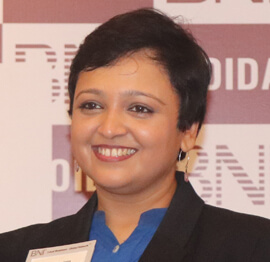
Bhavna Jain
Breakthrough Consultant

Naveen Sharma
Enterprise Architect, Leadership Coach, Author

Vidya Vrat Agarwal
Principal Architect, Microsoft MVP, Author

Sheetal Agarwal
Founder Clownselors, Medical Clown, Trainer

Abhishek Kant
Founder GTM Catalyst

Vishnu Saran
Founder & CEO VoiceQube

Sandeep Soni
Founder & CEO Deccansoft, Microsoft Certified Trainer

Parveen Malik
AVP InfoSec & Vulnerability Management, Information Security Expert

Nitin Pandit
Microsoft MVP, Developer Evangelist, Author

Niloshima Srivastava
C# Corner MVP, Tech Architect, Trainer, Blogger

Bala Chirtsabesan
Senior Software Engineer at Microsoft, Author

Manoj Mittal
Sr. Technical Architect, C# Corner MVP, Author

Chandni Di
Co-Founder Voice of Slum

Vithal Wadje
Technical Lead, Microsoft MVP, Author

Shivam Ahuja
Founder SkillCircle, Business Mentor

Chervine Bhiwoo
Solution Architect, Microsoft MVP, Author

Saurabh Jain
Vice President Paytm, Founder Fun2Do Labs, Author

Vinay Solanki
Head IoT at Lenovo, Founder IoT-NCR

Anshu kumari
Founder Blockchainkids, Inventor, Trainer

Amit Singal
CEO Startup Buddy

Dev Pratap
Co-Founder & CEO Voice of Slum

Amey Vartak
Technology Consultant, Full Stack Developer, C# Corner MVP, Author

Viswanatha Swamy
Principal Software Engineer, C# Corner MVP, Author

Sanket Verma
Research Engineer @ Ballistics (Forensics) and Chair, PyData Delhi

Sourabh Somani
Lead Developer, Microsoft MVP, Author

Abhishek Mishra
Software Architect, C# Corner MVP, Author

Siddharth Vaghasia
Technical Consultant, C# Corner MVP, Blogger

Bassam Alugili
Senior Software Specialist, Database Expert

S Ravi Kumar
Solution Architect, C# Corner MVP, Author

Sundaram Subramanian
Full Stack Developer, C# Corner MVP, Speaker

Deepesh Somani
Solution Architect, Microsoft MVP, Author

Debasis Saha
Technical Project Manager, C# Corner MVP, Blogger, Author

Vipul Jain
Software Architect, C# Corner MVP, Author

Akshay Patel
Technical Architect, Microsoft Certified Trainer, C# Corner MVP, Author

Stephen Simon
RPA Developer, Evangelist, Author

Vivek Sharma
Founder Kingster636, AR/VR Specialist

Jeetendra Gund
Technical Lead, C# Corner MVP, Author

Sujal Beniwal
AI Enthusiast, Student

M Viknaraj
Microsoft MVP, Azure Architect, Author

Prasham Sabadra
Software Architect, C# Corner MVP, Trainer, Author

Aakash Maurya
Senior Developer, C# Corner MVP, Speaker

Ankit Sharma
Senior Software Engineer, C# Corner MVP, Author

Mangesh Gaherwar
Team Lead, C# Corner MVP, Author

Viral Jain
Technical Consultant, C# Corner MVP, Author

Bhasker Das
Solution Architect, Evangelist

Manish Dwivedi
Associate Project Manager

Ck Nitin
Programmer, Author

Rohit Gupta
Technical Trainer, Author

Manish Tewatia
Full-stack Marketer, UX Designer

Bhavya Gaur
Technical Illustrator

Rohit Tomar
SEO/SMO Expert
Web Track
Cloud & Data Track
Dev Track
Registration & Breakfast
Future of Desktop Apps with JS (ElectronJs)
Nitin Pandit
Building Serverless Microservices Using Microsoft Azure
Vithal Wadje
Innovating RPA: A Robot for Every Person
Stephen Simon
Managing Cloud Storage Accounts using Logic Apps
Viknaraj Manogararajah
Data visualization using Python
Sekhar Srinivasan
Going Cross platform with AR Foundation
Vivek Sharma
Keynote
Managing your Azure dependencies in ASP.NET Core apps using VS
Bala Chirtsabesan
Securing Applications on Intelligent Azure
Abhishek Mishra
Getting started with Blazor the Framework of Future
S Ravi Kumar
Lunch
Build Progressive Web Apps using Angular 9
Debasis Saha
Build and deploy to any platform using Azure DevOps
Chervine Bhiwoo
Deep Dive in Azure Service Bus
Akshay Patel
Build a Native Mobile Application using React Native and JavaScript
Joseph Guadagno
Making sense of Web Job, Web Job SDK and Functions in Azure
Prakash Tripathi
CloudFront Distribution in AWS
Viral Jain
Tea Break
Introduction to PowerBI
Aakash Maurya
Build Advanced SPFx solutions with React and Graph API
Siddharth Vaghasia
Build Business Intelligence Analyst (BIA) Skills
Sundaram Subramanian
Deep dive of Power Platform – AI BUILDER
Prasham Sabadra
Panel 1
What's new in SharePoint development
Vipul Jain
Build a SSO (Single Sign On) based Native JavaScript application with Microsoft Identity within 10 minutes
Manoj Mittal
Panel 2
Applications and working of AI
Veena Sarda
Deploying serverless API's with .Net core 3.0 on AWS & Azure
Amey Vartak
Panel 3
Blockchain with .NET Core (Ark)
Anshu Kumari
Closing Note & Prize Distribution
Dev Track
Cloud Track
Architecture Track
Emerging Tech Track
Registration & Breakfast
Creating Full-Stack Web Apps Using Server-Side Blazor
Ankit Sharma
Real time face recognition with MS Cognitive Services
Niloshima Srivastava
Building Scalable APIs with GraphQL
Jeetendra Gund
Future of development with AI and Blockchain
Navdeep Garg
Debugging Tips and Tricks with Visual Studio 2019
Joseph Guadagno
Azure Containers
Abhishek Kant
Enterprise Architecture
Naveen Sharma
Bot Framework - learn it fast and look like a boss!
Allen O’Neill
Keynote
.Net Core & C# 8 Performance
David McCarter
Working with Azure kubernetes services
Ritesh Modi
Becoming an Architect
Vidyavrat Agarwal
Why Techies Need to Learn Product Management
Saurabh Jain
Lunch
Build a rules engine in .Net Core
Sanjay Vyas
Building CI and CD Pipeline using Azure DevOps
Sandeep Soni
Entity Framework Core - Tips and Tricks, Performance Optimization, and Tuning
Bassam Alugili
Hacking your way into Data Science
Sanket Verma
Speed up your .Net Core Website
Sourabh Somani
Azure
Magnus Mårtensson
Demystifying Open Distro for Elasticsearch
Suman Debnath
Future of Data
Shivam Ahuja
Tea Break
gRPC with C# and .Net Core
Mangesh Gaherwar
Panel 1
Essentials of Cloud security
Parveen Malik
Power platform and Dynamics 365
Deepesh Somani
Microservices - the gRPC Way
Viswanatha Swamy
Panel 2
Reserved
Reserved
Closing Note & Prize Distribution
Health checks for .NET microservices with ASP.NET Core
Health checks are often the unglamorous part of a microservice, yet they decide whether an application receives traffic, restarts, or remains in service during an incident. A simple “everything is fine” endpoint rarely tells an orchestrator what it needs to know. Useful checks distinguish whether a process is alive, whether it is ready for requests, and whether critical dependencies are available. In ASP.NET Core, these capabilities are built into the health-check framework and can be tailored for containers, Kubernetes, Azure deployments, and other cloud-native environments.
For developers following sessions from the C# Corner Annual Conference 2020, this is a practical .NET concern with broad relevance. A resilient implementation requires careful endpoint design, dependency timeouts, secure responses, automated tests, and operational ownership. Australian teams also need to account for hybrid estates, regional cloud availability, privacy obligations, and support arrangements that can span Sydney, Melbourne, Brisbane, Perth, and offshore partners.
| Check type | Core question | Should it include external dependencies | Typical outcome |
|---|---|---|---|
| Liveness | Is the process running and able to respond? | No | Restart the container if it fails |
| Readiness | Can this instance safely receive traffic? | Yes, for critical dependencies | Remove it from load balancing |
| Startup | Has initialisation completed within the allowed period? | Only for essential startup work | Delay liveness and readiness checks |
| Dependency | Is a downstream service or data store reachable? | Yes | Report the affected dependency and status |
Separate liveness, readiness and startup
Liveness and readiness answer different operational questions. Liveness asks whether the application process has become unusable and needs restarting. Readiness asks whether this particular instance can handle traffic now. A service can be alive while lacking database connectivity, so making liveness depend on every downstream system would create a dangerous restart loop during a database outage. Restarting the application would not repair the database and could make the incident worse.
Startup checks protect slow-starting applications from premature termination. A microservice might spend time loading configuration, warming caches, establishing connection pools, or running migrations. A startup probe can allow that work to finish before Kubernetes begins enforcing the liveness and readiness probes. Once initialisation succeeds, the startup probe has no further role.
ASP.NET Core supports this separation through named checks, tags, and different mapped routes. The AddHealthChecks registration builds the health-check system, while MapHealthChecks exposes it through the ASP.NET Core middleware pipeline. Tags such as live, ready, and startup let several checks share one registration without forcing every endpoint to evaluate every dependency.
Register checks for the real dependencies
A useful health check reflects whether the service can perform its intended work. For an orders API, that might include Entity Framework Core database access, a Redis cache, or an internal pricing service. Liveness should remain local to the process, while readiness can include dependencies required to serve a valid request. Optional dependencies may be reported as degraded rather than making the entire instance unavailable.
ASP.NET Core includes checks for common dependencies, while custom implementations cover application-specific requirements. The Entity Framework Core check requires the Microsoft.Extensions.Diagnostics.HealthChecks.EntityFrameworkCore package. Other packages provide checks for Redis and several third-party services. A custom IHealthCheck is often the clearest option when access involves an internal HTTP API or a specific query.
builder.Services
    .AddHealthChecks()
    .AddCheck<SelfHealthCheck>("self", tags: new[] { "live" })
    .AddDbContextCheck<OrdersDbContext>(
        "orders-db",
        tags: new[] { "ready" });

builder.Services.AddHttpClient("pricing", client =>
{
    client.BaseAddress = new Uri(
        builder.Configuration["Pricing:BaseUrl"] ?? "https://pricing.internal");
    client.Timeout = TimeSpan.FromSeconds(2);
});
The custom check should apply its own timeout and translate predictable failures into a health status. Catching every exception can hide programming defects, so unexpected exception types deserve logging and investigation. The public response should remain generic even when the internal result contains an exception for diagnostic use.
Timeouts are as important as the checks themselves. A dependency call that hangs for 30 seconds can exhaust the orchestrator’s probe timeout and create a misleading failure. Short, explicit timeouts allow the check to return before the platform gives up. Each dependency should have a realistic budget based on its role, rather than sharing one generous timeout across the entire service.
Expose useful endpoints without leaking details
Separate routes make probe behaviour predictable. A liveness endpoint can return only checks tagged live, while readiness evaluates ready. The same pattern can expose startup checks during initialisation or an operational endpoint for deeper diagnostics.
app.MapHealthChecks("/health/live", new HealthCheckOptions
{
    Predicate = check => check.Tags.Contains("live")
});

app.MapHealthChecks("/health/ready", new HealthCheckOptions
{
    Predicate = check => check.Tags.Contains("ready")
});

app.MapHealthChecks("/health/startup", new HealthCheckOptions
{
    Predicate = check => check.Tags.Contains("startup")
});
By default, ASP.NET Core returns HTTP 200 for both healthy and degraded results, and HTTP 503 for an unhealthy result. Teams should decide whether degraded readiness should still receive traffic. If it should not, the endpoint’s status-code mapping must reflect that policy. A custom ResponseWriter can produce structured JSON containing the overall status, individual check names, durations, and descriptive messages.
Health endpoints frequently need to be reachable by an orchestrator without an interactive login. That does not mean they should expose internals on the public internet. Restrict them through application gateway rules, private networking, API management policies, or platform-specific access controls. Avoid returning connection strings, stack traces, hostnames, dependency topology, or exception details.
Australian organisations handling health information must also consider the Privacy Act 1988 and the Australian Privacy Principles where they apply. A seemingly harmless diagnostic endpoint can reveal internal systems or operational weaknesses. The Office of the Australian Information Commissioner provides guidance on privacy and security, while many government and enterprise buyers align their controls with the Australian Signals Directorate’s Essential Eight. Health-check design should support those controls without turning the endpoint into a security-reporting exercise.
Coordinate containers and graceful shutdown
A Kubernetes deployment normally uses all three probe types. The startup probe receives a generous failure threshold, the liveness probe restarts a broken process, and the readiness probe controls membership in the Service endpoints.
startupProbe:
  httpGet:
    path: /health/startup
    port: 8080
  periodSeconds: 5
  failureThreshold: 30

livenessProbe:
  httpGet:
    path: /health/live
    port: 8080
  periodSeconds: 10
  failureThreshold: 3

readinessProbe:
  httpGet:
    path: /health/ready
    port: 8080
  periodSeconds: 5
  failureThreshold: 2
A running process does not necessarily have to remain ready during shutdown. Before terminating, the service should stop accepting new requests, allow existing requests time to complete, and report itself as unavailable. ASP.NET Core’s graceful-shutdown support can be combined with IHostApplicationLifetime to change the readiness state during ApplicationStopping. This prevents an instance from receiving a request while it is draining.
Dependency checks also need restraint. Azure SQL, Redis, and messaging services can all experience transient failures, and an unhealthy dependency does not always imply that every function is unusable. The check should test the minimum capability required for the instance’s traffic. Long-running or nonessential checks may also need to be excluded from a frequently executed readiness probe.
Location matters in Australian deployments. Azure Australia East is hosted in Sydney, while Australia Southeast is in Melbourne, yet regional failures and network latency can still affect connectivity. A common enterprise pattern is a hybrid estate that combines cloud services with on-premises systems, particularly where legacy workloads or procurement requirements remain. Health checks must reflect those real routes instead of assuming every dependency is nearby and always available.
Test and observe the health journey
Automated tests should cover more than the successful response. Unit tests can verify how custom checks translate dependency results, while integration tests can confirm that each endpoint returns the expected status and body. WebApplicationFactory<Program> works well for ASP.NET Core integration testing, and tools such as Testcontainers can provide realistic temporary instances of SQL Server or Redis without relying on a developer’s local setup.
The tests should include a failed database check, a timed-out HTTP dependency, a degraded optional dependency, and an unhealthy startup check. They should also verify that liveness remains healthy when a downstream service is unavailable. That last scenario protects against the restart storm caused by coupling liveness to external systems.
Health-check results belong in the service’s observability pipeline. Application Insights or an OpenTelemetry pipeline can record state changes, response duration, dependency failures, and the number of unhealthy instances. Avoid emitting one metric for every request when the value remains unchanged; publish a gauge or alert on transitions instead. Logs should contain enough context for diagnosis without recording sensitive request or patient information.
Runbooks need plain, unambiguous language. Australian incident chats may use informal phrasing such as “the pod is feeling crook” or “sort it out”, but the documented action should be exact: check readiness, identify the failed dependency, remove the replica from rotation, and confirm recovery before restoring traffic. A distributed team spanning Brisbane, Melbourne, Perth, and an offshore support partner benefits from a named owner, current UTC time, expected response window, and a clear handoff. With those practices in place, health checks become a dependable operational signal rather than a token endpoint that merely returns HTTP 200.








1, CBD, Maharaj Surajmal Road, Near Yamuna Sports Complex, Delhi, 110032




GENERAL QUERIES
Manish Tewatia
manish@csharpcon.com
+91-9718-431-042
TICKET QUERIES
Atul Gupta
conference@csharpcon.com
+91-9910-125-804