

Presents


Magnus Mårtensson
Microsoft Regional Director, Azure MVP, CEO Loftysoft

Avirag Jain
Director & CTO R Systems

Mahesh Chand
Founder C# Corner, CEO Mindcracker

Chris Gali
CEO & Co-Founder Graphite

Subinder Khurana
Chief Architect StoryProcess, Founder NASSCOM DeepTech Club

Bryan Rishforth
Investor, Chairman Graphite

Bryn Everson
Director Biz Dev Graphite

Raj Tiwari
Digital Transformation Leader, Futurist and Visionary

Joseph Guadagno
Microsoft MVP, Lead Quicken Loans

Nikita Sachdev
Entrepreneur, Blockchain Enthusiast & Advisor, Social Media Influencer

Doug Wagner
COO & Founder Adapt Technical Group

Ritesh Modi
Architect, Senior Evangelist, Cloud Architect

Crystal Wenrick
Director Communications Mindcracker

Allen O’Neill
Microsoft MVP, Consulting Engineer/Architect
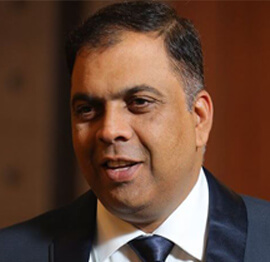
Praveen Kumar
CEO MCN Solutions

Chris Love
Founder Love2Dev, Microsoft MVP, Author

Sanjay Vyas
Microsoft Regional Director, Microsoft MVP, Founder & CEO SkillLabs Technologies

Veena Sarda
Deep Learning Consultant, Author

Sekhar Srinivasan
C# Corner MVP, Microsoft Certified Trainer, Pluralsight Author
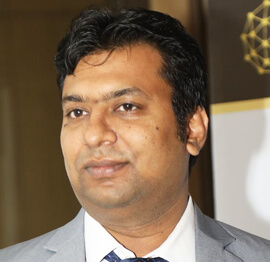
Lalit Bansal
Founder & CEO - EIY SYS

Navdeep Garg
CEO Revinfotech

Prakash Tripathi
Tech Manager/Leader, Microsoft MVP, Blogger

Bhavna Jain
Breakthrough Consultant

Naveen Sharma
Enterprise Architect, Leadership Coach, Author

Vidya Vrat Agarwal
Principal Architect, Microsoft MVP, Author

Sheetal Agarwal
Founder Clownselors, Medical Clown, Trainer

Abhishek Kant
Founder GTM Catalyst

Vishnu Saran
Founder & CEO VoiceQube

Sandeep Soni
Founder & CEO Deccansoft, Microsoft Certified Trainer

Parveen Malik
AVP InfoSec & Vulnerability Management, Information Security Expert

Nitin Pandit
Microsoft MVP, Developer Evangelist, Author

Niloshima Srivastava
C# Corner MVP, Tech Architect, Trainer, Blogger

Bala Chirtsabesan
Senior Software Engineer at Microsoft, Author

Manoj Mittal
Sr. Technical Architect, C# Corner MVP, Author

Chandni Di
Co-Founder Voice of Slum

Vithal Wadje
Technical Lead, Microsoft MVP, Author

Shivam Ahuja
Founder SkillCircle, Business Mentor

Chervine Bhiwoo
Solution Architect, Microsoft MVP, Author

Saurabh Jain
Vice President Paytm, Founder Fun2Do Labs, Author

Vinay Solanki
Head IoT at Lenovo, Founder IoT-NCR

Anshu kumari
Founder Blockchainkids, Inventor, Trainer

Amit Singal
CEO Startup Buddy

Dev Pratap
Co-Founder & CEO Voice of Slum

Amey Vartak
Technology Consultant, Full Stack Developer, C# Corner MVP, Author

Viswanatha Swamy
Principal Software Engineer, C# Corner MVP, Author

Sanket Verma
Research Engineer @ Ballistics (Forensics) and Chair, PyData Delhi

Sourabh Somani
Lead Developer, Microsoft MVP, Author

Abhishek Mishra
Software Architect, C# Corner MVP, Author

Siddharth Vaghasia
Technical Consultant, C# Corner MVP, Blogger

Bassam Alugili
Senior Software Specialist, Database Expert

S Ravi Kumar
Solution Architect, C# Corner MVP, Author

Sundaram Subramanian
Full Stack Developer, C# Corner MVP, Speaker

Deepesh Somani
Solution Architect, Microsoft MVP, Author

Debasis Saha
Technical Project Manager, C# Corner MVP, Blogger, Author

Vipul Jain
Software Architect, C# Corner MVP, Author

Akshay Patel
Technical Architect, Microsoft Certified Trainer, C# Corner MVP, Author

Stephen Simon
RPA Developer, Evangelist, Author

Vivek Sharma
Founder Kingster636, AR/VR Specialist

Jeetendra Gund
Technical Lead, C# Corner MVP, Author

Sujal Beniwal
AI Enthusiast, Student

M Viknaraj
Microsoft MVP, Azure Architect, Author

Prasham Sabadra
Software Architect, C# Corner MVP, Trainer, Author

Aakash Maurya
Senior Developer, C# Corner MVP, Speaker

Ankit Sharma
Senior Software Engineer, C# Corner MVP, Author

Mangesh Gaherwar
Team Lead, C# Corner MVP, Author

Viral Jain
Technical Consultant, C# Corner MVP, Author

Bhasker Das
Solution Architect, Evangelist

Manish Dwivedi
Associate Project Manager

Ck Nitin
Programmer, Author

Rohit Gupta
Technical Trainer, Author

Manish Tewatia
Full-stack Marketer, UX Designer

Bhavya Gaur
Technical Illustrator

Rohit Tomar
SEO/SMO Expert
Web Track
Cloud & Data Track
Dev Track
Registration & Breakfast
Future of Desktop Apps with JS (ElectronJs)
Nitin Pandit
Building Serverless Microservices Using Microsoft Azure
Vithal Wadje
Innovating RPA: A Robot for Every Person
Stephen Simon
Managing Cloud Storage Accounts using Logic Apps
Viknaraj Manogararajah
Data visualization using Python
Sekhar Srinivasan
Going Cross platform with AR Foundation
Vivek Sharma
Keynote
Managing your Azure dependencies in ASP.NET Core apps using VS
Bala Chirtsabesan
Securing Applications on Intelligent Azure
Abhishek Mishra
Getting started with Blazor the Framework of Future
S Ravi Kumar
Lunch
Build Progressive Web Apps using Angular 9
Debasis Saha
Build and deploy to any platform using Azure DevOps
Chervine Bhiwoo
Deep Dive in Azure Service Bus
Akshay Patel
Build a Native Mobile Application using React Native and JavaScript
Joseph Guadagno
Making sense of Web Job, Web Job SDK and Functions in Azure
Prakash Tripathi
CloudFront Distribution in AWS
Viral Jain
Tea Break
Introduction to PowerBI
Aakash Maurya
Build Advanced SPFx solutions with React and Graph API
Siddharth Vaghasia
Build Business Intelligence Analyst (BIA) Skills
Sundaram Subramanian
Deep dive of Power Platform – AI BUILDER
Prasham Sabadra
Panel 1
What's new in SharePoint development
Vipul Jain
Build a SSO (Single Sign On) based Native JavaScript application with Microsoft Identity within 10 minutes
Manoj Mittal
Panel 2
Applications and working of AI
Veena Sarda
Deploying serverless API's with .Net core 3.0 on AWS & Azure
Amey Vartak
Panel 3
Blockchain with .NET Core (Ark)
Anshu Kumari
Closing Note & Prize Distribution
Dev Track
Cloud Track
Architecture Track
Emerging Tech Track
Registration & Breakfast
Creating Full-Stack Web Apps Using Server-Side Blazor
Ankit Sharma
Real time face recognition with MS Cognitive Services
Niloshima Srivastava
Building Scalable APIs with GraphQL
Jeetendra Gund
Future of development with AI and Blockchain
Navdeep Garg
Debugging Tips and Tricks with Visual Studio 2019
Joseph Guadagno
Azure Containers
Abhishek Kant
Enterprise Architecture
Naveen Sharma
Bot Framework - learn it fast and look like a boss!
Allen O’Neill
Keynote
.Net Core & C# 8 Performance
David McCarter
Working with Azure kubernetes services
Ritesh Modi
Becoming an Architect
Vidyavrat Agarwal
Why Techies Need to Learn Product Management
Saurabh Jain
Lunch
Build a rules engine in .Net Core
Sanjay Vyas
Building CI and CD Pipeline using Azure DevOps
Sandeep Soni
Entity Framework Core - Tips and Tricks, Performance Optimization, and Tuning
Bassam Alugili
Hacking your way into Data Science
Sanket Verma
Speed up your .Net Core Website
Sourabh Somani
Azure
Magnus Mårtensson
Demystifying Open Distro for Elasticsearch
Suman Debnath
Future of Data
Shivam Ahuja
Tea Break
gRPC with C# and .Net Core
Mangesh Gaherwar
Panel 1
Essentials of Cloud security
Parveen Malik
Power platform and Dynamics 365
Deepesh Somani
Microservices - the gRPC Way
Viswanatha Swamy
Panel 2
Reserved
Reserved
Closing Note & Prize Distribution
How to parse unstructured logs with regex in C#
Operational logs often look simple until an incident begins. A line may combine an ISO timestamp, severity, service name, request identifier and a free-text message, while the next line contains a stack trace or a key-value pair with different spacing. The practical challenge in how to parse unstructured logs with regex in C# is therefore not finding words; it is identifying dependable boundaries without pretending every line follows one perfect schema.
Regex is a strong fit when a log producer emits line-oriented, semi-structured records. It offers fast scanning, named capture groups and precise extraction without first converting the entire file into another format. Used as a controlled extraction layer, System.Text.RegularExpressions can turn noisy text into fields suitable for filtering, alerting and incident summaries. It should not be treated as a general-purpose grammar for arbitrary prose.
Understand the log before writing a pattern
Start with samples rather than assumptions. Collect representative lines from each application, agent and release, and identify stable anchors: a timestamp shape, a severity token, a service field or a correlation identifier. Free-text messages often vary, but their envelope may remain consistent. That distinction lets you parse the predictable envelope and retain the message as an opaque value.
Australian teams often operate applications across Sydney, Melbourne and Brisbane, so timestamps need special care. Logs may mix UTC with Australian Eastern or Australian Central Time, and daylight-saving changes can create repeated or missing local-clock values. Store the original timestamp and a UTC offset, normalise daylight time with TimeZoneInfo, and prefer ISO 8601 in new formats. A log written as 23/04/2026 09:15:00 also needs an explicit dd/MM/yyyy interpretation.
The local market adds variety rather than a single logging standard. Banks, energy distributors, mining operators and software firms may use Microsoft Azure workloads in Australian regions or run services in public clouds, while internal batch jobs still emit plain text. Document the producer, format, expected volume and sensitive fields for each source. That inventory prevents a pattern tuned for a web API from being applied to a mainframe export or a cloud audit trail.
Build a bounded pattern for the stable fields
Begin with the smallest useful expression. Anchor it with ^ and $, name each capture group, restrict severity and service tokens, and leave the message as the final unconstrained portion. A match timeout is essential because input from an external system is not automatically trustworthy.
using System.Text.RegularExpressions;

var linePattern = new Regex(
    @"^(?<ts>\d{4}-\d{2}-\d{2}T\d{2}:\d{2}:\d{2}(?:\.\d+)?Z)\s+" +
    @"(?<level>INFO|WARN|ERROR)\s+" +
    @"(?<service>[A-Za-z0-9_.-]+)\s+" +
    @"(?<message>.*)$",
    RegexOptions.Compiled | RegexOptions.CultureInvariant,
    TimeSpan.FromMilliseconds(100));

var match = linePattern.Match(line);
if (match.Success)
{
    Console.WriteLine(match.Groups["level"].Value);
}
Named groups make the extraction code readable and let one expression replace brittle positional parsing. The example accepts a UTC timestamp ending in Z, three known levels and a conservative service name. It deliberately does not attempt to interpret the message. If producers use WARNING, FATAL or notice, extend the vocabulary deliberately rather than replacing the level group with .*.
Bounded patterns are also a security control. Nested or adjacent unbounded quantifiers can cause excessive backtracking on crafted input, and a timeout limits that behaviour but does not make the expression correct. Reject lines above a sensible size, such as 64 KB, before matching. For repeated scans, reuse a static Regex instance or the source-generated overload so the expression is not compiled for every line.
Convert matches into useful records
A successful match is still raw text. Parse the timestamp with DateTimeOffset and a fixed culture, map severity through a known dictionary, and place the untouched message into a record. Keep the raw line when diagnostics matter; it provides evidence when a new format appears in production.
public sealed record LogEntry(
    DateTimeOffset Timestamp,
    string Severity,
    string Service,
    string Message);
Do not let every exception become a normal application error. Count unmatched lines by format and sample a few for investigation; otherwise a broken parser can look healthy simply because it matches nothing. Likewise, avoid throwing on a malformed timestamp. Route that line to an “unparsed” bucket, retain its reason, and continue processing the stream.
Choose an approach according to the actual structure of the source. Regular expressions are excellent for stable envelopes, while JSON or another dedicated parser is better when the payload has a declared schema.
| Approach | Suitable input | Main advantage | Main limitation |
|---|---|---|---|
| Regular expression | Line-oriented text with stable delimiters | Fast extraction with named captures | Sensitive to format drift |
| JSON parser | JSON events with known fields | Strict types and schema validation | Useless for surrounding plain text |
| String splitting | Fixed, simple positional records | Very little setup | Breaks when spacing or fields vary |
| Log pipeline | Large, heterogeneous event streams | Normalisation, routing and metrics | Greater operational complexity |
For mixed output, combine approaches: use a regular expression to locate the JSON payload, then pass that captured value to System.Text.Json. This hybrid remains easier to test than one enormous expression and gives each format an appropriate parser.
Handle common variations without losing context
Real logs contain stack traces, SQL fragments and user-controlled text. A dot in a regex normally matches any character; escape it when the literal dot matters. Parentheses, brackets and backslashes can also appear inside a message, so capture the free-text field last and avoid using a delimiter that the producer might legitimately emit.
A second expression can pull individual key-value pairs from the message without assuming a fixed position. Keep it separate from the envelope pattern and use Matches when duplicate keys are possible.
var fieldPattern = new Regex(
    @"(?<key>[A-Za-z_][A-Za-z0-9_.-]*)=(?<value>[^\s]+)",
    RegexOptions.Compiled | RegexOptions.CultureInvariant,
    TimeSpan.FromMilliseconds(50));
Values such as duration_ms=842 and request_id=8f31-42ac are straightforward, but URLs, quoted values and trailing punctuation need token-specific rules. Never interpolate untrusted text into the pattern itself; that changes the expression and can expose the matcher to denial-of-service input. Match the literal input instead.
Multi-line stack traces require state, not just a clever option. Accumulate continuation lines until the next line matches the record-start expression, then parse the completed block. RegexOptions.Singleline can cause .* to cross record boundaries, so use an explicit line-by-line state machine where traceability matters. During an Australian morning handover, this is the difference between a useful incident timeline and dozens of false “missing message” alerts.
Add safeguards for production workloads
Regular-expression parsing belongs inside a bounded, observable pipeline. Cap line length, apply a match timeout, use invariant culture, reuse compiled expressions and track match duration. Metrics should include processed lines, matched lines, unmatched lines, parse failures and timeout counts. A sudden fall in matches often signals a deployment or logging change, while a rise in processing time can reveal a pathological format.
Log data also needs the same governance as other operational records. Where logs contain personal information, the Privacy Act 1988 and Australian Privacy Principles may apply, and eligible breaches must be assessed under the Notifiable Data Breaches scheme. Redact names, email addresses, phone numbers and access tokens at collection or before indexing. Restrict access to incident tooling and document retention so a debugging convenience does not become an unnecessary copy of customer data.
Large .NET codebases can benefit from stronger typing around their parsers. In larger .NET services, source generators can reduce .NET boilerplate while keeping strongly typed parsing models close to their consumers. Generated models still need the same tests as handwritten ones, especially for severity aliases, missing fields and timestamp variants. Treat code generation as a maintainability aid, not as a substitute for a documented input contract.
Recognise when another tool is better
Regular expressions are ideal for recognising and extracting compact, repeatable structures. They are less suitable for nested JSON, binary payloads, deeply nested prose or events whose field order changes constantly. A malformed expression can also produce plausible values, so validation matters even after a successful match. Use JSON deserialisation for structured objects, a log-query engine for fleet-wide exploration and OpenTelemetry fields for consistent telemetry across services.
For high-volume cloud workloads, send the original event to a durable store and parse a derived, smaller projection for immediate alerts. Azure Log Analytics and Kusto Query Language are useful when operational questions require aggregation across time, resources and tenant boundaries. Elasticsearch, Loki or a similar indexing layer may suit organisations already standardised on those platforms. The parser’s job is then normalisation, while the backend handles search, dashboards and retention.
A dependable design keeps each responsibility narrow. The regular expression identifies the stable envelope, dedicated parsers interpret structured payloads, and explicit rules convert text into a small set of validated fields. Unmatched events remain visible rather than disappearing. Applied with those boundaries, regex gives C# teams a fast and economical way to extract useful data from log streams while preserving the raw context needed for reliable incident analysis.









1, CBD, Maharaj Surajmal Road, Near Yamuna Sports Complex, Delhi, 110032





GENERAL QUERIES
Manish Tewatia
manish@csharpcon.com
+91-9718-431-042
TICKET QUERIES
Atul Gupta
conference@csharpcon.com
+91-9910-125-804