

Presents


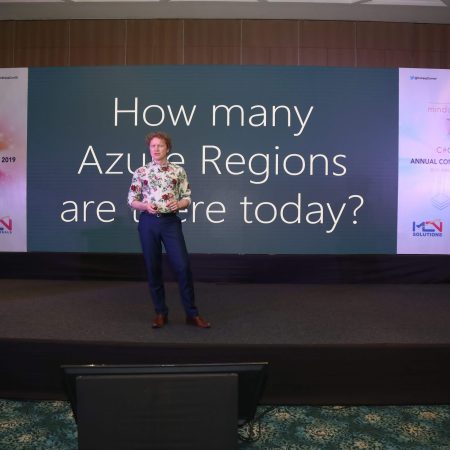
Magnus Mårtensson
Microsoft Regional Director, Azure MVP, CEO Loftysoft

Avirag Jain
Director & CTO R Systems

Mahesh Chand
Founder C# Corner, CEO Mindcracker

Chris Gali
CEO & Co-Founder Graphite

Subinder Khurana
Chief Architect StoryProcess, Founder NASSCOM DeepTech Club

Bryan Rishforth
Investor, Chairman Graphite

Bryn Everson
Director Biz Dev Graphite
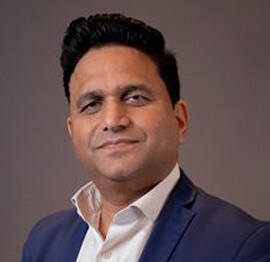
Raj Tiwari
Digital Transformation Leader, Futurist and Visionary

Joseph Guadagno
Microsoft MVP, Lead Quicken Loans

Nikita Sachdev
Entrepreneur, Blockchain Enthusiast & Advisor, Social Media Influencer

Doug Wagner
COO & Founder Adapt Technical Group

Ritesh Modi
Architect, Senior Evangelist, Cloud Architect

Crystal Wenrick
Director Communications Mindcracker

Allen O’Neill
Microsoft MVP, Consulting Engineer/Architect
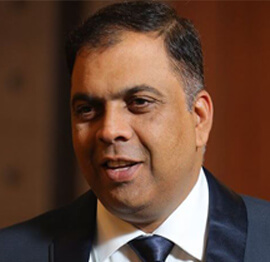
Praveen Kumar
CEO MCN Solutions

Chris Love
Founder Love2Dev, Microsoft MVP, Author

Sanjay Vyas
Microsoft Regional Director, Microsoft MVP, Founder & CEO SkillLabs Technologies

Veena Sarda
Deep Learning Consultant, Author

Sekhar Srinivasan
C# Corner MVP, Microsoft Certified Trainer, Pluralsight Author

Lalit Bansal
Founder & CEO - EIY SYS

Navdeep Garg
CEO Revinfotech

Prakash Tripathi
Tech Manager/Leader, Microsoft MVP, Blogger

Bhavna Jain
Breakthrough Consultant

Naveen Sharma
Enterprise Architect, Leadership Coach, Author

Vidya Vrat Agarwal
Principal Architect, Microsoft MVP, Author

Sheetal Agarwal
Founder Clownselors, Medical Clown, Trainer

Abhishek Kant
Founder GTM Catalyst

Vishnu Saran
Founder & CEO VoiceQube

Sandeep Soni
Founder & CEO Deccansoft, Microsoft Certified Trainer

Parveen Malik
AVP InfoSec & Vulnerability Management, Information Security Expert

Nitin Pandit
Microsoft MVP, Developer Evangelist, Author

Niloshima Srivastava
C# Corner MVP, Tech Architect, Trainer, Blogger

Bala Chirtsabesan
Senior Software Engineer at Microsoft, Author

Manoj Mittal
Sr. Technical Architect, C# Corner MVP, Author

Chandni Di
Co-Founder Voice of Slum

Vithal Wadje
Technical Lead, Microsoft MVP, Author

Shivam Ahuja
Founder SkillCircle, Business Mentor

Chervine Bhiwoo
Solution Architect, Microsoft MVP, Author

Saurabh Jain
Vice President Paytm, Founder Fun2Do Labs, Author

Vinay Solanki
Head IoT at Lenovo, Founder IoT-NCR

Anshu kumari
Founder Blockchainkids, Inventor, Trainer

Amit Singal
CEO Startup Buddy

Dev Pratap
Co-Founder & CEO Voice of Slum

Amey Vartak
Technology Consultant, Full Stack Developer, C# Corner MVP, Author

Viswanatha Swamy
Principal Software Engineer, C# Corner MVP, Author

Sanket Verma
Research Engineer @ Ballistics (Forensics) and Chair, PyData Delhi

Sourabh Somani
Lead Developer, Microsoft MVP, Author

Abhishek Mishra
Software Architect, C# Corner MVP, Author

Siddharth Vaghasia
Technical Consultant, C# Corner MVP, Blogger

Bassam Alugili
Senior Software Specialist, Database Expert

S Ravi Kumar
Solution Architect, C# Corner MVP, Author

Sundaram Subramanian
Full Stack Developer, C# Corner MVP, Speaker

Deepesh Somani
Solution Architect, Microsoft MVP, Author

Debasis Saha
Technical Project Manager, C# Corner MVP, Blogger, Author

Vipul Jain
Software Architect, C# Corner MVP, Author

Akshay Patel
Technical Architect, Microsoft Certified Trainer, C# Corner MVP, Author

Stephen Simon
RPA Developer, Evangelist, Author

Vivek Sharma
Founder Kingster636, AR/VR Specialist

Jeetendra Gund
Technical Lead, C# Corner MVP, Author

Sujal Beniwal
AI Enthusiast, Student

M Viknaraj
Microsoft MVP, Azure Architect, Author

Prasham Sabadra
Software Architect, C# Corner MVP, Trainer, Author

Aakash Maurya
Senior Developer, C# Corner MVP, Speaker

Ankit Sharma
Senior Software Engineer, C# Corner MVP, Author

Mangesh Gaherwar
Team Lead, C# Corner MVP, Author

Viral Jain
Technical Consultant, C# Corner MVP, Author

Bhasker Das
Solution Architect, Evangelist

Manish Dwivedi
Associate Project Manager

Ck Nitin
Programmer, Author

Rohit Gupta
Technical Trainer, Author

Manish Tewatia
Full-stack Marketer, UX Designer

Bhavya Gaur
Technical Illustrator

Rohit Tomar
SEO/SMO Expert
Web Track
Cloud & Data Track
Dev Track
Registration & Breakfast
Future of Desktop Apps with JS (ElectronJs)
Nitin Pandit
Building Serverless Microservices Using Microsoft Azure
Vithal Wadje
Innovating RPA: A Robot for Every Person
Stephen Simon
Managing Cloud Storage Accounts using Logic Apps
Viknaraj Manogararajah
Data visualization using Python
Sekhar Srinivasan
Going Cross platform with AR Foundation
Vivek Sharma
Keynote
Managing your Azure dependencies in ASP.NET Core apps using VS
Bala Chirtsabesan
Securing Applications on Intelligent Azure
Abhishek Mishra
Getting started with Blazor the Framework of Future
S Ravi Kumar
Lunch
Build Progressive Web Apps using Angular 9
Debasis Saha
Build and deploy to any platform using Azure DevOps
Chervine Bhiwoo
Deep Dive in Azure Service Bus
Akshay Patel
Build a Native Mobile Application using React Native and JavaScript
Joseph Guadagno
Making sense of Web Job, Web Job SDK and Functions in Azure
Prakash Tripathi
CloudFront Distribution in AWS
Viral Jain
Tea Break
Introduction to PowerBI
Aakash Maurya
Build Advanced SPFx solutions with React and Graph API
Siddharth Vaghasia
Build Business Intelligence Analyst (BIA) Skills
Sundaram Subramanian
Deep dive of Power Platform – AI BUILDER
Prasham Sabadra
Panel 1
What's new in SharePoint development
Vipul Jain
Build a SSO (Single Sign On) based Native JavaScript application with Microsoft Identity within 10 minutes
Manoj Mittal
Panel 2
Applications and working of AI
Veena Sarda
Deploying serverless API's with .Net core 3.0 on AWS & Azure
Amey Vartak
Panel 3
Blockchain with .NET Core (Ark)
Anshu Kumari
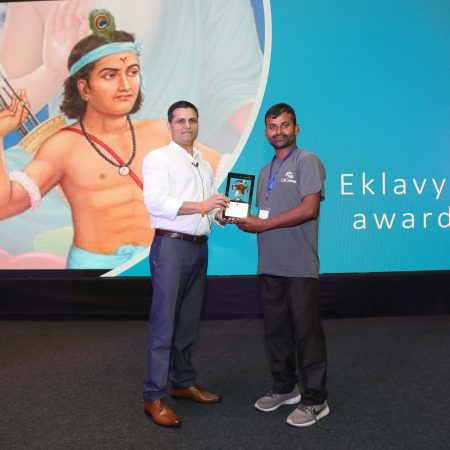
Closing Note & Prize Distribution
Dev Track
Cloud Track
Architecture Track
Emerging Tech Track
Registration & Breakfast
Creating Full-Stack Web Apps Using Server-Side Blazor
Ankit Sharma
Real time face recognition with MS Cognitive Services
Niloshima Srivastava
Building Scalable APIs with GraphQL
Jeetendra Gund
Future of development with AI and Blockchain
Navdeep Garg
Debugging Tips and Tricks with Visual Studio 2019
Joseph Guadagno
Azure Containers
Abhishek Kant
Enterprise Architecture
Naveen Sharma
Bot Framework - learn it fast and look like a boss!
Allen O’Neill
Keynote
.Net Core & C# 8 Performance
David McCarter
Working with Azure kubernetes services
Ritesh Modi
Becoming an Architect
Vidyavrat Agarwal
Why Techies Need to Learn Product Management
Saurabh Jain
Lunch
Build a rules engine in .Net Core
Sanjay Vyas
Building CI and CD Pipeline using Azure DevOps
Sandeep Soni
Entity Framework Core - Tips and Tricks, Performance Optimization, and Tuning
Bassam Alugili
Hacking your way into Data Science
Sanket Verma
Speed up your .Net Core Website
Sourabh Somani
Azure
Magnus Mårtensson
Demystifying Open Distro for Elasticsearch
Suman Debnath
Future of Data
Shivam Ahuja
Tea Break
gRPC with C# and .Net Core
Mangesh Gaherwar
Panel 1
Essentials of Cloud security
Parveen Malik
Power platform and Dynamics 365
Deepesh Somani
Microservices - the gRPC Way
Viswanatha Swamy
Panel 2
Reserved
Reserved
Closing Note & Prize Distribution
Creating a minimal API with .NET 8 and custom endpoint filters
A minimal API on .NET 8 lets an ASP.NET Core team expose a focused service without controllers or a large application scaffold. Keep business rules in ordinary services, and use request-pipeline code only for concerns that belong at the HTTP boundary. A custom endpoint filter fits when several routes share a policy that should not affect unrelated endpoints.
Endpoint filters wrap a selected route handler. They can inspect route values and metadata, return an early response, or call the next filter and handler. That suits station allowlists, feature gates, request enrichment and lightweight policy checks, while global middleware remains better for cross-cutting infrastructure.
The example in this article uses Australian city codes for an availability service and covers configuration, dependency injection, ordering, failures and tests. For broader background on C#, Azure, DevOps, data and web development, the C# Corner conference programme surveys the ecosystem around this service style.
| Concern | ASP.NET Core middleware | Custom endpoint filter | Ordinary service helper |
|---|---|---|---|
| Scope | Runs for requests passing through its pipeline position | Runs only for endpoints carrying it | Runs only when a handler invokes it |
| HTTP awareness | Can read and write the response; route access depends on placement | Receives route values, request context and endpoint metadata | Receives domain inputs rather than HttpContext |
| Early exit | May skip the rest of the pipeline | May return an IResult without calling next |
Cannot bypass the handler unless the handler enforces it |
| Best fit | Tracing, authentication and global failure handling | Route-specific validation, enrichment and small policies | Business calculations and domain decisions |
Where endpoint filters belong
ASP.NET Core sends a request through middleware and then invokes the matched endpoint. Endpoint filters attach through endpoint conventions, so they run only for routes carrying them. Code before next performs pre-processing; code after next can inspect or replace the result.
Use middleware when behaviour must wrap every request, including trace propagation, request logging or a platform-wide failure handler. Use a filter when a rule belongs to a route family and needs route values, endpoint metadata and the handler result. Put pure business calculations in a normal service helper.
Routing and parameter binding occur before an endpoint filter. A malformed body can therefore fail before custom code gains control. Use .NET 8 validation for binding concerns, and reserve filters for policies that can act on bound arguments and route context.
Building a reusable station filter
Start with a policy that is genuinely local to the endpoint. This filter permits configured station codes, rejects unknown values and places the normalised code in HttpContext.Items for the handler.
public sealed class StationOptions
{
    public string[] AllowedCodes { get; set; } = [];
}

public sealed class StationCodeFilter : IEndpointFilter
{
    private readonly HashSet<string> _allowedCodes;

    public StationCodeFilter(IOptions<StationOptions> options)
    {
        _allowedCodes = options.Value.AllowedCodes
            .ToHashSet(StringComparer.OrdinalIgnoreCase);
    }

    public async ValueTask<object?> InvokeAsync(
        EndpointFilterInvocationContext context,
        EndpointFilterDelegate next)
    {
        var code = context.HttpContext.Request.RouteValues["code"]?.ToString();

        if (!_allowedCodes.Contains(code ?? string.Empty))
        {
            return Results.Problem(
                statusCode: StatusCodes.Status400BadRequest,
                title: "Invalid station code",
                detail: "The requested station is not enabled for this service.");
        }

        context.HttpContext.Items["StationCode"] = code!.ToUpperInvariant();
        return await next(context);
    }
}
Endpoint filters run after routing, so Request.RouteValues contains the {code} segment. Returning Results.Problem ends the request without calling next; the handler and subsequent filters never execute. On success, calling next continues the chain and the normalised value is available to the handler.
The allowlist belongs in options because each environment may expose a different set of locations. Set Stations:AllowedCodes to SYD, MEL, BNE, PER and ADL as required, and keep production values in a protected settings source. The filter can carry small observability fields, but secrets and detailed policy rules should stay out of responses.
Registering filters and controlling order
Register configuration and request-scoped dependencies before mapping the route:
builder.Services.AddProblemDetails(options =>
{
    options.CustomizeProblemDetails = context =>
        context.ProblemDetails.Extensions["traceId"] =
            context.HttpContext.TraceIdentifier;
});

builder.Services
    .AddOptions<StationOptions>()
    .Bind(builder.Configuration.GetSection("Stations"))
    .Validate(options => options.AllowedCodes.Length > 0,
        "Configure at least one station code.")
    .ValidateOnStart();

builder.Services.AddScoped<StationCodeFilter>();

app.MapGet("/stations/{code}/availability",
        (HttpContext http, IAvailabilityService availability) =>
    {
        var code = (string)http.Items["StationCode"]!;
        return TypedResults.Ok(availability.Get(code));
    })
    .AddEndpointFilter<StationCodeFilter>();
ValidateOnStart turns missing configuration into a deployment failure rather than a surprise on the first request. Registering the filter as scoped permits dependencies such as DbContext and tenant resolvers, while a filter without them remains inexpensive.
Order is observable. Filters run in the order added, with the first filter as the outer layer. Put audit logging first if it must record rejected requests; put validation first if later work should run only for accepted requests. Tests should lock down this sequence.
Use IEndpointFilterFactory when creation depends on endpoint metadata or needs to vary by route. It also suits a policy family with several implementations. For one route or a small shared policy, AddEndpointFilter<T> is simpler.
Designing short-circuit and error behaviour
A short-circuit result should match the public error contract. Results.Problem produces a problem+json response with a stable title and status. Use 400 for a malformed station value, 401 for missing authentication and 403 for an authenticated caller without permission. Keep the body shape consistent.
Built-in authentication and authorization should own identity and coarse access policy. An endpoint filter can enforce a narrower rule, such as a tenant’s entitlement to a city resource, but it should not reimplement token validation. Combine RequireAuthorization with a custom filter when both levels are needed.
Exceptions form another path. Let application exception middleware turn unhandled faults into a consistent response, and attach the trace identifier so support staff can connect reports to logs. A filter may catch a specific expected exception, but broad catches can hide defects and obscure retry behaviour.
Production recommendations for Australian teams
Australian deployments need region-aware tests. Many teams anchor services around Sydney or Melbourne, using facilities such as AWS ap-southeast-2 and Azure Australia East in Sydney, with Azure Australia Southeast in Melbourne. Keep databases and queues in an approved region, then test failover because regions are not interchangeable.
For covered organisations, the Privacy Act 1988, Australian Privacy Principles and Notifiable Data Breaches scheme shape personal-data handling and incident response. Many Australian government and enterprise buyers also expect alignment with the ACSC Essential Eight, making managed identities, patching and auditable configuration part of service design. Regional hosting alone does not prove compliance.
Geography still affects behaviour. Brisbane and Perth are major service centres with long-distance links to eastern infrastructure, while Adelaide shares the Sydney and Melbourne daylight-saving clock. Perth remains on UTC+8 throughout the year, so store timestamps in UTC and format them for the relevant Australian city.
The local market reaches beyond code. Australian quotes often use AUD and should state whether GST is included; integrations that touch payments must treat account-to-account PayID differently from card processing. When teams import edge gateways for mining operations, customs clearance, landed costs and ACMA equipment certification sit outside the API contract, while intermittent wide-area links favour bounded timeouts, idempotent commands and safe retries.
- Keep route-specific validation and enrichment in filters; leave global tracing, authentication plumbing and exception handling to middleware.
- Return consistent Problem Details with an appropriate status and trace identifier, and never expose secrets or the configured allowlist.
- Pin stateful components to an approved Australian region and test latency, failover and dependency loss from Sydney, Melbourne, Brisbane and Perth.
- Cover accepted and rejected routes with integration tests, then monitor rejection rates, p95 latency and handler errors in production.
Testing and rolling out the API
Start tests at the HTTP boundary. WebApplicationFactory or TestServer can send requests through the real filter chain, while a pure validator can carry allowlist logic when unit-level branch coverage matters. Assert that an unknown station returns 400, the availability service is not called on rejection and a valid city reaches it once.
Test order with observable side effects or a recording next delegate. Verify that an early result bypasses later filters, and cover empty options, mixed-case codes and unexpected route values. These cases catch configuration failures before they reach production.
During rollout, compare rejection rates and p95 latency before and after enabling the filter. OpenTelemetry traces can show whether time is spent in validation, dependency resolution or the handler. A gradual traffic ramp limits the impact of a bad configuration.
The finished API keeps a small HTTP surface while making route policy explicit, errors consistent and request flow testable. Business services remain independent of ASP.NET Core, and the custom filter acts as a focused adapter instead of a home for unrelated logic.










1, CBD, Maharaj Surajmal Road, Near Yamuna Sports Complex, Delhi, 110032





GENERAL QUERIES
Manish Tewatia
manish@csharpcon.com
+91-9718-431-042
TICKET QUERIES
Atul Gupta
conference@csharpcon.com
+91-9910-125-804