

Presents


Magnus Mårtensson
Microsoft Regional Director, Azure MVP, CEO Loftysoft

Avirag Jain
Director & CTO R Systems

Mahesh Chand
Founder C# Corner, CEO Mindcracker

Chris Gali
CEO & Co-Founder Graphite

Subinder Khurana
Chief Architect StoryProcess, Founder NASSCOM DeepTech Club

Bryan Rishforth
Investor, Chairman Graphite

Bryn Everson
Director Biz Dev Graphite

Raj Tiwari
Digital Transformation Leader, Futurist and Visionary

Joseph Guadagno
Microsoft MVP, Lead Quicken Loans

Nikita Sachdev
Entrepreneur, Blockchain Enthusiast & Advisor, Social Media Influencer

Doug Wagner
COO & Founder Adapt Technical Group

Ritesh Modi
Architect, Senior Evangelist, Cloud Architect

Crystal Wenrick
Director Communications Mindcracker

Allen O’Neill
Microsoft MVP, Consulting Engineer/Architect

Praveen Kumar
CEO MCN Solutions

Chris Love
Founder Love2Dev, Microsoft MVP, Author

Sanjay Vyas
Microsoft Regional Director, Microsoft MVP, Founder & CEO SkillLabs Technologies

Veena Sarda
Deep Learning Consultant, Author

Sekhar Srinivasan
C# Corner MVP, Microsoft Certified Trainer, Pluralsight Author

Lalit Bansal
Founder & CEO - EIY SYS

Navdeep Garg
CEO Revinfotech

Prakash Tripathi
Tech Manager/Leader, Microsoft MVP, Blogger

Bhavna Jain
Breakthrough Consultant

Naveen Sharma
Enterprise Architect, Leadership Coach, Author

Vidya Vrat Agarwal
Principal Architect, Microsoft MVP, Author

Sheetal Agarwal
Founder Clownselors, Medical Clown, Trainer

Abhishek Kant
Founder GTM Catalyst

Vishnu Saran
Founder & CEO VoiceQube

Sandeep Soni
Founder & CEO Deccansoft, Microsoft Certified Trainer

Parveen Malik
AVP InfoSec & Vulnerability Management, Information Security Expert

Nitin Pandit
Microsoft MVP, Developer Evangelist, Author

Niloshima Srivastava
C# Corner MVP, Tech Architect, Trainer, Blogger

Bala Chirtsabesan
Senior Software Engineer at Microsoft, Author

Manoj Mittal
Sr. Technical Architect, C# Corner MVP, Author

Chandni Di
Co-Founder Voice of Slum

Vithal Wadje
Technical Lead, Microsoft MVP, Author

Shivam Ahuja
Founder SkillCircle, Business Mentor

Chervine Bhiwoo
Solution Architect, Microsoft MVP, Author

Saurabh Jain
Vice President Paytm, Founder Fun2Do Labs, Author

Vinay Solanki
Head IoT at Lenovo, Founder IoT-NCR

Anshu kumari
Founder Blockchainkids, Inventor, Trainer

Amit Singal
CEO Startup Buddy

Dev Pratap
Co-Founder & CEO Voice of Slum

Amey Vartak
Technology Consultant, Full Stack Developer, C# Corner MVP, Author

Viswanatha Swamy
Principal Software Engineer, C# Corner MVP, Author

Sanket Verma
Research Engineer @ Ballistics (Forensics) and Chair, PyData Delhi

Sourabh Somani
Lead Developer, Microsoft MVP, Author

Abhishek Mishra
Software Architect, C# Corner MVP, Author

Siddharth Vaghasia
Technical Consultant, C# Corner MVP, Blogger

Bassam Alugili
Senior Software Specialist, Database Expert

S Ravi Kumar
Solution Architect, C# Corner MVP, Author

Sundaram Subramanian
Full Stack Developer, C# Corner MVP, Speaker

Deepesh Somani
Solution Architect, Microsoft MVP, Author

Debasis Saha
Technical Project Manager, C# Corner MVP, Blogger, Author

Vipul Jain
Software Architect, C# Corner MVP, Author

Akshay Patel
Technical Architect, Microsoft Certified Trainer, C# Corner MVP, Author

Stephen Simon
RPA Developer, Evangelist, Author

Vivek Sharma
Founder Kingster636, AR/VR Specialist

Jeetendra Gund
Technical Lead, C# Corner MVP, Author

Sujal Beniwal
AI Enthusiast, Student

M Viknaraj
Microsoft MVP, Azure Architect, Author

Prasham Sabadra
Software Architect, C# Corner MVP, Trainer, Author

Aakash Maurya
Senior Developer, C# Corner MVP, Speaker

Ankit Sharma
Senior Software Engineer, C# Corner MVP, Author

Mangesh Gaherwar
Team Lead, C# Corner MVP, Author

Viral Jain
Technical Consultant, C# Corner MVP, Author

Bhasker Das
Solution Architect, Evangelist

Manish Dwivedi
Associate Project Manager

Ck Nitin
Programmer, Author

Rohit Gupta
Technical Trainer, Author

Manish Tewatia
Full-stack Marketer, UX Designer

Bhavya Gaur
Technical Illustrator

Rohit Tomar
SEO/SMO Expert
Web Track
Cloud & Data Track
Dev Track
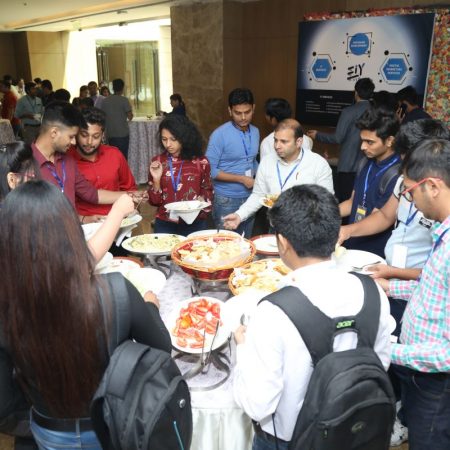
Registration & Breakfast
Future of Desktop Apps with JS (ElectronJs)
Nitin Pandit
Building Serverless Microservices Using Microsoft Azure
Vithal Wadje
Innovating RPA: A Robot for Every Person
Stephen Simon
Managing Cloud Storage Accounts using Logic Apps
Viknaraj Manogararajah
Data visualization using Python
Sekhar Srinivasan
Going Cross platform with AR Foundation
Vivek Sharma
Keynote
Managing your Azure dependencies in ASP.NET Core apps using VS
Bala Chirtsabesan
Securing Applications on Intelligent Azure
Abhishek Mishra
Getting started with Blazor the Framework of Future
S Ravi Kumar
Lunch
Build Progressive Web Apps using Angular 9
Debasis Saha
Build and deploy to any platform using Azure DevOps
Chervine Bhiwoo
Deep Dive in Azure Service Bus
Akshay Patel
Build a Native Mobile Application using React Native and JavaScript
Joseph Guadagno
Making sense of Web Job, Web Job SDK and Functions in Azure
Prakash Tripathi
CloudFront Distribution in AWS
Viral Jain
Tea Break
Introduction to PowerBI
Aakash Maurya
Build Advanced SPFx solutions with React and Graph API
Siddharth Vaghasia
Build Business Intelligence Analyst (BIA) Skills
Sundaram Subramanian
Deep dive of Power Platform – AI BUILDER
Prasham Sabadra
Panel 1
What's new in SharePoint development
Vipul Jain
Build a SSO (Single Sign On) based Native JavaScript application with Microsoft Identity within 10 minutes
Manoj Mittal
Panel 2
Applications and working of AI
Veena Sarda
Deploying serverless API's with .Net core 3.0 on AWS & Azure
Amey Vartak
Panel 3
Blockchain with .NET Core (Ark)
Anshu Kumari
Closing Note & Prize Distribution
Dev Track
Cloud Track
Architecture Track
Emerging Tech Track
Registration & Breakfast
Creating Full-Stack Web Apps Using Server-Side Blazor
Ankit Sharma
Real time face recognition with MS Cognitive Services
Niloshima Srivastava
Building Scalable APIs with GraphQL
Jeetendra Gund
Future of development with AI and Blockchain
Navdeep Garg
Debugging Tips and Tricks with Visual Studio 2019
Joseph Guadagno
Azure Containers
Abhishek Kant
Enterprise Architecture
Naveen Sharma
Bot Framework - learn it fast and look like a boss!
Allen O’Neill
Keynote
.Net Core & C# 8 Performance
David McCarter
Working with Azure kubernetes services
Ritesh Modi
Becoming an Architect
Vidyavrat Agarwal
Why Techies Need to Learn Product Management
Saurabh Jain
Lunch
Build a rules engine in .Net Core
Sanjay Vyas
Building CI and CD Pipeline using Azure DevOps
Sandeep Soni
Entity Framework Core - Tips and Tricks, Performance Optimization, and Tuning
Bassam Alugili
Hacking your way into Data Science
Sanket Verma
Speed up your .Net Core Website
Sourabh Somani
Azure
Magnus Mårtensson
Demystifying Open Distro for Elasticsearch
Suman Debnath
Future of Data
Shivam Ahuja
Tea Break
gRPC with C# and .Net Core
Mangesh Gaherwar
Panel 1
Essentials of Cloud security
Parveen Malik
Power platform and Dynamics 365
Deepesh Somani
Microservices - the gRPC Way
Viswanatha Swamy
Panel 2
Reserved
Reserved
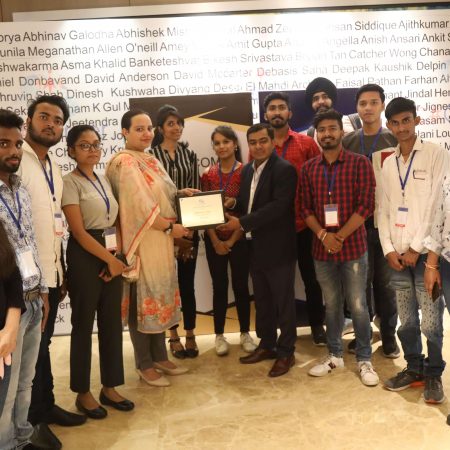
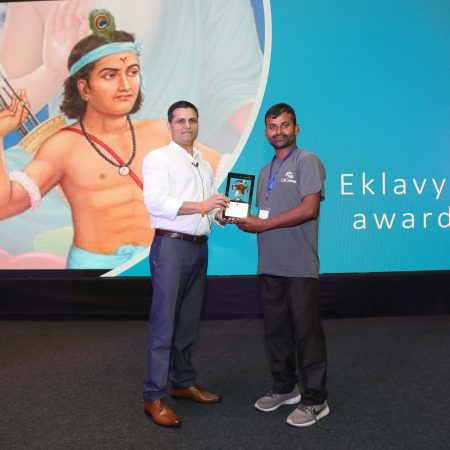
Closing Note & Prize Distribution
Creating a custom validation attribute with FluentValidation in MVC
ASP.NET MVC separates request data from the action that handles it, but validation must protect both the domain and the interface. A browser can omit required fields, alter hidden values or post JSON outside the rendered form. Controllers must treat every value as untrusted, while views make valid input easy to enter.
FluentValidation suits business rules that are clearer as code than as data annotations. Rules can be grouped, reused, translated and tested independently. Yet an MVC project may already rely on DataAnnotations, model binding and ValidationAttribute throughout its view models.
A custom validation attribute bridges those worlds. It runs a FluentValidation validator where MVC evaluates model state, so existing binders and error summaries continue to work without moving every rule into an action method. The adapter must still handle nulls, property names and duplicate messages carefully.
This topic fits the C# and ASP.NET MVC focus of the C# Corner Annual Conference 2020 audience. For teams in Sydney, Melbourne and Brisbane, it provides a practical home for rules involving local dates, Australian postcodes, GST and personal information. Validation should reject malformed input without making legitimate users fight the form.
Where validation belongs in MVC
Model binding converts request values into a model before the action method runs. Property-level attributes, including DataAnnotations and custom ValidationAttribute implementations, then contribute to ModelState. Validation should run again in the controller or service layer when a rule depends on related fields or external data.
There are two useful validation timings. Synchronous rules suit ordinary form checks; asynchronous rules suit calls to an address or identity service. Neither timing changes the security boundary: a result calculated in the browser is advisory, while the result calculated by the server is authoritative.
The adapter discussed here belongs to property validation. It suits teams that want consistent FluentValidation rules but must retain MVC's existing ModelState and tag-helper behaviour. It is not a reason to send incomplete view models straight into a database.
Setting up the validator
Install FluentValidation and, if validators will be resolved through dependency injection elsewhere, its dependency-injection extension package. The attribute example below creates its validator directly and does not depend on service registration. Keeping validators in a dedicated namespace makes the boundary clear.
dotnet add package FluentValidation
dotnet add package FluentValidation.DependencyInjectionExtensions
using FluentValidation;

public sealed class CustomerRegistration
{
    public string Email { get; set; } = string.Empty;
    public string AustralianPostcode { get; set; } = string.Empty;
    public int Age { get; set; }
}

public sealed class CustomerRegistrationValidator
    : AbstractValidator<CustomerRegistration>
{
    public CustomerRegistrationValidator()
    {
        RuleFor(x => x.Email)
            .Cascade(CascadeMode.Stop)
            .NotEmpty()
            .WithMessage("Enter an email address.")
            .EmailAddress()
            .WithMessage("Enter a valid email address.");

        RuleFor(x => x.AustralianPostcode)
            .Cascade(CascadeMode.Stop)
            .NotEmpty()
            .WithMessage("Enter your postcode.")
            .Matches("^[0-9]{4}$")
            .WithMessage("Enter a four-digit postcode.");

        RuleFor(x => x.Age)
            .InclusiveBetween(18, 120)
            .WithMessage("Age must be between 18 and 120.");
    }
}
The model contains data while the validator owns the rules. That separation lets the same rule set serve an MVC form, a JSON endpoint or a background job without copying business conditions into each caller. If the validator needs constructor dependencies, resolve it through an MVC integration instead of the activator used later.
Register a validator only once when another layer resolves it through dependency injection. A second registration or differently configured instance can produce inconsistent conditions and messages between an HTML form and a JSON request.
Creating a custom validation attribute
The generic adapter constrains the model type and accepts a concrete validator type. It verifies that the class implements IValidator<TModel> before MVC activates the attribute, turning a configuration mistake into an immediate error.
using FluentValidation;
using System.ComponentModel.DataAnnotations;

public sealed class FluentValidationAttribute<TModel> : ValidationAttribute
    where TModel : class
{
    private readonly Type validatorType;

    public FluentValidationAttribute(Type validatorType)
    {
        this.validatorType = validatorType ??
            throw new ArgumentNullException(nameof(validatorType));

        if (!typeof(IValidator<TModel>).IsAssignableFrom(this.validatorType))
        {
            throw new ArgumentException(
                $"{this.validatorType.Name} must implement " +
                $"{typeof(IValidator<TModel>).Name}.",
                nameof(validatorType));
        }
    }

    protected override ValidationResult? IsValid(
        object? value,
        ValidationContext validationContext)
    {
        var model = (TModel)validationContext.ObjectInstance!;
        var validator = (IValidator<TModel>)
            Activator.CreateInstance(validatorType)!;

        var result = validator.Validate(model);
        var failures = result.Errors
            .Where(x => x.PropertyName == validationContext.MemberName)
            .ToArray();

        return failures.Length == 0
            ? ValidationResult.Success
            : new ValidationResult(failures.Select(x => x.ErrorMessage));
    }
}
Apply the attribute to each property that should participate in MVC's validation pipeline. The validator evaluates the containing model, and the adapter selects failures whose property name matches the current member.
[FluentValidation<CustomerRegistration>(
    typeof(CustomerRegistrationValidator))]
public string Email { get; set; } = string.Empty;

[FluentValidation<CustomerRegistration>(
    typeof(CustomerRegistrationValidator))]
public string AustralianPostcode { get; set; } = string.Empty;
This keeps one source of truth, but a complete validator pass occurs for every decorated property. On a small registration form the overhead is negligible. On a large model or with remote lookups, use one aggregate pass through MVC integration or an action filter, and reserve the attribute for focused property rules. The simple matcher also assumes a direct property; nested paths need explicit mapping.
Failures can contain several messages. Combine them for a simple text input, or expose them separately when each condition needs a distinct explanation. The attribute's standard ErrorMessage setting does not replace FluentValidation messages unless the adapter maps them deliberately. The implementation shown is synchronous, so external-service rules need an asynchronous-aware MVC integration.
Comparing validation approaches
The right choice depends on where rules are defined and how results must reach the interface. The custom attribute offers consistency with MVC, while direct FluentValidation integration offers more control over a complete request pipeline.
| Approach | Strength | Constraint | Best fit |
|---|---|---|---|
| DataAnnotations | Native MVC integration and simple declarative rules | Limited conditional and cross-property logic | Straightforward view models |
IValidatableObject |
Cross-field checks inside the model | Couples the model to validation and complicates dependency use | Small models with local consistency checks |
| FluentValidation through MVC integration | Reusable, composable rules with consistent execution | Requires registration and awareness of the request pipeline | New applications and shared domain rules |
| Custom FluentValidation attribute | Keeps existing ValidationAttribute and ModelState behaviour |
A whole-validator pass can repeat for each decorated property | Legacy MVC code adopting FluentValidation incrementally |
DataAnnotations remain sensible for simple, self-contained fields. They are less effective when rules share conditions, require translation or need reuse outside MVC. A custom attribute is most valuable as an incremental bridge, not as permanent duplication of a validator already invoked elsewhere.
Australian form patterns and release checks
Local assumptions should be explicit. These release checks cover common Australian form data without pretending that a regular expression can prove an address, identity or tax registration is genuine.
- Present dates as
dd/MM/yyyy, accept an unambiguous date value and store timestamps in UTC so daylight-saving changes cannot shift an appointment. - Across Sydney, Melbourne and Brisbane, account for AEST (UTC+10), AEDT (UTC+11) and daylight-saving boundaries; label the user's time zone explicitly.
- Require four digits for an Australian postcode, but do not treat a state prefix as proof that the address exists.
The rules should remain culture-aware without relying on the server's current locale. Supply explicit formats and time-zone identifiers instead of parsing an ambiguous value such as 04/07/2026.
- For Australian commerce, validate an ABN as an 11-digit identifier, verify it through the Australian Business Register's ABN Lookup, and calculate 10% GST on the correct taxable amount in AUD.
- Apply the Privacy Act 1988 and Australian Privacy Principles where relevant: collect only necessary details, explain their purpose and protect them from unauthorised access.
- Keep server validation authoritative; browser checks should improve usability, not decide whether invalid data may be saved.
These checks fit forms used by Australian .NET teams in customer service, logistics and education. They also make validation messages easier to act on when a submission fails after a timeout or interrupted form entry.
Returning useful errors to the view
Once the adapter adds a failure to ModelState, the normal MVC pipeline can display it. A validation summary gives an overview, while field-level messages identify the input that needs attention. Keep redisplayed values where safe, and do not echo sensitive information into an error page.
@Html.ValidationSummary(false, "Please correct the highlighted fields.")

<div class="field-validation-error">
    <span asp-validation-for="Email"></span>
</div>
If the application uses jQuery Unobtrusive Validation, DataAnnotations can generate browser checks automatically. A FluentValidation-backed attribute does not provide equivalent browser rules unless it exposes client metadata or a separate client-side implementation is added. Mirror simple rules for usability, but keep the server validator complete.
Invalid submissions should return the same view with a non-success status where appropriate. Valid submissions should still be revalidated in the controller or application service, guarding against crafted requests, stale forms and calls made directly through the API.
Testing rules before release
Test the validator directly for fast feedback. With TestHelper, assert that a valid customer passes, an invalid email fails and a postcode containing letters fails. Include boundaries such as an age of 17, a four-digit postcode and a missing value.
Then add integration tests that post the form to the MVC action. Confirm that invalid input populates ModelState, that the response renders the expected field error, and that the persistence service is never called. Include a request with a missing or altered field, not just the visible browser path.
Keep the adapter aligned with the framework and validators it supports. During upgrades, check nullable reference signatures, constructor activation and message formatting. Avoid swallowing validator failures in generic exception handling; log useful diagnostics without recording identification documents or unnecessary personal data. The completed adapter keeps FluentValidation as the rule authority while preserving MVC's familiar model-state and error-display pipeline.


















1, CBD, Maharaj Surajmal Road, Near Yamuna Sports Complex, Delhi, 110032





GENERAL QUERIES
Manish Tewatia
manish@csharpcon.com
+91-9718-431-042
TICKET QUERIES
Atul Gupta
conference@csharpcon.com
+91-9910-125-804