
Presents


Magnus Mårtensson
Microsoft Regional Director, Azure MVP, CEO Loftysoft

Avirag Jain
Director & CTO R Systems

Mahesh Chand
Founder C# Corner, CEO Mindcracker

Chris Gali
CEO & Co-Founder Graphite

Subinder Khurana
Chief Architect StoryProcess, Founder NASSCOM DeepTech Club

Bryan Rishforth
Investor, Chairman Graphite

Bryn Everson
Director Biz Dev Graphite

Raj Tiwari
Digital Transformation Leader, Futurist and Visionary

Joseph Guadagno
Microsoft MVP, Lead Quicken Loans

Nikita Sachdev
Entrepreneur, Blockchain Enthusiast & Advisor, Social Media Influencer

Doug Wagner
COO & Founder Adapt Technical Group

Ritesh Modi
Architect, Senior Evangelist, Cloud Architect

Crystal Wenrick
Director Communications Mindcracker

Allen O’Neill
Microsoft MVP, Consulting Engineer/Architect
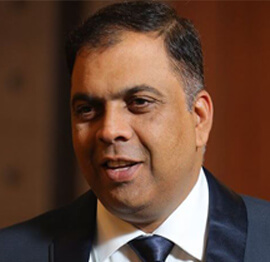
Praveen Kumar
CEO MCN Solutions

Chris Love
Founder Love2Dev, Microsoft MVP, Author

Sanjay Vyas
Microsoft Regional Director, Microsoft MVP, Founder & CEO SkillLabs Technologies

Veena Sarda
Deep Learning Consultant, Author

Sekhar Srinivasan
C# Corner MVP, Microsoft Certified Trainer, Pluralsight Author

Lalit Bansal
Founder & CEO - EIY SYS

Navdeep Garg
CEO Revinfotech

Prakash Tripathi
Tech Manager/Leader, Microsoft MVP, Blogger

Bhavna Jain
Breakthrough Consultant

Naveen Sharma
Enterprise Architect, Leadership Coach, Author

Vidya Vrat Agarwal
Principal Architect, Microsoft MVP, Author

Sheetal Agarwal
Founder Clownselors, Medical Clown, Trainer

Abhishek Kant
Founder GTM Catalyst

Vishnu Saran
Founder & CEO VoiceQube

Sandeep Soni
Founder & CEO Deccansoft, Microsoft Certified Trainer

Parveen Malik
AVP InfoSec & Vulnerability Management, Information Security Expert

Nitin Pandit
Microsoft MVP, Developer Evangelist, Author

Niloshima Srivastava
C# Corner MVP, Tech Architect, Trainer, Blogger

Bala Chirtsabesan
Senior Software Engineer at Microsoft, Author

Manoj Mittal
Sr. Technical Architect, C# Corner MVP, Author

Chandni Di
Co-Founder Voice of Slum

Vithal Wadje
Technical Lead, Microsoft MVP, Author

Shivam Ahuja
Founder SkillCircle, Business Mentor

Chervine Bhiwoo
Solution Architect, Microsoft MVP, Author

Saurabh Jain
Vice President Paytm, Founder Fun2Do Labs, Author

Vinay Solanki
Head IoT at Lenovo, Founder IoT-NCR

Anshu kumari
Founder Blockchainkids, Inventor, Trainer

Amit Singal
CEO Startup Buddy

Dev Pratap
Co-Founder & CEO Voice of Slum

Amey Vartak
Technology Consultant, Full Stack Developer, C# Corner MVP, Author

Viswanatha Swamy
Principal Software Engineer, C# Corner MVP, Author

Sanket Verma
Research Engineer @ Ballistics (Forensics) and Chair, PyData Delhi

Sourabh Somani
Lead Developer, Microsoft MVP, Author

Abhishek Mishra
Software Architect, C# Corner MVP, Author

Siddharth Vaghasia
Technical Consultant, C# Corner MVP, Blogger

Bassam Alugili
Senior Software Specialist, Database Expert

S Ravi Kumar
Solution Architect, C# Corner MVP, Author

Sundaram Subramanian
Full Stack Developer, C# Corner MVP, Speaker

Deepesh Somani
Solution Architect, Microsoft MVP, Author

Debasis Saha
Technical Project Manager, C# Corner MVP, Blogger, Author

Vipul Jain
Software Architect, C# Corner MVP, Author

Akshay Patel
Technical Architect, Microsoft Certified Trainer, C# Corner MVP, Author

Stephen Simon
RPA Developer, Evangelist, Author

Vivek Sharma
Founder Kingster636, AR/VR Specialist

Jeetendra Gund
Technical Lead, C# Corner MVP, Author

Sujal Beniwal
AI Enthusiast, Student

M Viknaraj
Microsoft MVP, Azure Architect, Author

Prasham Sabadra
Software Architect, C# Corner MVP, Trainer, Author

Aakash Maurya
Senior Developer, C# Corner MVP, Speaker

Ankit Sharma
Senior Software Engineer, C# Corner MVP, Author

Mangesh Gaherwar
Team Lead, C# Corner MVP, Author

Viral Jain
Technical Consultant, C# Corner MVP, Author

Bhasker Das
Solution Architect, Evangelist

Manish Dwivedi
Associate Project Manager

Ck Nitin
Programmer, Author

Rohit Gupta
Technical Trainer, Author

Manish Tewatia
Full-stack Marketer, UX Designer

Bhavya Gaur
Technical Illustrator

Rohit Tomar
SEO/SMO Expert
Web Track
Cloud & Data Track
Dev Track
Registration & Breakfast
Future of Desktop Apps with JS (ElectronJs)
Nitin Pandit
Building Serverless Microservices Using Microsoft Azure
Vithal Wadje
Innovating RPA: A Robot for Every Person
Stephen Simon
Managing Cloud Storage Accounts using Logic Apps
Viknaraj Manogararajah
Data visualization using Python
Sekhar Srinivasan
Going Cross platform with AR Foundation
Vivek Sharma
Keynote
Managing your Azure dependencies in ASP.NET Core apps using VS
Bala Chirtsabesan
Securing Applications on Intelligent Azure
Abhishek Mishra
Getting started with Blazor the Framework of Future
S Ravi Kumar
Lunch
Build Progressive Web Apps using Angular 9
Debasis Saha
Build and deploy to any platform using Azure DevOps
Chervine Bhiwoo
Deep Dive in Azure Service Bus
Akshay Patel
Build a Native Mobile Application using React Native and JavaScript
Joseph Guadagno
Making sense of Web Job, Web Job SDK and Functions in Azure
Prakash Tripathi
CloudFront Distribution in AWS
Viral Jain
Tea Break
Introduction to PowerBI
Aakash Maurya
Build Advanced SPFx solutions with React and Graph API
Siddharth Vaghasia
Build Business Intelligence Analyst (BIA) Skills
Sundaram Subramanian
Deep dive of Power Platform – AI BUILDER
Prasham Sabadra
Panel 1
What's new in SharePoint development
Vipul Jain
Build a SSO (Single Sign On) based Native JavaScript application with Microsoft Identity within 10 minutes
Manoj Mittal
Panel 2
Applications and working of AI
Veena Sarda
Deploying serverless API's with .Net core 3.0 on AWS & Azure
Amey Vartak
Panel 3
Blockchain with .NET Core (Ark)
Anshu Kumari
Closing Note & Prize Distribution
Dev Track
Cloud Track
Architecture Track
Emerging Tech Track
Registration & Breakfast
Creating Full-Stack Web Apps Using Server-Side Blazor
Ankit Sharma
Real time face recognition with MS Cognitive Services
Niloshima Srivastava
Building Scalable APIs with GraphQL
Jeetendra Gund
Future of development with AI and Blockchain
Navdeep Garg
Debugging Tips and Tricks with Visual Studio 2019
Joseph Guadagno
Azure Containers
Abhishek Kant
Enterprise Architecture
Naveen Sharma
Bot Framework - learn it fast and look like a boss!
Allen O’Neill
Keynote
.Net Core & C# 8 Performance
David McCarter
Working with Azure kubernetes services
Ritesh Modi
Becoming an Architect
Vidyavrat Agarwal
Why Techies Need to Learn Product Management
Saurabh Jain
Lunch
Build a rules engine in .Net Core
Sanjay Vyas
Building CI and CD Pipeline using Azure DevOps
Sandeep Soni
Entity Framework Core - Tips and Tricks, Performance Optimization, and Tuning
Bassam Alugili
Hacking your way into Data Science
Sanket Verma
Speed up your .Net Core Website
Sourabh Somani
Azure
Magnus Mårtensson
Demystifying Open Distro for Elasticsearch
Suman Debnath
Future of Data
Shivam Ahuja
Tea Break
gRPC with C# and .Net Core
Mangesh Gaherwar
Panel 1
Essentials of Cloud security
Parveen Malik
Power platform and Dynamics 365
Deepesh Somani
Microservices - the gRPC Way
Viswanatha Swamy
Panel 2
Reserved
Reserved
Closing Note & Prize Distribution
Creating a custom GitHub Action with .NET and C#
Creating a custom GitHub Action Using .NET and C# brings repository automation into the C#, DevOps, and cloud ecosystem explored at C# Corner Annual Conference 2020. It is useful when a team wants reusable validation, reporting, or integration logic without operating a separate API.
A workflow can call dotnet directly, but the command, SDK version, and inputs then live in workflow YAML. Packaging that logic as an action creates a versioned contract that multiple repositories can share. Teams can expose familiar C# libraries and keep the execution environment consistent across pull requests, releases, and scheduled jobs.
For Australian teams, this pattern is particularly useful in the Microsoft-centred enterprise and ISV market around Sydney and Melbourne, as well as distributed engineering groups in Brisbane and Perth. A repository guard can run before merge, while a reporting action can prepare audit evidence during release. The goal is to make each automated step inspectable, repeatable, and small enough to diagnose when a pipeline fails.
Why a .NET action belongs in the workflow
GitHub Actions runs a workflow on a runner such as ubuntu-latest or a self-hosted machine. It can launch a JavaScript action, combine existing steps in a composite action, or execute a container built from a Dockerfile. A .NET console application fits the container model because the action owns both its runtime and the code it executes.
A custom action is most valuable when it enforces a rule that would otherwise be copied into many workflows. Examples include scanning C# source for an obsolete API, calculating a project metric, checking whether a changelog mentions a release, or calling a controlled cloud API. The same reviewed implementation can then run consistently in every consuming repository.
This also reduces surprise for teams in Sydney and Melbourne, where a failed merge check may be seen during a 9:00 a.m. stand-up in AEST or AEDT, while colleagues in Perth work on UTC+8. Scheduling and branch-protection rules should reflect those offsets, but the action itself should remain stateless and avoid relying on local clocks.
That model also handles platform differences. Docker container actions execute on Linux runners, so teams requiring a Windows-native action should choose a composite or JavaScript implementation that invokes an appropriately provisioned self-hosted Windows runner.
Define the action contract
A reliable action begins with a narrow contract. Define an input for the repository path to inspect and another for the literal text to reject; reject unexpected combinations early, document defaults, and choose stable names because workflow files become part of the action’s public API.
For an action stored in .github/actions/csharp-guard, the metadata can look like this:
name: C# source guard
description: Reject C# files that contain a configured API name

inputs:
  source-path:
    description: Path to scan, relative to the workspace
    required: false
    default: "."
  forbidden-api:
    description: Literal API name that is not allowed
    required: true

outputs:
  match_count:
    description: Number of forbidden API matches

runs:
  using: docker
  image: Dockerfile
  args:
    - ${{ inputs.source-path }}
    - ${{ inputs.forbidden-api }}
The arguments array passes values to the container entrypoint as command-line arguments rather than through a shell. This avoids accidental shell expansion of repository content. Literal matching is deliberately simple; a production rule set could load a reviewed JSON file, but that file must also be versioned and validated.
Build the C# action container
Create a .NET 8 console project inside the action directory using dotnet new console -n CsharpGuard -o src/CsharpGuard. A multi-stage Dockerfile restores and publishes it in an SDK image, then copies only the runtime output into a smaller runtime image.
FROM mcr.microsoft.com/dotnet/sdk:8.0 AS build
WORKDIR /src
COPY src/CsharpGuard/CsharpGuard.csproj src/CsharpGuard/
RUN dotnet restore src/CsharpGuard/CsharpGuard.csproj
COPY src/CsharpGuard/ src/CsharpGuard/
RUN dotnet publish src/CsharpGuard/CsharpGuard.csproj \
    --configuration Release \
    --output /out \
    --no-restore

FROM mcr.microsoft.com/dotnet/runtime:8.0
WORKDIR /github/workspace
COPY --from=build /out /app
ENTRYPOINT ["dotnet", "/app/CsharpGuard.dll"]
The build stage has the compiler and NuGet tooling, while the final image contains the executable and its managed dependencies. Pinning a base image by digest prevents an unnoticed upstream tag change, while regular rebuilds ensure security updates are applied deliberately. Resolving relative paths against GITHUB_WORKSPACE keeps the action connected to the checked-out repository.
The C# program can make the contract concrete. This example finds files containing a forbidden API, writes a numeric output, emits GitHub error annotations, and returns a non-zero exit code when a match exists:
var requestedPath = args.Length > 0 ? args[0] : ".";
var forbiddenApi = args.Length > 1 ? args[1] : string.Empty;

if (string.IsNullOrWhiteSpace(forbiddenApi))
{
    Console.Error.WriteLine("A forbidden API name is required.");
    return 2;
}

var workspace = Environment.GetEnvironmentVariable("GITHUB_WORKSPACE")
                ?? Directory.GetCurrentDirectory();

var sourcePath = Path.GetFullPath(
    Path.IsPathRooted(requestedPath)
        ? requestedPath
        : Path.Combine(workspace, requestedPath));

if (!Directory.Exists(sourcePath))
{
    Console.Error.WriteLine($"Source path does not exist: {sourcePath}");
    return 2;
}

var findings = new List<(string File, int Line)>();

foreach (var file in Directory.EnumerateFiles(
             sourcePath, "*.cs", SearchOption.AllDirectories))
{
    var lineNumber = 0;

    foreach (var line in File.ReadLines(file))
    {
        lineNumber++;

        if (line.Contains(forbiddenApi, StringComparison.OrdinalIgnoreCase))
        {
            findings.Add((file, lineNumber));
        }
    }
}

var outputFile = Environment.GetEnvironmentVariable("GITHUB_OUTPUT");

if (!string.IsNullOrWhiteSpace(outputFile))
{
    File.AppendAllText(
        outputFile,
        $"match_count={findings.Count}{Environment.NewLine}");
}

foreach (var finding in findings)
{
    Console.Error.WriteLine(
        $"::error file={finding.File},line={finding.Line}::Forbidden API usage was detected");
}

return findings.Count == 0 ? 0 : 1;
Exit codes are part of the contract: zero means the policy passed, one means findings were detected, and two means the input was invalid. The caller can rely on those meanings rather than parsing human-readable log text. Keep diagnostic messages useful but avoid printing file contents, which could expose secrets embedded in source code.
Return outputs and handle sensitive values
For a Docker action, write outputs to the GITHUB_OUTPUT environment file rather than relying on console commands. The scanner writes match_count, and a later step can read it through steps.<id>.outputs.match_count. This keeps machine-readable results separate from logs and avoids the deprecated set-output syntax.
Secrets deserve separate treatment. Do not pass a token as a command argument, because process listings and diagnostics can expose it. Read it from an environment variable, request only the repository permission needed, and avoid printing or transforming it in a way that defeats GitHub’s log masking. Remember that fork pull requests do not receive ordinary repository secrets.
For organisations covered by the Privacy Act 1988, the Australian Privacy Principles and OAIC expectations make data-flow review relevant even for developer tooling. A source scanner normally processes code on the runner without sending it elsewhere, but telemetry, external APIs, and uploaded artefacts can create additional disclosures. Document what leaves the runner, where it is stored, and when it is deleted.
When a secret is genuinely required, expose it as an environment variable on the consuming step, give the job only the token scopes it needs, and prefer short-lived credentials from the relevant cloud provider. Rotate them outside the action, and never persist them to disk or include them in a generated report.
Test the action before release
Test the scanner as ordinary .NET code first, then test the action through GitHub’s runner. Unit tests should cover nested directories, case sensitivity, absent paths, clean scans, and the output and exit-code contract. The Docker build proves that the published artefact has no hidden dependency on a developer machine.
A local workflow can consume the action after checking out the repository:
name: Source guard

on:
  pull_request:
    branches: [main]

permissions:
  contents: read

jobs:
  guard:
    runs-on: ubuntu-latest
    steps:
      - uses: actions/checkout@v4
      - id: guard
        uses: ./.github/actions/csharp-guard
        with:
          source-path: src
          forbidden-api: HttpClient
      - name: Publish summary
        if: always()
        run: echo "Guard found ${{ steps.guard.outputs.match_count }} match(es)." >> "$GITHUB_STEP_SUMMARY"
The local path is convenient during development. Before publishing, move the action to its own repository or keep it under .github/actions in the product repository, publish a version tag, and reference the exact version consumers should use. Pinning consumers to a reviewed commit SHA provides stronger protection against a moved tag.
For teams already running Azure workloads, the same action can connect to services deployed in Australia East, Australia Southeast, or Australia Central. Choose the endpoint deliberately rather than inheriting a global default, and confirm that logs and artefacts satisfy the organisation’s residency and retention rules. A GitHub-hosted runner may not process data in Australia, so verify the runner’s location and contractual terms. For an Australian finance workload, that review may also include APRA CPS 234 access and change-management controls.
Secure and operate the action
Start with least privilege. Set contents: read at workflow level and add narrower permissions only when the action has a documented need. Pin third-party actions to a reviewed full commit SHA, scan the container image, and rebuild it when the SDK or base image changes. Avoid privileged containers and host mounts beyond the workspace the action needs. Do not run untrusted pull-request code in a job granted write permissions; separate validation from privileged publication.
Treat release tags as supply-chain artefacts. Record the source revision, image digest, and .NET version with each release, and keep rollback possible. Monitor failure rate and duration by action version so a new image can be distinguished from a repository regression. Reusable workflows may need an approval gate for organisation-wide releases.
The execution model determines maintenance cost. JavaScript remains attractive for a small API wrapper, but its dependency tree and Node runtime introduce a different maintenance profile. A Docker action provides an isolated .NET environment, while a composite action is preferable when no custom runtime is needed.
| Action model | Startup cost | Runtime and dependencies | Best suited for |
|---|---|---|---|
| JavaScript action | Fast | Node.js is provided by the runner; npm packages can be bundled | Small API calls and transformations |
| Docker action with .NET | Higher | An isolated .NET runtime requires an image build or pull | C# analysis, SDK-dependent work, and strict isolation |
| Composite action | Fast | Uses steps and tools already available on the runner | Reusable orchestration of existing actions |









1, CBD, Maharaj Surajmal Road, Near Yamuna Sports Complex, Delhi, 110032





GENERAL QUERIES
Manish Tewatia
manish@csharpcon.com
+91-9718-431-042
TICKET QUERIES
Atul Gupta
conference@csharpcon.com
+91-9910-125-804