

Presents


Magnus Mårtensson
Microsoft Regional Director, Azure MVP, CEO Loftysoft

Avirag Jain
Director & CTO R Systems

Mahesh Chand
Founder C# Corner, CEO Mindcracker

Chris Gali
CEO & Co-Founder Graphite

Subinder Khurana
Chief Architect StoryProcess, Founder NASSCOM DeepTech Club

Bryan Rishforth
Investor, Chairman Graphite

Bryn Everson
Director Biz Dev Graphite

Raj Tiwari
Digital Transformation Leader, Futurist and Visionary

Joseph Guadagno
Microsoft MVP, Lead Quicken Loans

Nikita Sachdev
Entrepreneur, Blockchain Enthusiast & Advisor, Social Media Influencer

Doug Wagner
COO & Founder Adapt Technical Group

Ritesh Modi
Architect, Senior Evangelist, Cloud Architect

Crystal Wenrick
Director Communications Mindcracker

Allen O’Neill
Microsoft MVP, Consulting Engineer/Architect

Praveen Kumar
CEO MCN Solutions

Chris Love
Founder Love2Dev, Microsoft MVP, Author

Sanjay Vyas
Microsoft Regional Director, Microsoft MVP, Founder & CEO SkillLabs Technologies

Veena Sarda
Deep Learning Consultant, Author

Sekhar Srinivasan
C# Corner MVP, Microsoft Certified Trainer, Pluralsight Author

Lalit Bansal
Founder & CEO - EIY SYS

Navdeep Garg
CEO Revinfotech

Prakash Tripathi
Tech Manager/Leader, Microsoft MVP, Blogger

Bhavna Jain
Breakthrough Consultant

Naveen Sharma
Enterprise Architect, Leadership Coach, Author

Vidya Vrat Agarwal
Principal Architect, Microsoft MVP, Author

Sheetal Agarwal
Founder Clownselors, Medical Clown, Trainer

Abhishek Kant
Founder GTM Catalyst

Vishnu Saran
Founder & CEO VoiceQube

Sandeep Soni
Founder & CEO Deccansoft, Microsoft Certified Trainer

Parveen Malik
AVP InfoSec & Vulnerability Management, Information Security Expert

Nitin Pandit
Microsoft MVP, Developer Evangelist, Author

Niloshima Srivastava
C# Corner MVP, Tech Architect, Trainer, Blogger

Bala Chirtsabesan
Senior Software Engineer at Microsoft, Author

Manoj Mittal
Sr. Technical Architect, C# Corner MVP, Author

Chandni Di
Co-Founder Voice of Slum

Vithal Wadje
Technical Lead, Microsoft MVP, Author

Shivam Ahuja
Founder SkillCircle, Business Mentor

Chervine Bhiwoo
Solution Architect, Microsoft MVP, Author

Saurabh Jain
Vice President Paytm, Founder Fun2Do Labs, Author

Vinay Solanki
Head IoT at Lenovo, Founder IoT-NCR

Anshu kumari
Founder Blockchainkids, Inventor, Trainer

Amit Singal
CEO Startup Buddy

Dev Pratap
Co-Founder & CEO Voice of Slum

Amey Vartak
Technology Consultant, Full Stack Developer, C# Corner MVP, Author

Viswanatha Swamy
Principal Software Engineer, C# Corner MVP, Author

Sanket Verma
Research Engineer @ Ballistics (Forensics) and Chair, PyData Delhi

Sourabh Somani
Lead Developer, Microsoft MVP, Author

Abhishek Mishra
Software Architect, C# Corner MVP, Author

Siddharth Vaghasia
Technical Consultant, C# Corner MVP, Blogger

Bassam Alugili
Senior Software Specialist, Database Expert

S Ravi Kumar
Solution Architect, C# Corner MVP, Author

Sundaram Subramanian
Full Stack Developer, C# Corner MVP, Speaker

Deepesh Somani
Solution Architect, Microsoft MVP, Author

Debasis Saha
Technical Project Manager, C# Corner MVP, Blogger, Author

Vipul Jain
Software Architect, C# Corner MVP, Author

Akshay Patel
Technical Architect, Microsoft Certified Trainer, C# Corner MVP, Author

Stephen Simon
RPA Developer, Evangelist, Author

Vivek Sharma
Founder Kingster636, AR/VR Specialist

Jeetendra Gund
Technical Lead, C# Corner MVP, Author

Sujal Beniwal
AI Enthusiast, Student

M Viknaraj
Microsoft MVP, Azure Architect, Author

Prasham Sabadra
Software Architect, C# Corner MVP, Trainer, Author

Aakash Maurya
Senior Developer, C# Corner MVP, Speaker

Ankit Sharma
Senior Software Engineer, C# Corner MVP, Author

Mangesh Gaherwar
Team Lead, C# Corner MVP, Author

Viral Jain
Technical Consultant, C# Corner MVP, Author

Bhasker Das
Solution Architect, Evangelist

Manish Dwivedi
Associate Project Manager

Ck Nitin
Programmer, Author

Rohit Gupta
Technical Trainer, Author

Manish Tewatia
Full-stack Marketer, UX Designer

Bhavya Gaur
Technical Illustrator

Rohit Tomar
SEO/SMO Expert
Web Track
Cloud & Data Track
Dev Track
Registration & Breakfast
Future of Desktop Apps with JS (ElectronJs)
Nitin Pandit
Building Serverless Microservices Using Microsoft Azure
Vithal Wadje
Innovating RPA: A Robot for Every Person
Stephen Simon
Managing Cloud Storage Accounts using Logic Apps
Viknaraj Manogararajah
Data visualization using Python
Sekhar Srinivasan
Going Cross platform with AR Foundation
Vivek Sharma
Keynote
Managing your Azure dependencies in ASP.NET Core apps using VS
Bala Chirtsabesan
Securing Applications on Intelligent Azure
Abhishek Mishra
Getting started with Blazor the Framework of Future
S Ravi Kumar
Lunch
Build Progressive Web Apps using Angular 9
Debasis Saha
Build and deploy to any platform using Azure DevOps
Chervine Bhiwoo
Deep Dive in Azure Service Bus
Akshay Patel
Build a Native Mobile Application using React Native and JavaScript
Joseph Guadagno
Making sense of Web Job, Web Job SDK and Functions in Azure
Prakash Tripathi
CloudFront Distribution in AWS
Viral Jain
Tea Break
Introduction to PowerBI
Aakash Maurya
Build Advanced SPFx solutions with React and Graph API
Siddharth Vaghasia
Build Business Intelligence Analyst (BIA) Skills
Sundaram Subramanian
Deep dive of Power Platform – AI BUILDER
Prasham Sabadra
Panel 1
What's new in SharePoint development
Vipul Jain
Build a SSO (Single Sign On) based Native JavaScript application with Microsoft Identity within 10 minutes
Manoj Mittal
Panel 2
Applications and working of AI
Veena Sarda
Deploying serverless API's with .Net core 3.0 on AWS & Azure
Amey Vartak
Panel 3
Blockchain with .NET Core (Ark)
Anshu Kumari
Closing Note & Prize Distribution
Dev Track
Cloud Track
Architecture Track
Emerging Tech Track
Registration & Breakfast
Creating Full-Stack Web Apps Using Server-Side Blazor
Ankit Sharma
Real time face recognition with MS Cognitive Services
Niloshima Srivastava
Building Scalable APIs with GraphQL
Jeetendra Gund
Future of development with AI and Blockchain
Navdeep Garg
Debugging Tips and Tricks with Visual Studio 2019
Joseph Guadagno
Azure Containers
Abhishek Kant
Enterprise Architecture
Naveen Sharma
Bot Framework - learn it fast and look like a boss!
Allen O’Neill
Keynote
.Net Core & C# 8 Performance
David McCarter
Working with Azure kubernetes services
Ritesh Modi
Becoming an Architect
Vidyavrat Agarwal
Why Techies Need to Learn Product Management
Saurabh Jain
Lunch
Build a rules engine in .Net Core
Sanjay Vyas
Building CI and CD Pipeline using Azure DevOps
Sandeep Soni
Entity Framework Core - Tips and Tricks, Performance Optimization, and Tuning
Bassam Alugili
Hacking your way into Data Science
Sanket Verma
Speed up your .Net Core Website
Sourabh Somani
Azure
Magnus Mårtensson
Demystifying Open Distro for Elasticsearch
Suman Debnath
Future of Data
Shivam Ahuja
Tea Break
gRPC with C# and .Net Core
Mangesh Gaherwar
Panel 1
Essentials of Cloud security
Parveen Malik
Power platform and Dynamics 365
Deepesh Somani
Microservices - the gRPC Way
Viswanatha Swamy
Panel 2
Reserved
Reserved
Closing Note & Prize Distribution
Building a reusable pagination component for Blazor Server
Pagination is a small interface feature with a large effect on a Blazor Server application. A well-designed pager limits database work, keeps result sets readable and gives users a predictable way to move through records. A poorly designed one can trigger unnecessary queries, lose filter state and create confusing navigation when the data changes.
For Australian software teams, the pattern is useful across customer portals, internal line-of-business systems and public-facing services. A council search page in Brisbane, an inventory dashboard in Melbourne or a support application serving users in Perth may all need the same behaviour, even when their data sources and visual designs differ.
Blazor Server makes the component especially interesting because interaction events travel over a SignalR connection to the server. The browser does not receive an entire application payload for every page change, yet each click still needs efficient server-side handling. Network latency between users in regional areas and an application hosted in Sydney or Melbourne makes unnecessary work more noticeable.
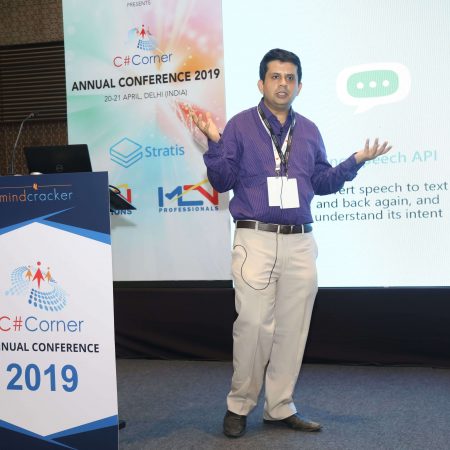
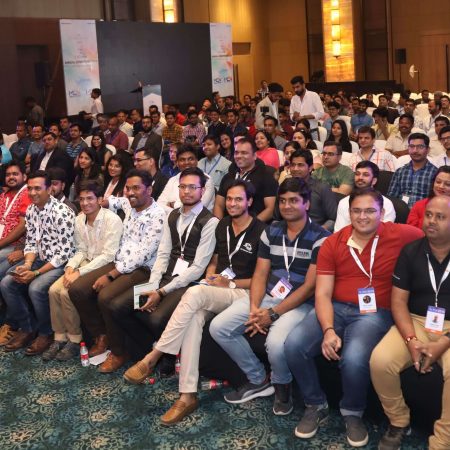
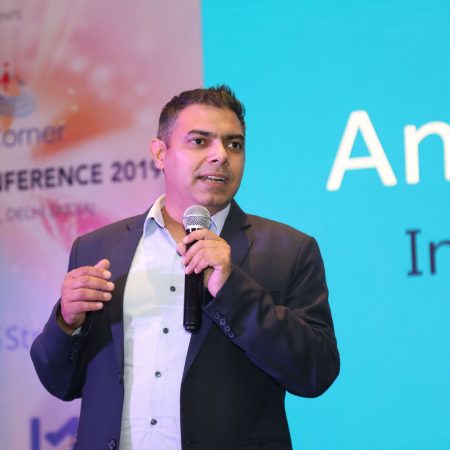
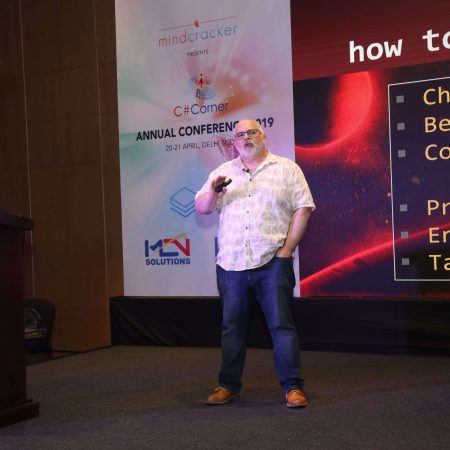
The aim is to isolate pagination rules from business screens. The component should know about page numbers, page sizes and navigation events, while the parent component remains responsible for querying products, invoices, users or other domain records. The conference programme provides useful context for the wider Microsoft development ecosystem in which these Blazor patterns are commonly applied.
| Approach | Suitable use | Main advantage | Common limitation |
|---|---|---|---|
| Client-side slicing | Small, already-loaded collections | Very simple interaction | High memory use and stale data |
| Server-side offset pagination | Most CRUD and reporting screens | Efficient and easy to understand | Deep pages can become slower |
| Keyset pagination | Large, ordered datasets | Stable performance at scale | Harder to jump to an arbitrary page |
| Third-party grid | Rich filtering and sorting requirements | Many features arrive ready-made | More coupling and visual overhead |
Define a clear component boundary
A reusable pagination component should not fetch data itself. If it owns the query, it becomes tied to a particular entity, repository or ORM. Instead, the parent supplies the current page, page size and total item count, then responds when the user requests a different page.
A typical API might expose CurrentPage, PageSize, TotalItems and an EventCallback<PaginationRequest>. The request can contain the target page and requested page size. Keeping the event payload as a small model is preferable to exposing several unrelated callbacks, because the parent receives one coherent state change.
The component can calculate TotalPages from the item count:
TotalPages = Math.Max(1,
    (int)Math.Ceiling((double)TotalItems / PageSize));
It should also clamp the current page. A record deletion may reduce the number of available pages, so page 8 could become invalid when the refreshed result contains only seven pages. Clamping prevents an empty screen caused by stale navigation state.
A generic result wrapper can keep data loading consistent:
public sealed record PagedResult<T>(
    IReadOnlyList<T> Items,
    int Page,
    int PageSize,
    int TotalItems);
This model separates the records from the metadata required to render navigation. It also works with Entity Framework Core, Dapper or an HTTP API without forcing the pager to know which data access library is in use.
Choose state and parameters carefully
Blazor parameters flow from a parent into a child component. That makes the parent the source of truth for the selected page and page size. The child should request a change, not silently mutate values that the parent owns. This unidirectional flow reduces rendering surprises and makes the component easier to test.
Use EventCallback<T> for page changes and, if required, for page-size changes. An asynchronous callback allows the parent to load records and display a busy state. The pager can disable its buttons while the request is in progress, preventing several rapid clicks from creating overlapping queries.
Useful parameters include:
CurrentPageandPageSizefor controlled navigation stateTotalItemsfor calculating the available page rangePageSizeOptionsfor a selectable result countShowSummaryandDisabledfor presentation and interaction control
A page-size change should normally reset the current page to one. If a user is viewing page 12 with 25 records per page and chooses 100 records per page, retaining page 12 may produce an empty or confusing result. This small rule is best implemented in the parent request handler or in a shared pagination state service.
Avoid storing a complete IEnumerable<T> inside the pagination component. That approach encourages client-side filtering and can accidentally transfer thousands of rows to a browser. It also makes the pager responsible for collection manipulation instead of navigation, which weakens its reuse across applications.
Render navigation that remains understandable
A pager does not need to display every page number. For a large result set, show the first page, last page, the current page and a small window around it. Ellipses can represent omitted ranges, although they should not be clickable unless they have a clearly defined behaviour.
The previous and next controls should use real buttons. Give them descriptive accessible names such as “Go to previous page” and “Go to next page”, then disable them at the relevant boundaries. A current-page indicator should use aria-current="page" so screen readers can identify the active location.
The summary can communicate useful context:
<nav aria-label="Search results pages">
    <button disabled="@IsFirstPage"
            @onclick="GoToPrevious">
        Previous
    </button>

    <span aria-current="page">
        Page @CurrentPage of @TotalPages
    </span>

    <button disabled="@IsLastPage"
            @onclick="GoToNext">
        Next
    </button>
</nav>
In a production component, page links can be rendered through a RenderFragment or a small internal page-item model. Keep the markup predictable so an Australian government or enterprise team can apply its existing design system without rewriting the navigation logic.
Responsive behaviour matters on narrow screens. Users commonly complete tasks on mobile devices while commuting in Sydney or waiting for a service appointment. A compact layout can hide non-essential page numbers while retaining previous, next and a page summary. Touch targets should remain large enough for reliable use.
Connect it to efficient server-side queries
The parent component should translate pagination state into a database query. With Entity Framework Core, the basic pattern uses OrderBy, Skip and Take:
var query = db.Orders
    .AsNoTracking()
    .Where(order => order.Status == selectedStatus)
    .OrderByDescending(order => order.CreatedUtc);

var totalItems = await query.CountAsync();
var items = await query
    .Skip((page - 1) * pageSize)
    .Take(pageSize)
    .ToListAsync();
Always apply a stable ordering before Skip and Take. Without it, records can move between pages as the database returns rows in an unspecified order. A unique secondary key, such as Id, can make ordering deterministic when several records share the same timestamp.
For modest datasets, two queries for the count and page are acceptable. For high-volume systems, measure the cost of the count query and consider whether the interface genuinely needs an exact total. Keyset pagination, based on a last-seen identifier or timestamp, can perform better for deep scrolling but is less convenient when users need to jump directly to page 40.
Filter and sort values belong in the same state model as the page. When a search term changes, reset the page to one. When the user returns to the page through browser navigation, restore the same filter and page values. Query-string integration is useful for shareable URLs and for applications where browser refresh should preserve the current result view.
Be mindful of Australian privacy obligations when building searchable administrative screens. Under the Privacy Act 1988, personal information should be handled with appropriate safeguards. Pagination is not a privacy control by itself, so avoid placing sensitive values in query strings merely to preserve state. Authorisation and filtering must occur on the server for every request.
Keep the component adaptable across products
Visual styling should be separate from pagination behaviour. A library component may use CSS classes and parameters for custom class names, while a product team can map those classes to its own design tokens. Avoid hard-coding colours, spacing or icon libraries inside the navigation logic.
A reusable component benefits from a small set of deliberate extension points:
- A template for page labels, summaries or accessible text
- Optional page-size selection with caller-supplied options
- Custom CSS classes for container, active and disabled states
- Localisable labels instead of fixed English strings
Localization is relevant even when the primary audience is Australian. An application may serve users with different language preferences, and date or number formatting should remain the responsibility of the surrounding screen. The component should expose labels through parameters or a localisation service rather than embedding assumptions about wording.
The component can also support URL-driven state through NavigationManager. For a server-rendered reporting page, a URL such as /orders?page=3&pageSize=50 makes the view easier to bookmark. Validate every value before using it: reject negative pages, impose a maximum page size and fall back to safe defaults when query-string input is invalid.
A maximum page size protects both the database and the SignalR circuit. This is particularly important for applications hosted in Australian cloud regions where bandwidth, compute budgets and data residency requirements may affect architecture decisions. The interface can offer 10, 25 and 50 rows while the server enforces an upper bound regardless of the submitted value.
Test behaviour and production performance
Pagination tests should focus on state transitions rather than only visual output. Verify that the first page disables previous, the last page disables next, a page-size change resets the page, and an empty result does not produce invalid navigation. Test totals that divide exactly and totals that leave a remainder.
Component tests can render the pager with a bUnit-style framework and trigger button events. Integration tests should confirm that filters, sorting and page state reach the data access layer correctly. A separate query test can verify that the generated result has deterministic ordering and never returns more than the permitted page size.
Useful checks include:
- Boundary navigation when there are zero, one or many records
- Rapid clicks while an asynchronous load is active
- Invalid page and page-size values from a URL
- Keyboard navigation, focus behaviour and screen-reader labels
For Blazor Server, monitor circuit stability and query duration, not just browser rendering time. A slow database query holds the user interaction open and can make a simple button appear broken. Cancellation tokens can help stop obsolete requests when a user changes filters quickly, while a visible loading indicator explains the short delay.
Caching may help for stable reference data, but avoid caching personalised or permission-sensitive results without a clear key strategy. Log the requested page, page size, filter category and elapsed query time without recording unnecessary personal information. This gives operations teams enough evidence to identify inefficient pages while supporting responsible data handling.
A reusable pager succeeds when it remains deliberately boring: navigation rules are consistent, queries are bounded, accessibility is built into the markup and the parent retains ownership of domain data. That separation lets the same Blazor Server component support dashboards, catalogues and operational tools across Australian organisations without becoming another source of hidden application complexity.



















1, CBD, Maharaj Surajmal Road, Near Yamuna Sports Complex, Delhi, 110032





GENERAL QUERIES
Manish Tewatia
manish@csharpcon.com
+91-9718-431-042
TICKET QUERIES
Atul Gupta
conference@csharpcon.com
+91-9910-125-804