

Presents


Magnus Mårtensson
Microsoft Regional Director, Azure MVP, CEO Loftysoft

Avirag Jain
Director & CTO R Systems

Mahesh Chand
Founder C# Corner, CEO Mindcracker

Chris Gali
CEO & Co-Founder Graphite

Subinder Khurana
Chief Architect StoryProcess, Founder NASSCOM DeepTech Club

Bryan Rishforth
Investor, Chairman Graphite

Bryn Everson
Director Biz Dev Graphite

Raj Tiwari
Digital Transformation Leader, Futurist and Visionary

Joseph Guadagno
Microsoft MVP, Lead Quicken Loans

Nikita Sachdev
Entrepreneur, Blockchain Enthusiast & Advisor, Social Media Influencer

Doug Wagner
COO & Founder Adapt Technical Group

Ritesh Modi
Architect, Senior Evangelist, Cloud Architect

Crystal Wenrick
Director Communications Mindcracker

Allen O’Neill
Microsoft MVP, Consulting Engineer/Architect
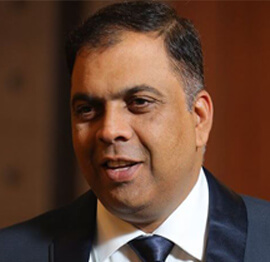
Praveen Kumar
CEO MCN Solutions

Chris Love
Founder Love2Dev, Microsoft MVP, Author

Sanjay Vyas
Microsoft Regional Director, Microsoft MVP, Founder & CEO SkillLabs Technologies

Veena Sarda
Deep Learning Consultant, Author

Sekhar Srinivasan
C# Corner MVP, Microsoft Certified Trainer, Pluralsight Author

Lalit Bansal
Founder & CEO - EIY SYS

Navdeep Garg
CEO Revinfotech

Prakash Tripathi
Tech Manager/Leader, Microsoft MVP, Blogger

Bhavna Jain
Breakthrough Consultant

Naveen Sharma
Enterprise Architect, Leadership Coach, Author

Vidya Vrat Agarwal
Principal Architect, Microsoft MVP, Author

Sheetal Agarwal
Founder Clownselors, Medical Clown, Trainer

Abhishek Kant
Founder GTM Catalyst

Vishnu Saran
Founder & CEO VoiceQube

Sandeep Soni
Founder & CEO Deccansoft, Microsoft Certified Trainer

Parveen Malik
AVP InfoSec & Vulnerability Management, Information Security Expert

Nitin Pandit
Microsoft MVP, Developer Evangelist, Author

Niloshima Srivastava
C# Corner MVP, Tech Architect, Trainer, Blogger

Bala Chirtsabesan
Senior Software Engineer at Microsoft, Author

Manoj Mittal
Sr. Technical Architect, C# Corner MVP, Author

Chandni Di
Co-Founder Voice of Slum

Vithal Wadje
Technical Lead, Microsoft MVP, Author

Shivam Ahuja
Founder SkillCircle, Business Mentor

Chervine Bhiwoo
Solution Architect, Microsoft MVP, Author

Saurabh Jain
Vice President Paytm, Founder Fun2Do Labs, Author

Vinay Solanki
Head IoT at Lenovo, Founder IoT-NCR
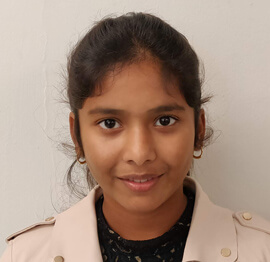
Anshu kumari
Founder Blockchainkids, Inventor, Trainer

Amit Singal
CEO Startup Buddy

Dev Pratap
Co-Founder & CEO Voice of Slum

Amey Vartak
Technology Consultant, Full Stack Developer, C# Corner MVP, Author

Viswanatha Swamy
Principal Software Engineer, C# Corner MVP, Author

Sanket Verma
Research Engineer @ Ballistics (Forensics) and Chair, PyData Delhi

Sourabh Somani
Lead Developer, Microsoft MVP, Author

Abhishek Mishra
Software Architect, C# Corner MVP, Author

Siddharth Vaghasia
Technical Consultant, C# Corner MVP, Blogger
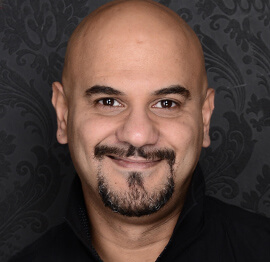
Bassam Alugili
Senior Software Specialist, Database Expert

S Ravi Kumar
Solution Architect, C# Corner MVP, Author

Sundaram Subramanian
Full Stack Developer, C# Corner MVP, Speaker

Deepesh Somani
Solution Architect, Microsoft MVP, Author

Debasis Saha
Technical Project Manager, C# Corner MVP, Blogger, Author

Vipul Jain
Software Architect, C# Corner MVP, Author

Akshay Patel
Technical Architect, Microsoft Certified Trainer, C# Corner MVP, Author

Stephen Simon
RPA Developer, Evangelist, Author
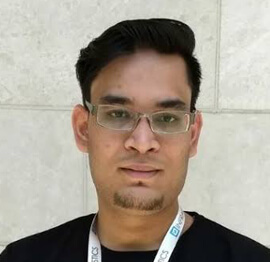
Vivek Sharma
Founder Kingster636, AR/VR Specialist

Jeetendra Gund
Technical Lead, C# Corner MVP, Author
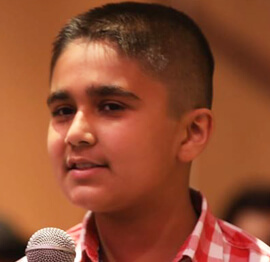
Sujal Beniwal
AI Enthusiast, Student

M Viknaraj
Microsoft MVP, Azure Architect, Author

Prasham Sabadra
Software Architect, C# Corner MVP, Trainer, Author

Aakash Maurya
Senior Developer, C# Corner MVP, Speaker

Ankit Sharma
Senior Software Engineer, C# Corner MVP, Author

Mangesh Gaherwar
Team Lead, C# Corner MVP, Author

Viral Jain
Technical Consultant, C# Corner MVP, Author
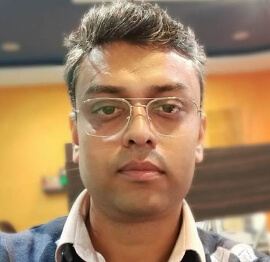
Bhasker Das
Solution Architect, Evangelist

Manish Dwivedi
Associate Project Manager

Ck Nitin
Programmer, Author

Rohit Gupta
Technical Trainer, Author

Manish Tewatia
Full-stack Marketer, UX Designer

Bhavya Gaur
Technical Illustrator

Rohit Tomar
SEO/SMO Expert
Web Track
Cloud & Data Track
Dev Track
Registration & Breakfast
Future of Desktop Apps with JS (ElectronJs)
Nitin Pandit
Building Serverless Microservices Using Microsoft Azure
Vithal Wadje
Innovating RPA: A Robot for Every Person
Stephen Simon
Managing Cloud Storage Accounts using Logic Apps
Viknaraj Manogararajah
Data visualization using Python
Sekhar Srinivasan
Going Cross platform with AR Foundation
Vivek Sharma
Keynote
Managing your Azure dependencies in ASP.NET Core apps using VS
Bala Chirtsabesan
Securing Applications on Intelligent Azure
Abhishek Mishra
Getting started with Blazor the Framework of Future
S Ravi Kumar
Lunch
Build Progressive Web Apps using Angular 9
Debasis Saha
Build and deploy to any platform using Azure DevOps
Chervine Bhiwoo
Deep Dive in Azure Service Bus
Akshay Patel
Build a Native Mobile Application using React Native and JavaScript
Joseph Guadagno
Making sense of Web Job, Web Job SDK and Functions in Azure
Prakash Tripathi
CloudFront Distribution in AWS
Viral Jain
Tea Break
Introduction to PowerBI
Aakash Maurya
Build Advanced SPFx solutions with React and Graph API
Siddharth Vaghasia
Build Business Intelligence Analyst (BIA) Skills
Sundaram Subramanian
Deep dive of Power Platform – AI BUILDER
Prasham Sabadra
Panel 1
What's new in SharePoint development
Vipul Jain
Build a SSO (Single Sign On) based Native JavaScript application with Microsoft Identity within 10 minutes
Manoj Mittal
Panel 2
Applications and working of AI
Veena Sarda
Deploying serverless API's with .Net core 3.0 on AWS & Azure
Amey Vartak
Panel 3
Blockchain with .NET Core (Ark)
Anshu Kumari
Closing Note & Prize Distribution
Dev Track
Cloud Track
Architecture Track
Emerging Tech Track
Registration & Breakfast
Creating Full-Stack Web Apps Using Server-Side Blazor
Ankit Sharma
Real time face recognition with MS Cognitive Services
Niloshima Srivastava
Building Scalable APIs with GraphQL
Jeetendra Gund
Future of development with AI and Blockchain
Navdeep Garg
Debugging Tips and Tricks with Visual Studio 2019
Joseph Guadagno
Azure Containers
Abhishek Kant
Enterprise Architecture
Naveen Sharma
Bot Framework - learn it fast and look like a boss!
Allen O’Neill
Keynote
.Net Core & C# 8 Performance
David McCarter
Working with Azure kubernetes services
Ritesh Modi
Becoming an Architect
Vidyavrat Agarwal
Why Techies Need to Learn Product Management
Saurabh Jain
Lunch
Build a rules engine in .Net Core
Sanjay Vyas
Building CI and CD Pipeline using Azure DevOps
Sandeep Soni
Entity Framework Core - Tips and Tricks, Performance Optimization, and Tuning
Bassam Alugili
Hacking your way into Data Science
Sanket Verma
Speed up your .Net Core Website
Sourabh Somani
Azure
Magnus Mårtensson
Demystifying Open Distro for Elasticsearch
Suman Debnath
Future of Data
Shivam Ahuja
Tea Break
gRPC with C# and .Net Core
Mangesh Gaherwar
Panel 1
Essentials of Cloud security
Parveen Malik
Power platform and Dynamics 365
Deepesh Somani
Microservices - the gRPC Way
Viswanatha Swamy
Panel 2
Reserved
Reserved
Closing Note & Prize Distribution
Building a chat application with WebSocket and C#
Real-time messaging has become a practical expectation in modern business software. Support agents need live queues, operations teams need shared dashboards, and developers want feedback while code is still moving. A chat application built with WebSocket and C# can deliver that experience through a persistent browser connection, with the server managing presence, conversations and delivery under load.
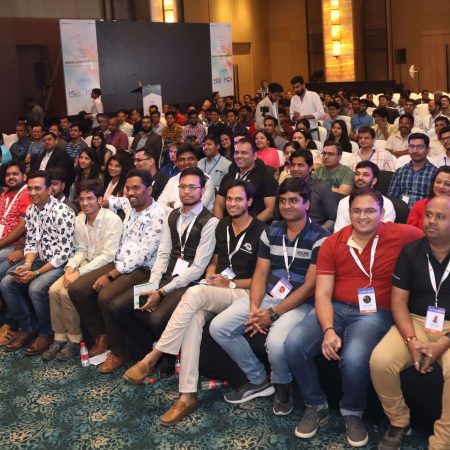
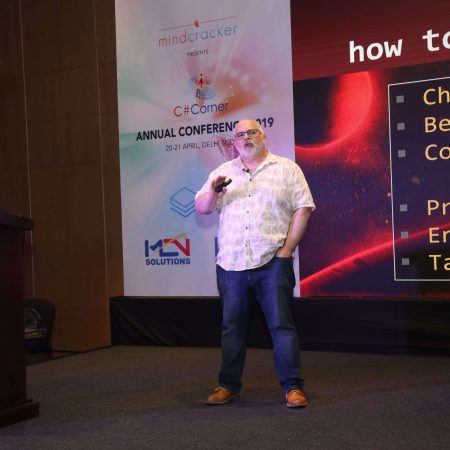
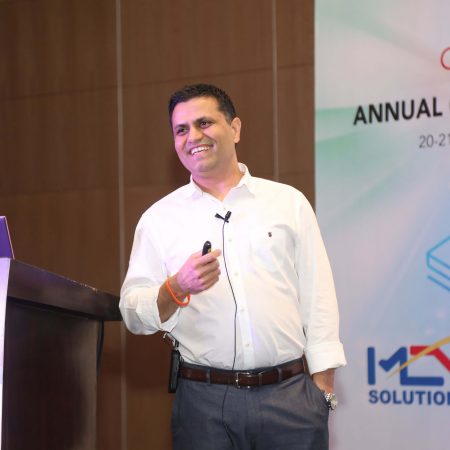
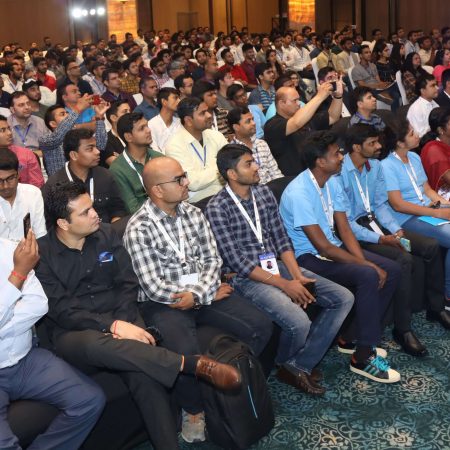
The C# Corner Annual Conference 2020 is a three-day gathering for software professionals and developers, with dozens of speakers and sessions spanning C#, Microsoft Azure, cloud computing, data, web development, DevOps, AI and RPA. Its technical tracks show how these areas combine in production systems, giving developers a wider context for their own .NET projects.
Choosing the right real-time architecture
Start by separating transport from application logic. A browser sends an HTTP request, the server upgrades it to a WebSocket, and both endpoints then exchange frames over one persistent connection. In ASP.NET Core, UseWebSockets and WebSocketMiddleware provide that upgrade. Keep room assignments, presence, message history and moderation outside the socket handler so they can evolve independently of the transport.
| Approach | Connection model | Typical latency | Best fit | Main trade-off |
|---|---|---|---|---|
| Short polling | Request, wait, repeat | Highest | Simple or infrequent updates | Repeated overhead and delayed responses |
| Server-sent events | One-way HTTP stream | Low | Notifications and live feeds | Sending data requires a separate request |
| WebSocket | Persistent, bidirectional channel | Low | Chat, collaboration and live controls | Requires connection, reconnection and state handling |
| SignalR | WebSocket with additional transports and hubs | Low | Teams standardising on shared .NET infrastructure | More framework coupling than a raw socket API |
For this project, a raw WebSocket offers the clearest learning path while still using the same C# libraries you would use in production. Long polling is easy to prototype, but it creates unnecessary requests when many users are waiting for messages. Server-sent events work well for notifications, yet a chat user must transmit messages as well as receive them. SignalR is an excellent alternative when advanced groups, reconnection and transport fallback are already standard across your applications.
Make the upgrade explicit rather than assuming every request is a socket. Restrict the endpoint to GET requests, validate the client handshake and reject unsupported paths. Keep heartbeat messages separate from chat messages, and give every session an identifier. Those boundaries prevent a simple demonstration from turning into a collection of unexplained close codes and duplicated deliveries.
Designing the message protocol
Define a small, versioned envelope before writing user interface code. A JSON object can carry a message identifier, conversation identifier, sender, type, timestamp and payload. The outer shape stays stable while the body changes for text, typing indicators, presence updates or moderation events. JSON is easy to inspect in browser developer tools and works naturally with System.Text.Json in a C# service.
Use a distinct type such as chat.message for delivered content and chat.typing for transient activity. Do not persist every typing event. Include a unique identifier on each chat message so the receiver can ignore a duplicate after reconnecting, and agree on one server timestamp to resolve ordering when several people type at once.
Treat the protocol as an untrusted input boundary. Limit frame and payload sizes, validate identifiers, and reject malformed JSON without closing the entire server. Send errors as structured events with a readable message and a correlation identifier. That identifier lets support staff trace a failed action without exposing implementation details to other users.
Implementing the C# server
The ASP.NET Core server can use WebSocketMiddleware to accept an upgrade, then run a receive loop for each connected client. Store the socket and user identity in a thread-safe connection registry, and fan outgoing messages out through a bounded channel. A channel provides a backpressure strategy: when a slow client cannot keep up, the application can discard disposable updates or disconnect it instead of consuming unlimited memory.
Handle cancellation when the client disconnects and preserve room membership until the close handshake completes. Use ReceiveAsync with a bounded buffer, and inspect the returned message type so fragmented frames are assembled correctly. Text frames should be decoded as UTF-8. Binary frames can be rejected unless the protocol explicitly supports them.
Keep the socket callback focused on transport events and delegate work to injected services. Separate handlers can validate a message, check membership and publish it to a room. ILogger should record connection IDs, room identifiers, durations and error categories, but never raw message content that might contain personal information. If the service scales across several instances, a shared broker can handle cross-instance fan-out instead of an in-memory room list.
Building the browser client
The browser has a built-in WebSocket API, so the client does not need a third-party library for a basic exchange. Create the connection with a secure wss:// URL, attach handlers for open, message, error and close, and keep a reference to the underlying socket. A small amount of TypeScript or JavaScript is enough to connect those events to a message list.
On the server, send an initial snapshot of recent messages after accepting the connection. Subsequent events can then be applied as updates. This avoids a race in which a new message arrives between the history query and the socket registration. For a first release, render plain text safely through the DOM's textContent; interpreting HTML would open a cross-site scripting risk.
Plan for reconnection from the beginning. A laptop may move between a home connection in Brisbane and mobile coverage, or a browser tab may sleep. When the socket closes, reconnect with exponential backoff and random jitter, request a fresh snapshot and ask the server to replay anything the client missed. Send a heartbeat when the application is idle so network intermediaries do not quietly discard the connection.
Securing the connection and deployment
Use TLS for every production connection and authenticate during the HTTP upgrade, before accepting the WebSocket. A secure session cookie or a short-lived token obtained through an authenticated request fits naturally into the initial ASP.NET Core request. Validate the requested origin, apply the application's authorisation rules, and never trust an identity supplied only by the client. Together, origin checks and cookie protections help prevent cross-site WebSocket hijacking.
Rate-limit connection attempts, messages and room joins. Apply per-user quotas and a reasonable payload ceiling to reduce abuse. Australian organisations should assess whether the Privacy Act 1988 and Australian Privacy Principles apply to their stored data, define a deletion process, and avoid recording sensitive conversations by default. Commercial email campaigns also generally need consent, accurate sender details and a working unsubscribe mechanism under the Spam Act 2003.
On Microsoft Azure, App Service can host the server, while Application Gateway can terminate TLS and route WebSocket traffic. Configure application heartbeats and close detection to fit within the shortest infrastructure timeout. Store secrets in Key Vault, use managed identities where possible, and publish a health endpoint that verifies dependencies without disclosing sensitive configuration details.
Testing reliable conversations
Unit tests should cover protocol validation, authorisation rules and ordering decisions without opening a socket. Integration tests can run ASP.NET Core through a test host or an ephemeral local instance, connect a WebSocket client and exercise the full upgrade. A useful scenario joins two users, sends a message, verifies receipt and then disconnects one client to confirm the other remains healthy.
Also test hostile inputs: oversized frames, invalid JSON, unknown message types, a token belonging to another user and a request for a private room. Assert that the server rejects these cases cleanly and keeps unrelated sessions alive. Automated tests should not depend on a fixed sleep; wait for a matching event with a timeout so the suite remains stable on a busy CI runner.
Load testing should model realistic rooms, message sizes and thinking time. Watch connection count, memory per socket, queue depth, processor usage and dropped frames, not merely request throughput. A chat application can appear healthy while one slow recipient causes messages to accumulate. Use those results to set capacity limits and alerting thresholds before a launch day in Sydney or Melbourne.
Keeping the project practical for Australian teams
Australian development teams often work across Sydney, Melbourne, Brisbane, Perth and Adelaide. Compare Australian Azure regions with other deployment locations for latency, data residency and total cost, and quote hosting and support commitments in AUD for local buyers. Regional fixed-wireless and NBN services can introduce variable latency, particularly outside metropolitan areas, so a region closer to users is not automatically the cheapest or the right regulatory fit.
An Australian team may call a late-afternoon check-in an “arvo catch-up”, ask to “park it for now”, or sign off a task with “no worries”. Such shorthand belongs in team conversation, not in the application's message contract. Use explicit status values and timestamps, store times in UTC, and label them with the relevant Australian Eastern Standard Time or Australian Eastern Daylight Time offset when users need local context.
Mobile use adds another Australian reality, so keep the initial download small and load conversation history in pages. The C# Corner conference site provides speaker profiles and a multi-day agenda across several technical tracks, complementing hands-on work with sessions on C#, Azure, DevOps, AI and RPA. The event platform supports account creation and sign-in, and the broader programme shows how communication software fits into delivery and automation teams.








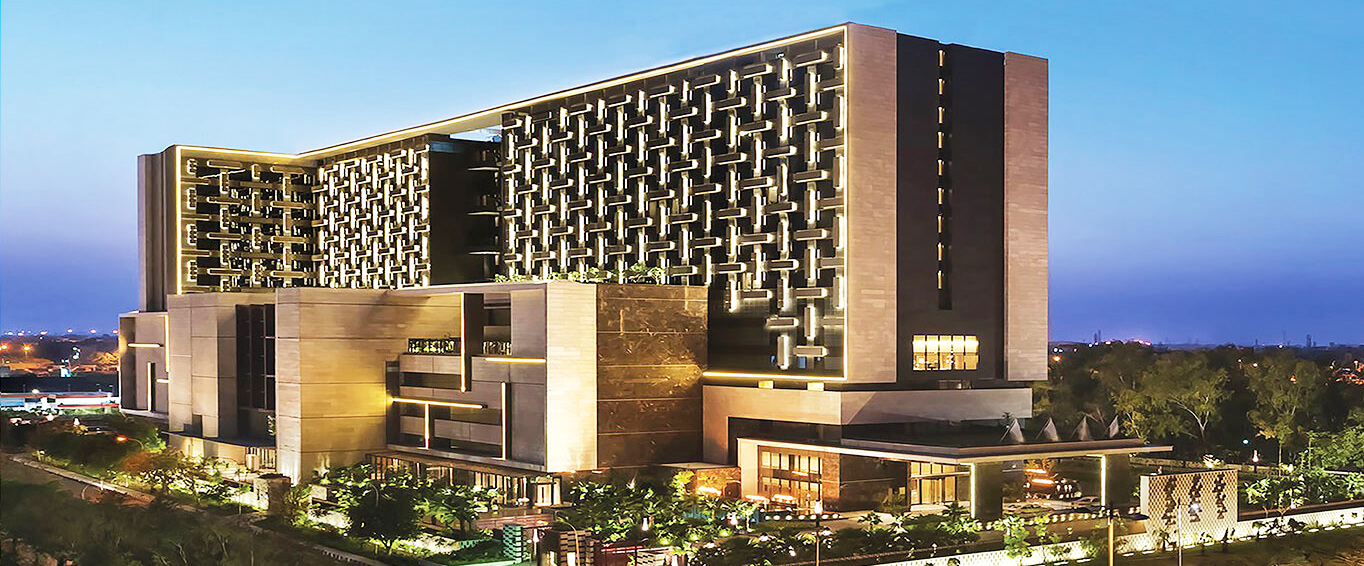
1, CBD, Maharaj Surajmal Road, Near Yamuna Sports Complex, Delhi, 110032


GENERAL QUERIES
Manish Tewatia
manish@csharpcon.com
+91-9718-431-042
TICKET QUERIES
Atul Gupta
conference@csharpcon.com
+91-9910-125-804