

Presents


Magnus Mårtensson
Microsoft Regional Director, Azure MVP, CEO Loftysoft
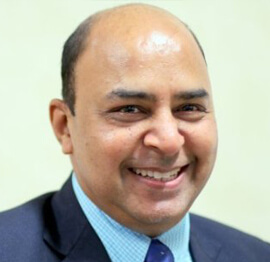
Avirag Jain
Director & CTO R Systems

Mahesh Chand
Founder C# Corner, CEO Mindcracker

Chris Gali
CEO & Co-Founder Graphite

Subinder Khurana
Chief Architect StoryProcess, Founder NASSCOM DeepTech Club

Bryan Rishforth
Investor, Chairman Graphite

Bryn Everson
Director Biz Dev Graphite
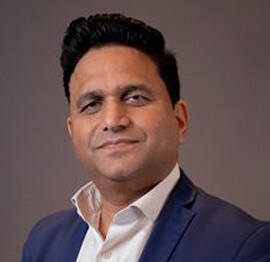
Raj Tiwari
Digital Transformation Leader, Futurist and Visionary

Joseph Guadagno
Microsoft MVP, Lead Quicken Loans

Nikita Sachdev
Entrepreneur, Blockchain Enthusiast & Advisor, Social Media Influencer

Doug Wagner
COO & Founder Adapt Technical Group

Ritesh Modi
Architect, Senior Evangelist, Cloud Architect

Crystal Wenrick
Director Communications Mindcracker

Allen O’Neill
Microsoft MVP, Consulting Engineer/Architect
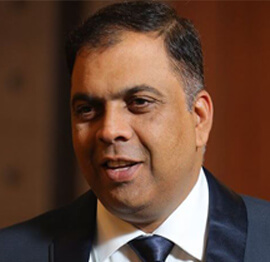
Praveen Kumar
CEO MCN Solutions

Chris Love
Founder Love2Dev, Microsoft MVP, Author

Sanjay Vyas
Microsoft Regional Director, Microsoft MVP, Founder & CEO SkillLabs Technologies

Veena Sarda
Deep Learning Consultant, Author

Sekhar Srinivasan
C# Corner MVP, Microsoft Certified Trainer, Pluralsight Author
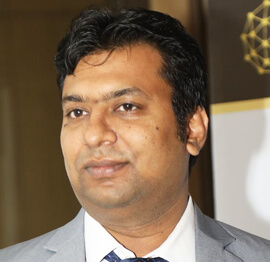
Lalit Bansal
Founder & CEO - EIY SYS
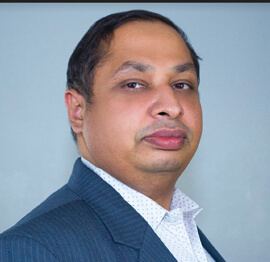
Navdeep Garg
CEO Revinfotech

Prakash Tripathi
Tech Manager/Leader, Microsoft MVP, Blogger
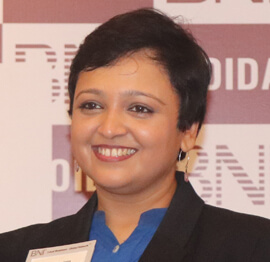
Bhavna Jain
Breakthrough Consultant

Naveen Sharma
Enterprise Architect, Leadership Coach, Author

Vidya Vrat Agarwal
Principal Architect, Microsoft MVP, Author

Sheetal Agarwal
Founder Clownselors, Medical Clown, Trainer

Abhishek Kant
Founder GTM Catalyst

Vishnu Saran
Founder & CEO VoiceQube

Sandeep Soni
Founder & CEO Deccansoft, Microsoft Certified Trainer

Parveen Malik
AVP InfoSec & Vulnerability Management, Information Security Expert

Nitin Pandit
Microsoft MVP, Developer Evangelist, Author
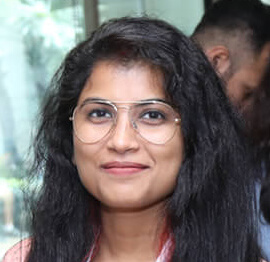
Niloshima Srivastava
C# Corner MVP, Tech Architect, Trainer, Blogger

Bala Chirtsabesan
Senior Software Engineer at Microsoft, Author

Manoj Mittal
Sr. Technical Architect, C# Corner MVP, Author

Chandni Di
Co-Founder Voice of Slum

Vithal Wadje
Technical Lead, Microsoft MVP, Author

Shivam Ahuja
Founder SkillCircle, Business Mentor

Chervine Bhiwoo
Solution Architect, Microsoft MVP, Author

Saurabh Jain
Vice President Paytm, Founder Fun2Do Labs, Author

Vinay Solanki
Head IoT at Lenovo, Founder IoT-NCR

Anshu kumari
Founder Blockchainkids, Inventor, Trainer
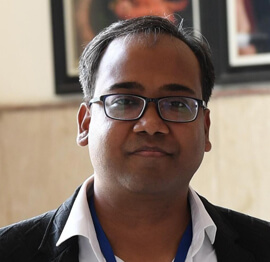
Amit Singal
CEO Startup Buddy
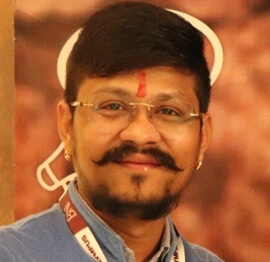
Dev Pratap
Co-Founder & CEO Voice of Slum

Amey Vartak
Technology Consultant, Full Stack Developer, C# Corner MVP, Author

Viswanatha Swamy
Principal Software Engineer, C# Corner MVP, Author

Sanket Verma
Research Engineer @ Ballistics (Forensics) and Chair, PyData Delhi

Sourabh Somani
Lead Developer, Microsoft MVP, Author

Abhishek Mishra
Software Architect, C# Corner MVP, Author

Siddharth Vaghasia
Technical Consultant, C# Corner MVP, Blogger
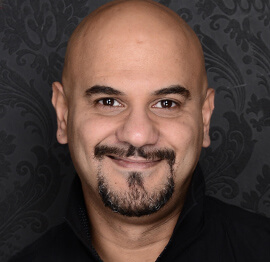
Bassam Alugili
Senior Software Specialist, Database Expert

S Ravi Kumar
Solution Architect, C# Corner MVP, Author

Sundaram Subramanian
Full Stack Developer, C# Corner MVP, Speaker

Deepesh Somani
Solution Architect, Microsoft MVP, Author

Debasis Saha
Technical Project Manager, C# Corner MVP, Blogger, Author

Vipul Jain
Software Architect, C# Corner MVP, Author

Akshay Patel
Technical Architect, Microsoft Certified Trainer, C# Corner MVP, Author

Stephen Simon
RPA Developer, Evangelist, Author
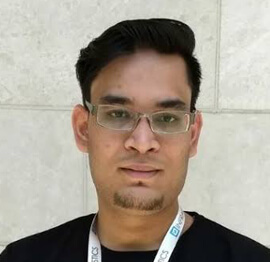
Vivek Sharma
Founder Kingster636, AR/VR Specialist

Jeetendra Gund
Technical Lead, C# Corner MVP, Author

Sujal Beniwal
AI Enthusiast, Student

M Viknaraj
Microsoft MVP, Azure Architect, Author

Prasham Sabadra
Software Architect, C# Corner MVP, Trainer, Author

Aakash Maurya
Senior Developer, C# Corner MVP, Speaker

Ankit Sharma
Senior Software Engineer, C# Corner MVP, Author

Mangesh Gaherwar
Team Lead, C# Corner MVP, Author

Viral Jain
Technical Consultant, C# Corner MVP, Author

Bhasker Das
Solution Architect, Evangelist

Manish Dwivedi
Associate Project Manager

Ck Nitin
Programmer, Author

Rohit Gupta
Technical Trainer, Author

Manish Tewatia
Full-stack Marketer, UX Designer

Bhavya Gaur
Technical Illustrator

Rohit Tomar
SEO/SMO Expert
Web Track
Cloud & Data Track
Dev Track
Registration & Breakfast
Future of Desktop Apps with JS (ElectronJs)
Nitin Pandit
Building Serverless Microservices Using Microsoft Azure
Vithal Wadje
Innovating RPA: A Robot for Every Person
Stephen Simon
Managing Cloud Storage Accounts using Logic Apps
Viknaraj Manogararajah
Data visualization using Python
Sekhar Srinivasan
Going Cross platform with AR Foundation
Vivek Sharma
Keynote
Managing your Azure dependencies in ASP.NET Core apps using VS
Bala Chirtsabesan
Securing Applications on Intelligent Azure
Abhishek Mishra
Getting started with Blazor the Framework of Future
S Ravi Kumar
Lunch
Build Progressive Web Apps using Angular 9
Debasis Saha
Build and deploy to any platform using Azure DevOps
Chervine Bhiwoo
Deep Dive in Azure Service Bus
Akshay Patel
Build a Native Mobile Application using React Native and JavaScript
Joseph Guadagno
Making sense of Web Job, Web Job SDK and Functions in Azure
Prakash Tripathi
CloudFront Distribution in AWS
Viral Jain
Tea Break
Introduction to PowerBI
Aakash Maurya
Build Advanced SPFx solutions with React and Graph API
Siddharth Vaghasia
Build Business Intelligence Analyst (BIA) Skills
Sundaram Subramanian
Deep dive of Power Platform – AI BUILDER
Prasham Sabadra
Panel 1
What's new in SharePoint development
Vipul Jain
Build a SSO (Single Sign On) based Native JavaScript application with Microsoft Identity within 10 minutes
Manoj Mittal
Panel 2
Applications and working of AI
Veena Sarda
Deploying serverless API's with .Net core 3.0 on AWS & Azure
Amey Vartak
Panel 3
Blockchain with .NET Core (Ark)
Anshu Kumari
Closing Note & Prize Distribution
Dev Track
Cloud Track
Architecture Track
Emerging Tech Track
Registration & Breakfast
Creating Full-Stack Web Apps Using Server-Side Blazor
Ankit Sharma
Real time face recognition with MS Cognitive Services
Niloshima Srivastava
Building Scalable APIs with GraphQL
Jeetendra Gund
Future of development with AI and Blockchain
Navdeep Garg
Debugging Tips and Tricks with Visual Studio 2019
Joseph Guadagno
Azure Containers
Abhishek Kant
Enterprise Architecture
Naveen Sharma
Bot Framework - learn it fast and look like a boss!
Allen O’Neill
Keynote
.Net Core & C# 8 Performance
David McCarter
Working with Azure kubernetes services
Ritesh Modi
Becoming an Architect
Vidyavrat Agarwal
Why Techies Need to Learn Product Management
Saurabh Jain
Lunch
Build a rules engine in .Net Core
Sanjay Vyas
Building CI and CD Pipeline using Azure DevOps
Sandeep Soni
Entity Framework Core - Tips and Tricks, Performance Optimization, and Tuning
Bassam Alugili
Hacking your way into Data Science
Sanket Verma
Speed up your .Net Core Website
Sourabh Somani
Azure
Magnus Mårtensson
Demystifying Open Distro for Elasticsearch
Suman Debnath
Future of Data
Shivam Ahuja
Tea Break
gRPC with C# and .Net Core
Mangesh Gaherwar
Panel 1
Essentials of Cloud security
Parveen Malik
Power platform and Dynamics 365
Deepesh Somani
Microservices - the gRPC Way
Viswanatha Swamy
Panel 2
Reserved
Reserved
Closing Note & Prize Distribution
Writing cleaner C# code with StyleCop and analyzers
Clean C# is rarely the result of one rigid formatter or a final formatting pass. It emerges when conventions are encoded close to the code, feedback arrives while changes are small, and every rule has a clear purpose. StyleCop and analyzers make many of those expectations visible, turning subjective code-review comments into repeatable diagnostics that developers can resolve in their editor or build.
The C# Corner Annual Conference 2020 brings together C#, Azure, cloud, data, DevOps and AI practitioners, so clean code belongs alongside the systems those teams design. Consistent naming, documentation and control flow reduce the cognitive load carried into APIs, pipelines and maintenance work. Automated checks also let reviewers spend more time on design and behaviour instead of debating brace placement.
Used well, these tools do not impose one universal style. They create a shared contract between a team and its future maintainers. The strongest approach combines narrowly scoped configuration, sensible defaults, gradual adoption and a build pipeline that reports meaningful failures without flooding pull requests with low-value noise.
Establish a practical quality baseline
An analyzer inspects source code during compilation and reports a diagnostic when a rule is violated. Unlike a formatter, an analyzer can examine naming, documentation, control flow, API usage and other structural concerns. Every diagnostic usually has an identifier, such as SA1600 for a StyleCop rule or CA1822 for a .NET analyzer, making results easy to search, configure and discuss.
StyleCop, the .NET SDK and editor code-style analyzers solve overlapping but distinct problems. The main tools fit together as follows.
| Capability | Primary value | Diagnostic focus | Main configuration |
|---|---|---|---|
| StyleCop.Analyzers | Consistent C# conventions | SA rules for documentation, ordering, naming and layout | stylecop.json and .editorconfig |
| .NET SDK analyzers | Reliability, security and design guidance | CA rules for performance, exception handling and API usage | AnalysisLevel and .editorconfig |
| IDE code-style analyzers | Editor formatting preferences | IDE rules for var, braces, expressions and unnecessary code |
.editorconfig and build enforcement settings |
| Custom Roslyn analyzers | Organisation-specific constraints | Project-defined diagnostics and code fixes | Analyzer project, package and test suite |
A useful baseline starts with rules that prevent defects or inconsistencies likely to cause real maintenance costs. Documentation rules, naming conventions and common reliability checks are often more valuable than enforcing every available preference. Teams should also agree on which findings block a build, which appear as warnings and which remain optional guidance for an individual developer.
Configure StyleCop without fighting the team
StyleCop is commonly added at solution level with dotnet add package StyleCop.Analyzers. Central package management makes it easier to keep the version consistent across repositories and ensures that local builds, CI agents and container images analyse the same code in the same way. A new project can therefore inherit the agreed baseline without each developer copying settings by hand.
Severity belongs in .editorconfig, where it can be overridden by project or file path when justified. For example:
[*.cs]
dotnet_diagnostic.SA1600.severity = suggestion
dotnet_diagnostic.CA1822.severity = warning
A stylecop.json file complements this configuration by controlling StyleCop settings such as company information, documentation expectations and naming rules. The division is important: .editorconfig defines how strongly a diagnostic is reported, while stylecop.json defines how the relevant StyleCop rule behaves. Confusing those responsibilities often produces a large .editorconfig file that nobody wants to maintain.
Adoption should be gradual in an established codebase. Existing warnings can be recorded as a baseline while changed files are held to the new standard. Selected rules can later be promoted from suggestions to warnings or errors, but turning on every diagnostic at once encourages developers to ignore the output. A small, credible set of enforced rules creates far more value than hundreds of ignored messages.
Combine convention checks with deeper analysis
StyleCop provides a strong C# style foundation, but it does not attempt to replace the analyzers shipped with the .NET SDK. The built-in CA rules examine concerns such as null handling, resource disposal, culture-sensitive operations, insecure API choices and avoidable allocations. These checks can identify issues that look syntactically tidy but remain risky in production.
The .NET SDK also supports IDE-style diagnostics, including preferences around var, unnecessary conversions and expression bodies. Setting EnforceCodeStyleInBuild to true moves selected editor preferences into the build, preventing a file from passing CI because the correct option was never enabled in an IDE. The underlying settings still live in .editorconfig, so the policy remains visible and portable.
Additional packages can extend this coverage. Security, maintainability and performance analyzers may catch specialised defects, while custom Roslyn analyzers can enforce a domain rule that no general-purpose tool understands. A custom analyzer might reject a controller action that returns inconsistent status codes or prohibit a legacy method from accepting an ambiguous date. Such tools deserve their own tests, versioning and release process because a faulty diagnostic can interrupt an entire delivery pipeline.
Make diagnostics actionable and controlled
A clean report should tell the developer what failed, where it failed and what change is expected. Teams should preserve the diagnostic identifier in build output and link it to an internal policy when the rule needs context. This makes it possible to distinguish a genuine coding problem from a rule that has been disabled for a particular project or file.
Suppressions require careful handling. A narrow #pragma warning disable SA1633 can be appropriate when generated code or a justified exception cannot follow the rule, but it should include a nearby explanation and a realistic removal condition. Changing the rule’s configuration or fixing the underlying design is usually better than scattering suppressions through the repository. Blanket suppression files can conceal genuine regressions and turn the analyser into decoration.
Code fixes can make large corrections safer. Commands such as dotnet format analyzers --diagnostics SA1633 can apply an available fix to matching diagnostics, while dotnet format style handles supported editor-style corrections. Automatic changes should still be reviewed as ordinary code. Formatting a newly touched area is low risk; rewriting an entire legacy solution in one pass can produce an unreviewable diff and obscure unrelated behaviour changes.
Enforce quality through the delivery pipeline
Local execution and CI should use the same configuration. Developers can run the relevant build and formatting verification commands before pushing, while the pipeline repeats those checks on a clean checkout. A typical flow restores locked dependencies, builds with analyzers enabled and runs dotnet format --verify-no-changes against the supported categories. The verification step fails when an automatic correction is still required.
Not every warning should be treated as a build failure on the first adoption pass. Legacy projects may need a baseline, and teams often prefer to separate newly introduced findings from existing debt. Selected diagnostics can be configured as errors, while the remainder are reported for gradual cleanup. Publishing the analyser results as build artefacts also gives reviewers a stable view of what changed in a pull request.
Distributed teams add another Australian consideration. Teams in Sydney and Melbourne share UTC+10 during standard time and UTC+11 during daylight saving, while Brisbane remains on UTC+10 and Perth uses UTC+8. CI schedules and release windows should account for those differences, and centrally stored reports ensure that a reviewer in another city sees the same findings as the developer who triggered the build.
Measure outcomes and keep ownership clear
Warning counts are useful signals, but they do not by themselves demonstrate cleaner code. Teams can compare the number of findings in changed files, review time, repeated code-review comments and defects linked to maintainability problems. Time taken to onboard a contributor is another practical measure because consistent conventions make unfamiliar code easier to navigate.
Conventions should reflect the organisation and its users. Australian-facing documentation commonly uses Australian English, including spellings such as “organisation” and “analyse”, while public API names should remain stable once published. Machine-readable dates are usually exchanged in ISO 8601, with DateOnly removing an irrelevant time component; DD/MM/YYYY formatting is better reserved for Australian-facing presentation. These distinctions can be documented and checked without forcing every codebase into the same naming policy.
Australian software teams serving retail, logistics and public-sector clients regularly combine .NET services with Azure-hosted components, making dependable conventions valuable beyond a single repository. A related conference resource examines a media streaming app, where clear service boundaries and maintainable code remain essential as delivery requirements evolve. StyleCop and analyzers work best when they make that shared standard automatic, visible and owned by the whole engineering team.








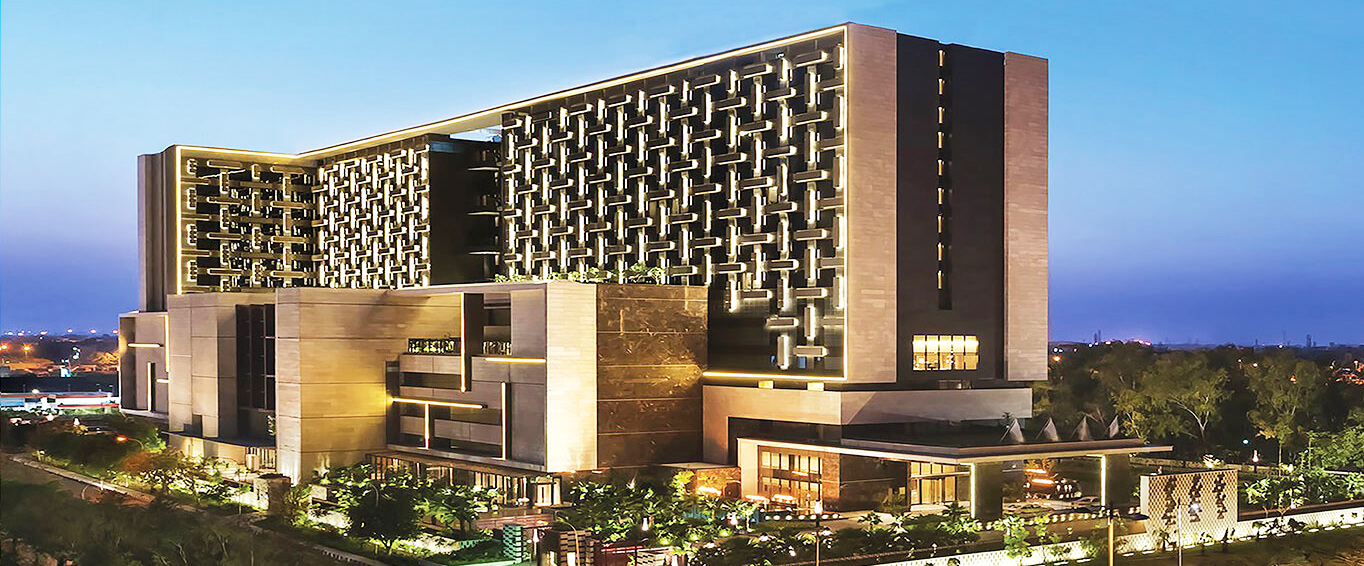
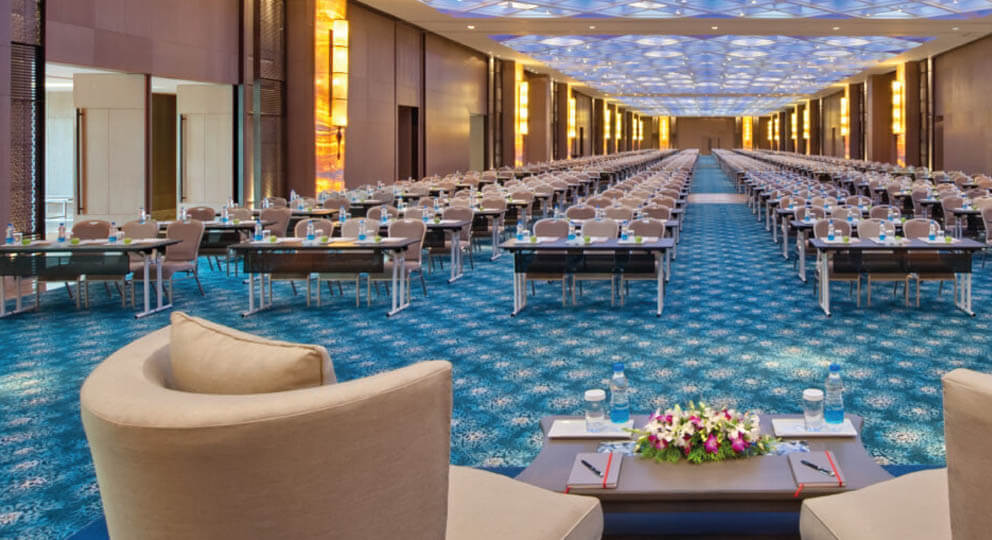
1, CBD, Maharaj Surajmal Road, Near Yamuna Sports Complex, Delhi, 110032


GENERAL QUERIES
Manish Tewatia
manish@csharpcon.com
+91-9718-431-042
TICKET QUERIES
Atul Gupta
conference@csharpcon.com
+91-9910-125-804