

Presents


Magnus Mårtensson
Microsoft Regional Director, Azure MVP, CEO Loftysoft

Avirag Jain
Director & CTO R Systems

Mahesh Chand
Founder C# Corner, CEO Mindcracker

Chris Gali
CEO & Co-Founder Graphite

Subinder Khurana
Chief Architect StoryProcess, Founder NASSCOM DeepTech Club

Bryan Rishforth
Investor, Chairman Graphite

Bryn Everson
Director Biz Dev Graphite

Raj Tiwari
Digital Transformation Leader, Futurist and Visionary

Joseph Guadagno
Microsoft MVP, Lead Quicken Loans

Nikita Sachdev
Entrepreneur, Blockchain Enthusiast & Advisor, Social Media Influencer

Doug Wagner
COO & Founder Adapt Technical Group

Ritesh Modi
Architect, Senior Evangelist, Cloud Architect

Crystal Wenrick
Director Communications Mindcracker

Allen O’Neill
Microsoft MVP, Consulting Engineer/Architect
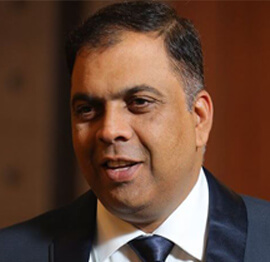
Praveen Kumar
CEO MCN Solutions

Chris Love
Founder Love2Dev, Microsoft MVP, Author

Sanjay Vyas
Microsoft Regional Director, Microsoft MVP, Founder & CEO SkillLabs Technologies

Veena Sarda
Deep Learning Consultant, Author

Sekhar Srinivasan
C# Corner MVP, Microsoft Certified Trainer, Pluralsight Author
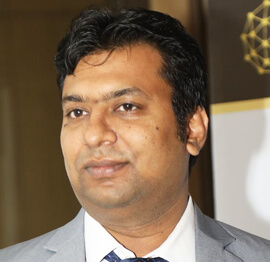
Lalit Bansal
Founder & CEO - EIY SYS

Navdeep Garg
CEO Revinfotech

Prakash Tripathi
Tech Manager/Leader, Microsoft MVP, Blogger
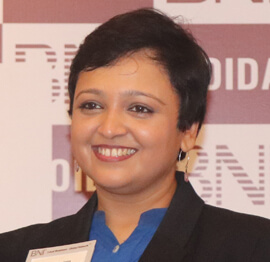
Bhavna Jain
Breakthrough Consultant

Naveen Sharma
Enterprise Architect, Leadership Coach, Author

Vidya Vrat Agarwal
Principal Architect, Microsoft MVP, Author

Sheetal Agarwal
Founder Clownselors, Medical Clown, Trainer

Abhishek Kant
Founder GTM Catalyst

Vishnu Saran
Founder & CEO VoiceQube

Sandeep Soni
Founder & CEO Deccansoft, Microsoft Certified Trainer

Parveen Malik
AVP InfoSec & Vulnerability Management, Information Security Expert

Nitin Pandit
Microsoft MVP, Developer Evangelist, Author

Niloshima Srivastava
C# Corner MVP, Tech Architect, Trainer, Blogger

Bala Chirtsabesan
Senior Software Engineer at Microsoft, Author

Manoj Mittal
Sr. Technical Architect, C# Corner MVP, Author

Chandni Di
Co-Founder Voice of Slum

Vithal Wadje
Technical Lead, Microsoft MVP, Author

Shivam Ahuja
Founder SkillCircle, Business Mentor

Chervine Bhiwoo
Solution Architect, Microsoft MVP, Author

Saurabh Jain
Vice President Paytm, Founder Fun2Do Labs, Author

Vinay Solanki
Head IoT at Lenovo, Founder IoT-NCR

Anshu kumari
Founder Blockchainkids, Inventor, Trainer

Amit Singal
CEO Startup Buddy

Dev Pratap
Co-Founder & CEO Voice of Slum

Amey Vartak
Technology Consultant, Full Stack Developer, C# Corner MVP, Author

Viswanatha Swamy
Principal Software Engineer, C# Corner MVP, Author

Sanket Verma
Research Engineer @ Ballistics (Forensics) and Chair, PyData Delhi

Sourabh Somani
Lead Developer, Microsoft MVP, Author

Abhishek Mishra
Software Architect, C# Corner MVP, Author

Siddharth Vaghasia
Technical Consultant, C# Corner MVP, Blogger

Bassam Alugili
Senior Software Specialist, Database Expert

S Ravi Kumar
Solution Architect, C# Corner MVP, Author

Sundaram Subramanian
Full Stack Developer, C# Corner MVP, Speaker

Deepesh Somani
Solution Architect, Microsoft MVP, Author

Debasis Saha
Technical Project Manager, C# Corner MVP, Blogger, Author

Vipul Jain
Software Architect, C# Corner MVP, Author

Akshay Patel
Technical Architect, Microsoft Certified Trainer, C# Corner MVP, Author

Stephen Simon
RPA Developer, Evangelist, Author

Vivek Sharma
Founder Kingster636, AR/VR Specialist

Jeetendra Gund
Technical Lead, C# Corner MVP, Author

Sujal Beniwal
AI Enthusiast, Student

M Viknaraj
Microsoft MVP, Azure Architect, Author

Prasham Sabadra
Software Architect, C# Corner MVP, Trainer, Author

Aakash Maurya
Senior Developer, C# Corner MVP, Speaker

Ankit Sharma
Senior Software Engineer, C# Corner MVP, Author

Mangesh Gaherwar
Team Lead, C# Corner MVP, Author

Viral Jain
Technical Consultant, C# Corner MVP, Author

Bhasker Das
Solution Architect, Evangelist

Manish Dwivedi
Associate Project Manager

Ck Nitin
Programmer, Author

Rohit Gupta
Technical Trainer, Author

Manish Tewatia
Full-stack Marketer, UX Designer

Bhavya Gaur
Technical Illustrator

Rohit Tomar
SEO/SMO Expert
Web Track
Cloud & Data Track
Dev Track
Registration & Breakfast
Future of Desktop Apps with JS (ElectronJs)
Nitin Pandit
Building Serverless Microservices Using Microsoft Azure
Vithal Wadje
Innovating RPA: A Robot for Every Person
Stephen Simon
Managing Cloud Storage Accounts using Logic Apps
Viknaraj Manogararajah
Data visualization using Python
Sekhar Srinivasan
Going Cross platform with AR Foundation
Vivek Sharma
Keynote
Managing your Azure dependencies in ASP.NET Core apps using VS
Bala Chirtsabesan
Securing Applications on Intelligent Azure
Abhishek Mishra
Getting started with Blazor the Framework of Future
S Ravi Kumar
Lunch
Build Progressive Web Apps using Angular 9
Debasis Saha
Build and deploy to any platform using Azure DevOps
Chervine Bhiwoo
Deep Dive in Azure Service Bus
Akshay Patel
Build a Native Mobile Application using React Native and JavaScript
Joseph Guadagno
Making sense of Web Job, Web Job SDK and Functions in Azure
Prakash Tripathi
CloudFront Distribution in AWS
Viral Jain
Tea Break
Introduction to PowerBI
Aakash Maurya
Build Advanced SPFx solutions with React and Graph API
Siddharth Vaghasia
Build Business Intelligence Analyst (BIA) Skills
Sundaram Subramanian
Deep dive of Power Platform – AI BUILDER
Prasham Sabadra
Panel 1
What's new in SharePoint development
Vipul Jain
Build a SSO (Single Sign On) based Native JavaScript application with Microsoft Identity within 10 minutes
Manoj Mittal
Panel 2
Applications and working of AI
Veena Sarda
Deploying serverless API's with .Net core 3.0 on AWS & Azure
Amey Vartak
Panel 3
Blockchain with .NET Core (Ark)
Anshu Kumari
Closing Note & Prize Distribution
Dev Track
Cloud Track
Architecture Track
Emerging Tech Track
Registration & Breakfast
Creating Full-Stack Web Apps Using Server-Side Blazor
Ankit Sharma
Real time face recognition with MS Cognitive Services
Niloshima Srivastava
Building Scalable APIs with GraphQL
Jeetendra Gund
Future of development with AI and Blockchain
Navdeep Garg
Debugging Tips and Tricks with Visual Studio 2019
Joseph Guadagno
Azure Containers
Abhishek Kant
Enterprise Architecture
Naveen Sharma
Bot Framework - learn it fast and look like a boss!
Allen O’Neill
Keynote
.Net Core & C# 8 Performance
David McCarter
Working with Azure kubernetes services
Ritesh Modi
Becoming an Architect
Vidyavrat Agarwal
Why Techies Need to Learn Product Management
Saurabh Jain
Lunch
Build a rules engine in .Net Core
Sanjay Vyas
Building CI and CD Pipeline using Azure DevOps
Sandeep Soni
Entity Framework Core - Tips and Tricks, Performance Optimization, and Tuning
Bassam Alugili
Hacking your way into Data Science
Sanket Verma
Speed up your .Net Core Website
Sourabh Somani
Azure
Magnus Mårtensson
Demystifying Open Distro for Elasticsearch
Suman Debnath
Future of Data
Shivam Ahuja
Tea Break
gRPC with C# and .Net Core
Mangesh Gaherwar
Panel 1
Essentials of Cloud security
Parveen Malik
Power platform and Dynamics 365
Deepesh Somani
Microservices - the gRPC Way
Viswanatha Swamy
Panel 2
Reserved
Reserved
Closing Note & Prize Distribution
Using Azure Logic Apps to Orchestrate Business Processes
Modern organizations depend on processes that cross departments, applications, and cloud services. A customer order may begin in an online store, pass through payment validation, trigger inventory updates, create a shipping request, and notify a support team. When each step is handled manually or connected through custom code, even a small change can require significant development and testing.
Azure Logic Apps provides a visual, managed way to coordinate these activities. It connects systems through triggers and actions, applies business rules, handles errors, and records workflow activity. Developers and business analysts can use the platform to automate repeatable operations without building every integration from the ground up.
The service is especially useful for organizations already using Microsoft Azure, Microsoft 365, Dynamics 365, SQL Server, SharePoint, or external SaaS platforms. Its connector-based design makes it practical for both simple notifications and multi-stage enterprise workflows. The subject fits naturally within the cloud, DevOps, integration, and data themes explored at the C# Corner Annual Conference.
Why process orchestration matters
Business process orchestration is the coordination of tasks, systems, people, and decisions so that work moves reliably from one stage to the next. It differs from a single automation rule because orchestration manages an entire flow. It may wait for an approval, evaluate conditions, call an API, transform data, and continue only when an external event occurs.
Without a central orchestration layer, teams often create isolated scripts and point-to-point integrations. These solutions can work initially, but they become difficult to monitor as the number of systems increases. A change to an API, data format, or approval policy may affect several unrelated scripts.
Logic Apps addresses this problem by representing a workflow as a sequence of visible steps. Each step can be inspected, configured, and monitored independently. A workflow can start from an HTTP request, a message in a queue, a new email, a timer, or an event from another Azure service. It can then coordinate downstream actions while preserving an execution history.
This approach also improves accountability. Operations teams can see whether a workflow succeeded, where it failed, and which payload was processed. Developers can focus on application-specific logic while the integration platform handles connections, retries, scheduling, and workflow state.
Core building blocks of a Logic App
A Logic App begins with a trigger. The trigger defines when an instance of the workflow should start. Common examples include receiving a web request, detecting a new record in a database, observing a file in Azure Blob Storage, or running on a recurring schedule. Choosing the right trigger is important because it determines how reliably the process responds to business events.
Actions perform the work after a trigger fires. An action might send an email, insert a row, publish a message, call a REST endpoint, create a task, or run an Azure Function. Multiple actions can run sequentially or in parallel. The designer also supports conditions, switches, loops, scopes, and delays for processes that require more sophisticated control flow.
Connectors provide access to other services. Microsoft-managed connectors simplify authentication and request construction for popular platforms, while custom connectors can expose an internal API through a reusable interface. Built-in operations are often better suited to high-throughput or low-latency scenarios because they run within the Logic Apps runtime with less connector overhead.
Workflow expressions add another layer of flexibility. Functions can parse strings, manipulate dates, inspect arrays, provide fallback values, and reference outputs from earlier actions. For complex transformations, a workflow can call an Azure Function or use an integration account with maps and schemas. This creates a balance between low-code configuration and professional development.
Designing reliable cloud workflows
A dependable workflow starts with a clear process model. Before building actions, identify the business event, required inputs, decision points, external dependencies, and expected outcome. Define what should happen when a service is unavailable, data is incomplete, or an approval is rejected. This design exercise prevents the visual workflow from becoming an unstructured collection of steps.
Error handling should be explicit. Logic Apps supports retry policies for transient failures, but retries should be used carefully. Repeating a read operation is usually safe, while repeating a payment or record-creation operation could produce duplicates. Idempotent APIs, unique transaction identifiers, and duplicate detection help make repeated execution safe.
Scopes are useful for organizing the main process, failure handling, and cleanup actions. A workflow can run a primary scope, inspect its result, and then send an alert or write diagnostic information when that scope fails. Run-after settings make it possible to continue based on statuses such as succeeded, failed, skipped, or timed out.
Security deserves attention from the first design session. Use managed identities where possible so the workflow can access Azure resources without storing passwords or keys. Keep secrets in Azure Key Vault, restrict network access for sensitive integrations, and apply least-privilege permissions. Access to workflow definitions, run history, and input data should be limited because execution details may contain confidential business information.
Choosing the right Azure workflow option
Logic Apps is part of a wider Azure integration ecosystem. The best service depends on workload characteristics, hosting preferences, and the amount of code required. Consumption and Standard Logic Apps provide different operational models, while Azure Functions, Service Bus, Event Grid, and Data Factory solve related but distinct problems.
Consumption workflows are billed based on actions and provide a straightforward serverless model. They are useful for event-driven integrations with variable volume. Standard workflows run on a dedicated Logic Apps runtime, support multiple workflows in one app, and provide more control over networking, deployment, and local development. They can be attractive when predictable performance or private connectivity is important.
| Azure capability | Best suited for | Typical strength | Important consideration |
|---|---|---|---|
| Logic Apps Consumption | Event-driven integrations with changing volume | Large connector catalog and pay-per-action execution | Costs can grow with many actions or high frequency |
| Logic Apps Standard | Enterprise workflows requiring dedicated hosting | Multiple workflows, better runtime control, and private networking | Requires more planning for hosting and scaling |
| Azure Functions | Custom code and specialized computation | Flexible programming model and fine-grained logic | Integration, state, and monitoring require more implementation |
| Service Bus | Reliable messaging between applications | Queues, topics, dead-lettering, and decoupling | Does not provide a complete business process by itself |
| Event Grid | Reactive event distribution | Low-latency delivery of discrete events | Better for event routing than long-running orchestration |
| Data Factory | Data movement and transformation pipelines | Batch integration across data stores | Less appropriate for human approvals and transactional workflows |
A common architecture combines these services. Event Grid can notify a Logic App about a resource change, Service Bus can buffer work between systems, and an Azure Function can perform custom validation. The Logic App remains responsible for coordinating the sequence and communicating the result.
Monitoring, governance, and delivery
Workflow automation should be treated as a production application, even when it is created through a visual designer. Azure Monitor and Log Analytics can collect diagnostic information, create alerts, and support operational dashboards. Track both technical metrics, such as failed runs and latency, and business metrics, such as orders processed or approvals completed.
Run history is valuable during development, but retention and data exposure must be managed. Inputs and outputs may include customer information, financial values, or access tokens. Mask sensitive content where appropriate, establish retention policies, and avoid sending complete payloads to logs when a smaller diagnostic record is sufficient.
Infrastructure as code makes deployments repeatable. Logic App definitions, connection settings, API permissions, and supporting resources can be represented through Azure Resource Manager templates, Bicep, or Terraform. Store these artifacts in source control and promote them through development, testing, and production environments using a controlled pipeline.
Parameterization prevents environment-specific values from being embedded in workflow definitions. Endpoints, database names, subscription identifiers, and feature switches should be configurable. Automated tests can submit sample events, verify expected outcomes, and confirm that failure paths generate the right alerts. This reduces the risk of a workflow appearing successful while silently producing incomplete business results.
Governance also requires naming standards, ownership information, tagging, and lifecycle rules. Every production workflow should have a responsible team, documented dependencies, a recovery procedure, and an explanation of its business purpose. These practices become increasingly important as departments create many automations across a shared Azure environment.
Practical patterns for business automation
A purchase fulfillment workflow is a useful example. An order event can trigger a Logic App that validates the payload, checks inventory through an API, and places a message on a Service Bus queue. After payment confirmation, the workflow can update the order system, request shipment, and notify the customer. If inventory is unavailable, a separate branch can create a replenishment task and inform the sales team.
Approval workflows are another strong use case. A request submitted through a web application can be stored in a database and sent to the correct manager based on department or spending limit. The workflow can wait for a response, apply escalation rules after a timeout, and update the source system. Human interaction becomes one step in a controlled process rather than an isolated email exchange.
Document processing can combine Logic Apps with artificial intelligence services. A file arriving in SharePoint or Blob Storage can start a workflow that extracts text, classifies the document, checks required fields, and routes exceptions to a reviewer. The original file, extracted metadata, and review result can be preserved for audit purposes.
Integration with legacy systems is also possible. A Logic App can call an on-premises endpoint through a gateway, transform older data formats, and publish normalized messages to cloud applications. Careful timeout settings and asynchronous messaging help prevent a slow legacy dependency from blocking the entire workflow.
Teams should begin with a process that has clear inputs and measurable outcomes. A narrowly scoped automation makes it easier to test connector behavior, estimate operating cost, establish monitoring, and demonstrate value before expanding into a larger business process.
Recommendations for implementation
Successful orchestration depends as much on operational discipline as on connector selection. Use the following practices when planning a Logic Apps solution:
- Define the process states, ownership, exceptions, and completion criteria before creating the workflow.
- Prefer managed identities, Key Vault, and least-privilege roles over embedded credentials.
- Design actions to be idempotent and use correlation IDs to trace a business transaction across systems.
- Separate reusable integration logic from process-specific rules through APIs, child workflows, or Azure Functions.
- Monitor business outcomes as well as technical failures, and test recovery paths under realistic conditions.
A workflow should also have a documented support model. Decide who receives alerts, how failed instances are replayed, and when an incident requires manual intervention. Establish thresholds for connector throttling, API latency, and repeated failures so that problems are identified before users report them.
Cost management should be part of the architecture review. Reduce unnecessary actions, avoid repeatedly retrieving the same data, and choose Standard hosting when its capabilities justify the fixed runtime cost. Review connector usage and execution history regularly, especially after a workflow moves from a small pilot to a high-volume production process.
Turn process ideas into working automation
Azure Logic Apps gives teams a practical bridge between business requirements and cloud implementation. It can coordinate applications, data, approvals, notifications, and custom code while providing visibility into each execution. With strong security, error handling, monitoring, and deployment practices, it becomes a dependable foundation for business process automation.
Start by mapping one high-value process from trigger to outcome. Build the smallest useful workflow, connect it to representative systems, test successful and failed paths, and measure the result. Then apply the same patterns to additional processes, using shared standards for identity, monitoring, naming, and release management. This steady approach turns automation from a collection of scripts into an organized integration capability.










1, CBD, Maharaj Surajmal Road, Near Yamuna Sports Complex, Delhi, 110032





GENERAL QUERIES
Manish Tewatia
manish@csharpcon.com
+91-9718-431-042
TICKET QUERIES
Atul Gupta
conference@csharpcon.com
+91-9910-125-804