
Presents


Magnus Mårtensson
Microsoft Regional Director, Azure MVP, CEO Loftysoft

Avirag Jain
Director & CTO R Systems

Mahesh Chand
Founder C# Corner, CEO Mindcracker

Chris Gali
CEO & Co-Founder Graphite

Subinder Khurana
Chief Architect StoryProcess, Founder NASSCOM DeepTech Club

Bryan Rishforth
Investor, Chairman Graphite

Bryn Everson
Director Biz Dev Graphite

Raj Tiwari
Digital Transformation Leader, Futurist and Visionary

Joseph Guadagno
Microsoft MVP, Lead Quicken Loans

Nikita Sachdev
Entrepreneur, Blockchain Enthusiast & Advisor, Social Media Influencer

Doug Wagner
COO & Founder Adapt Technical Group

Ritesh Modi
Architect, Senior Evangelist, Cloud Architect

Crystal Wenrick
Director Communications Mindcracker

Allen O’Neill
Microsoft MVP, Consulting Engineer/Architect
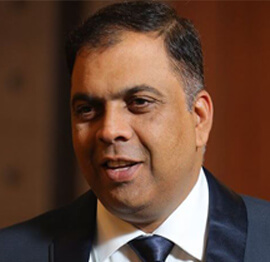
Praveen Kumar
CEO MCN Solutions

Chris Love
Founder Love2Dev, Microsoft MVP, Author

Sanjay Vyas
Microsoft Regional Director, Microsoft MVP, Founder & CEO SkillLabs Technologies

Veena Sarda
Deep Learning Consultant, Author

Sekhar Srinivasan
C# Corner MVP, Microsoft Certified Trainer, Pluralsight Author

Lalit Bansal
Founder & CEO - EIY SYS

Navdeep Garg
CEO Revinfotech

Prakash Tripathi
Tech Manager/Leader, Microsoft MVP, Blogger
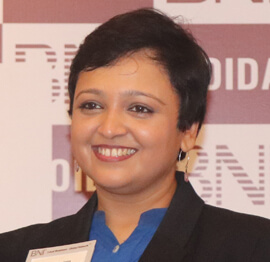
Bhavna Jain
Breakthrough Consultant

Naveen Sharma
Enterprise Architect, Leadership Coach, Author

Vidya Vrat Agarwal
Principal Architect, Microsoft MVP, Author

Sheetal Agarwal
Founder Clownselors, Medical Clown, Trainer

Abhishek Kant
Founder GTM Catalyst

Vishnu Saran
Founder & CEO VoiceQube

Sandeep Soni
Founder & CEO Deccansoft, Microsoft Certified Trainer

Parveen Malik
AVP InfoSec & Vulnerability Management, Information Security Expert

Nitin Pandit
Microsoft MVP, Developer Evangelist, Author

Niloshima Srivastava
C# Corner MVP, Tech Architect, Trainer, Blogger

Bala Chirtsabesan
Senior Software Engineer at Microsoft, Author

Manoj Mittal
Sr. Technical Architect, C# Corner MVP, Author

Chandni Di
Co-Founder Voice of Slum

Vithal Wadje
Technical Lead, Microsoft MVP, Author

Shivam Ahuja
Founder SkillCircle, Business Mentor

Chervine Bhiwoo
Solution Architect, Microsoft MVP, Author

Saurabh Jain
Vice President Paytm, Founder Fun2Do Labs, Author

Vinay Solanki
Head IoT at Lenovo, Founder IoT-NCR
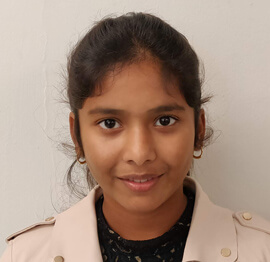
Anshu kumari
Founder Blockchainkids, Inventor, Trainer

Amit Singal
CEO Startup Buddy

Dev Pratap
Co-Founder & CEO Voice of Slum

Amey Vartak
Technology Consultant, Full Stack Developer, C# Corner MVP, Author

Viswanatha Swamy
Principal Software Engineer, C# Corner MVP, Author

Sanket Verma
Research Engineer @ Ballistics (Forensics) and Chair, PyData Delhi

Sourabh Somani
Lead Developer, Microsoft MVP, Author

Abhishek Mishra
Software Architect, C# Corner MVP, Author

Siddharth Vaghasia
Technical Consultant, C# Corner MVP, Blogger

Bassam Alugili
Senior Software Specialist, Database Expert

S Ravi Kumar
Solution Architect, C# Corner MVP, Author

Sundaram Subramanian
Full Stack Developer, C# Corner MVP, Speaker

Deepesh Somani
Solution Architect, Microsoft MVP, Author

Debasis Saha
Technical Project Manager, C# Corner MVP, Blogger, Author

Vipul Jain
Software Architect, C# Corner MVP, Author

Akshay Patel
Technical Architect, Microsoft Certified Trainer, C# Corner MVP, Author

Stephen Simon
RPA Developer, Evangelist, Author

Vivek Sharma
Founder Kingster636, AR/VR Specialist

Jeetendra Gund
Technical Lead, C# Corner MVP, Author
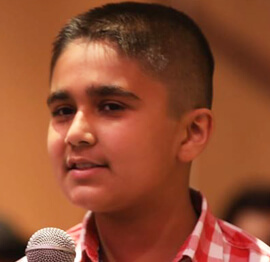
Sujal Beniwal
AI Enthusiast, Student

M Viknaraj
Microsoft MVP, Azure Architect, Author

Prasham Sabadra
Software Architect, C# Corner MVP, Trainer, Author

Aakash Maurya
Senior Developer, C# Corner MVP, Speaker

Ankit Sharma
Senior Software Engineer, C# Corner MVP, Author

Mangesh Gaherwar
Team Lead, C# Corner MVP, Author

Viral Jain
Technical Consultant, C# Corner MVP, Author

Bhasker Das
Solution Architect, Evangelist

Manish Dwivedi
Associate Project Manager

Ck Nitin
Programmer, Author

Rohit Gupta
Technical Trainer, Author

Manish Tewatia
Full-stack Marketer, UX Designer

Bhavya Gaur
Technical Illustrator

Rohit Tomar
SEO/SMO Expert
Web Track
Cloud & Data Track
Dev Track
Registration & Breakfast
Future of Desktop Apps with JS (ElectronJs)
Nitin Pandit
Building Serverless Microservices Using Microsoft Azure
Vithal Wadje
Innovating RPA: A Robot for Every Person
Stephen Simon
Managing Cloud Storage Accounts using Logic Apps
Viknaraj Manogararajah
Data visualization using Python
Sekhar Srinivasan
Going Cross platform with AR Foundation
Vivek Sharma
Keynote
Managing your Azure dependencies in ASP.NET Core apps using VS
Bala Chirtsabesan
Securing Applications on Intelligent Azure
Abhishek Mishra
Getting started with Blazor the Framework of Future
S Ravi Kumar
Lunch
Build Progressive Web Apps using Angular 9
Debasis Saha
Build and deploy to any platform using Azure DevOps
Chervine Bhiwoo
Deep Dive in Azure Service Bus
Akshay Patel
Build a Native Mobile Application using React Native and JavaScript
Joseph Guadagno
Making sense of Web Job, Web Job SDK and Functions in Azure
Prakash Tripathi
CloudFront Distribution in AWS
Viral Jain
Tea Break
Introduction to PowerBI
Aakash Maurya
Build Advanced SPFx solutions with React and Graph API
Siddharth Vaghasia
Build Business Intelligence Analyst (BIA) Skills
Sundaram Subramanian
Deep dive of Power Platform – AI BUILDER
Prasham Sabadra
Panel 1
What's new in SharePoint development
Vipul Jain
Build a SSO (Single Sign On) based Native JavaScript application with Microsoft Identity within 10 minutes
Manoj Mittal
Panel 2
Applications and working of AI
Veena Sarda
Deploying serverless API's with .Net core 3.0 on AWS & Azure
Amey Vartak
Panel 3
Blockchain with .NET Core (Ark)
Anshu Kumari
Closing Note & Prize Distribution
Dev Track
Cloud Track
Architecture Track
Emerging Tech Track
Registration & Breakfast
Creating Full-Stack Web Apps Using Server-Side Blazor
Ankit Sharma
Real time face recognition with MS Cognitive Services
Niloshima Srivastava
Building Scalable APIs with GraphQL
Jeetendra Gund
Future of development with AI and Blockchain
Navdeep Garg
Debugging Tips and Tricks with Visual Studio 2019
Joseph Guadagno
Azure Containers
Abhishek Kant
Enterprise Architecture
Naveen Sharma
Bot Framework - learn it fast and look like a boss!
Allen O’Neill
Keynote
.Net Core & C# 8 Performance
David McCarter
Working with Azure kubernetes services
Ritesh Modi
Becoming an Architect
Vidyavrat Agarwal
Why Techies Need to Learn Product Management
Saurabh Jain
Lunch
Build a rules engine in .Net Core
Sanjay Vyas
Building CI and CD Pipeline using Azure DevOps
Sandeep Soni
Entity Framework Core - Tips and Tricks, Performance Optimization, and Tuning
Bassam Alugili
Hacking your way into Data Science
Sanket Verma
Speed up your .Net Core Website
Sourabh Somani
Azure
Magnus Mårtensson
Demystifying Open Distro for Elasticsearch
Suman Debnath
Future of Data
Shivam Ahuja
Tea Break
gRPC with C# and .Net Core
Mangesh Gaherwar
Panel 1
Essentials of Cloud security
Parveen Malik
Power platform and Dynamics 365
Deepesh Somani
Microservices - the gRPC Way
Viswanatha Swamy
Panel 2
Reserved
Reserved
Closing Note & Prize Distribution
Building Intelligent Chatbots with Microsoft Bot Framework and C#
Conversational software has moved from novelty to a practical interface for customer support, internal operations, education, and digital services. A well-designed chatbot can answer routine questions, guide users through structured processes, and transfer complex requests to a person without forcing users to learn a new application.
For developers working in the Microsoft ecosystem, the Bot Framework provides a structured way to create, test, publish, and monitor conversational experiences. C#, supported by the .NET platform and the Bot Builder SDK, gives teams a familiar language for implementing dialog logic, integrating enterprise services, and managing production concerns.
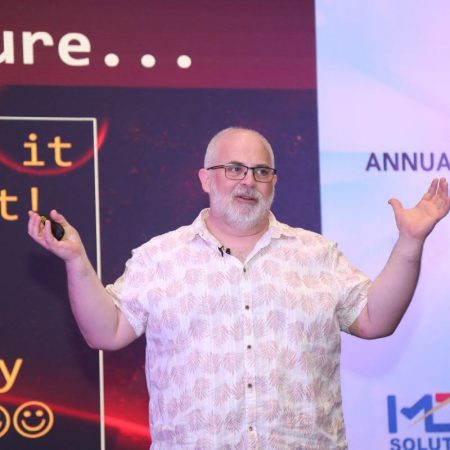
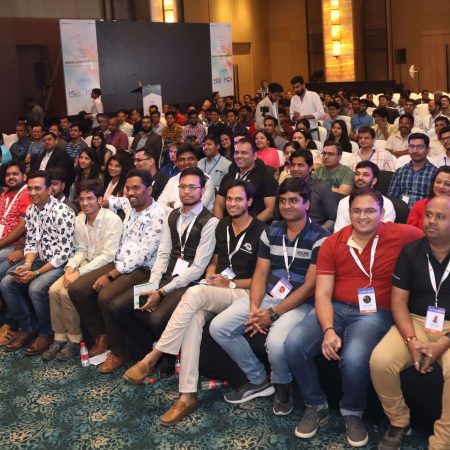
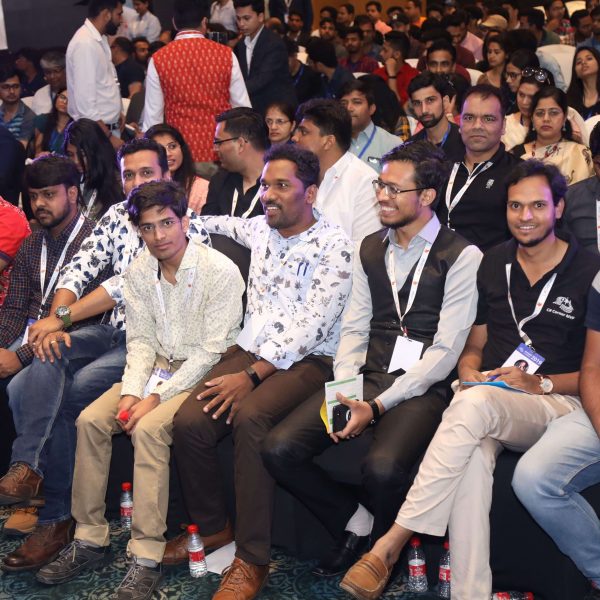
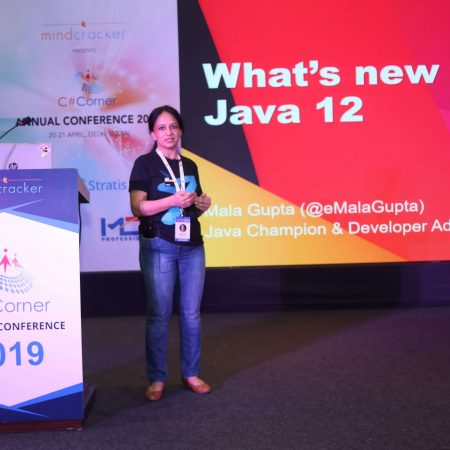
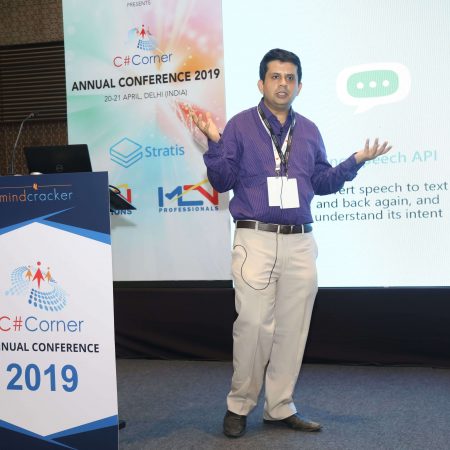
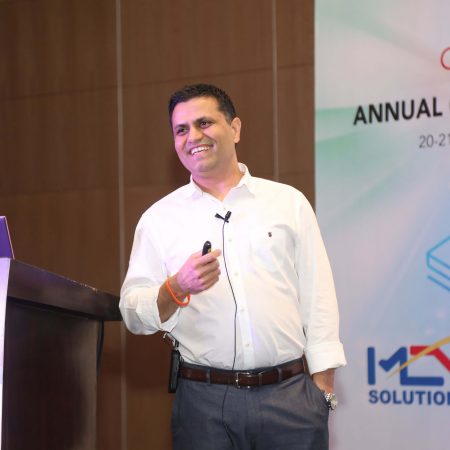
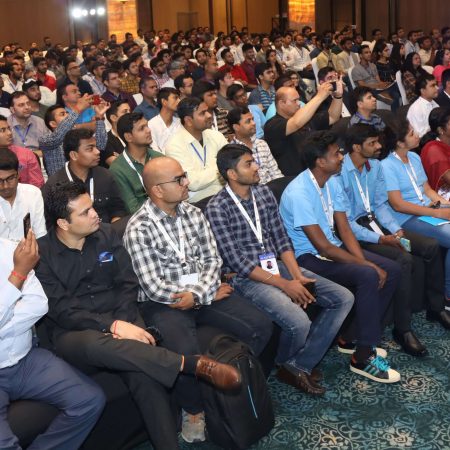
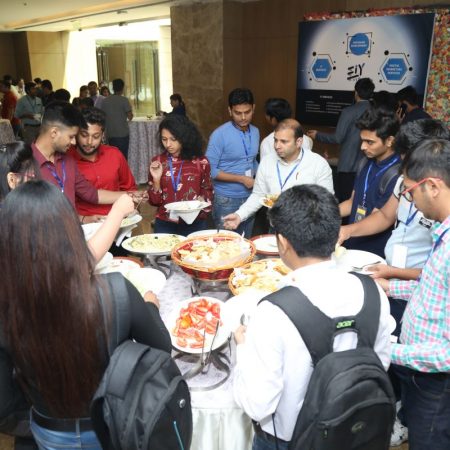
The C# Corner Annual Conference 2020 brings together sessions on cloud computing, Azure, artificial intelligence, web development, DevOps, and related technologies. A session focused on chatbot development connects several of these themes by showing how conversational interfaces can be built as real software systems rather than simple collections of scripted replies.
Why conversational applications matter
A chatbot is an application that receives an utterance, interprets its meaning, selects an action, and produces a response. That action may be as simple as returning a help article or as involved as checking an order, creating a support ticket, or retrieving data from a business system.
The value of a bot depends on the problem it solves. A narrowly focused assistant often delivers a better experience than a general-purpose bot because its language model, dialog paths, and integrations can be designed around a clear set of user goals. For example, an employee helpdesk bot might handle password guidance, leave requests, and equipment issues while escalating anything outside its defined scope.
Successful conversational interfaces also account for uncertainty. Users phrase the same request in many ways, provide incomplete details, or change direction halfway through a conversation. The application needs fallback responses, clarification prompts, validation, and a safe route to human assistance. These details make chatbot engineering closer to product and application development than to writing a fixed FAQ.
How the Microsoft Bot Framework fits together
The Microsoft Bot Framework supplies tools and services for building bots that communicate through different channels. The Bot Builder SDK provides libraries for handling activities, messages, state, dialogs, prompts, and middleware. A C# developer can use these components within an ASP.NET Core application and apply familiar patterns for dependency injection, configuration, logging, and testing.
At the center of a bot is the turn-processing model. A user message arrives as an activity, the bot examines the activity and its stored state, and the application produces a response or begins the next step in a dialog. Middleware can perform cross-cutting tasks such as telemetry, authentication, language processing, or custom message transformation before the activity reaches the main bot logic.
Azure Bot Service helps connect the bot to channels such as Microsoft Teams, web chat, and other communication platforms. The service provides a registration and hosting path, while the application remains responsible for conversation behavior. This separation allows the same core bot to reach multiple audiences without duplicating all of its dialog code.
Natural language understanding can be added when users need to express goals in their own words. In the 2020 Microsoft cloud ecosystem, services such as Language Understanding Intelligent Service, commonly known as LUIS, were frequently paired with the Bot Framework. The recognizer identifies an intent and extracts entities, while the bot uses those results to choose a dialog or perform an operation.
Designing dialogs around user goals
A dialog represents a conversation flow. It may collect a name, confirm a selection, request a date, call an API, and summarize the result. Waterfall dialogs are useful for predictable sequences, while component dialogs help organize larger bots into reusable features. Each dialog should have a clear purpose and a defined completion or cancellation path.
Prompts provide a controlled way to gather information. A text prompt can collect an explanation, a choice prompt can offer approved options, and a date or number prompt can validate structured input. Validation is important because the user may provide an answer that is technically understandable but unsuitable for the business process. Clear error messages should explain what the bot needs without blaming the user.
Conversation state and user state should be treated as deliberate design decisions. Conversation state can hold information relevant to the current exchange, such as an unfinished support request. User state can retain longer-term preferences where appropriate. Sensitive data should be minimized, protected, and removed when it no longer serves a clear purpose.
A strong dialog also handles interruptions. Someone completing a form may ask for help, request a restart, or enter an unrelated command. Recognizing global actions such as “help,” “cancel,” and “start over” makes the experience feel more natural. When the bot cannot understand an utterance, it should explain its available capabilities and offer a specific next action.
Comparing core chatbot building choices
The right implementation depends on the complexity of the conversation, the required channels, and the amount of intelligence needed to interpret language. A small internal assistant may need only button selections and a few API calls, while a customer-facing service may require language recognition, authentication, analytics, and human handoff.
| Capability | Suitable approach | Strengths | Watch points |
|---|---|---|---|
| Fixed commands and menus | Bot Builder dialogs with prompts | Predictable behavior and simple testing | Limited flexibility in natural language |
| Free-form user requests | Bot Framework with LUIS or another language service | Supports intents and entity extraction | Requires training data and confidence handling |
| Multi-step business process | Waterfall and component dialogs | Clear flow, validation, and reuse | State management can become complex |
| Enterprise data access | C# services connected to APIs, databases, or Azure functions | Integrates with existing systems | Authentication, permissions, and failures need careful handling |
| Multiple communication channels | Azure Bot Service adapters and channel configuration | Reuses conversational logic across platforms | Channel features and message formats vary |
| Human escalation | Bot logic connected to support tooling | Prevents dead ends and improves service continuity | Requires ownership, routing, and transcript policies |
This comparison highlights an important principle: a chatbot should use the simplest mechanism that supports its real user journey. Adding machine learning to a menu-based process can introduce unnecessary ambiguity. Conversely, forcing users through rigid commands when they expect natural language can create frustration.
Connecting the bot to Azure and business systems
A useful assistant usually needs information beyond its own code. It may call a weather service, search a knowledge base, read an inventory system, or submit a request to a customer relationship management platform. In C#, these integrations can be isolated behind services and interfaces, keeping dialog classes focused on conversation behavior rather than low-level HTTP or database operations.
Azure Functions can host focused operations that the bot invokes when it needs serverless execution. Azure App Service provides a common hosting option for the bot itself, while Application Insights can collect logs, performance data, exceptions, and conversation telemetry. These services support a development path from local testing to a monitored cloud deployment.
Security must be designed into every integration. Authentication may be needed to identify the user, authorize access to records, or protect administrative actions. Secrets should be stored in a secure configuration service rather than embedded in source code. The bot should also avoid exposing confidential information in prompts, logs, transcripts, or diagnostic messages.
Channel behavior deserves attention during integration work. A response that looks good in web chat may be awkward in Teams or impossible in a text-only channel. Rich cards, buttons, attachments, and suggested actions should have sensible fallbacks. Testing across the intended channels helps reveal layout, accessibility, and capability differences before release.
A practical build sequence for a C# chatbot
A focused development process reduces rework and makes the session concepts easier to apply. Begin with a small scenario that has a measurable outcome, such as booking an appointment or checking a request status. Define what the bot can do, what it must decline, and when it should transfer the user to another support path.
Organize the implementation so that conversation code, language recognition, external services, and configuration have separate responsibilities. This structure makes it easier to replace a data source, update an intent model, or test a dialog without launching the complete application.
- Define user intents, required entities, supported commands, and escalation rules.
- Create dialog components with prompts, validation, cancellation, and confirmation steps.
- Add C# services for business APIs and keep credentials outside the codebase.
- Configure state storage, telemetry, error handling, and channel-specific responses.
- Test common paths, misunderstandings, interruptions, unauthorized actions, and service failures.
The Bot Framework Emulator is useful during local development because it allows developers to inspect activities and simulate a conversation before publishing a channel connection. Unit tests can verify dialog transitions and service behavior, while broader scenario tests can evaluate whether users reach their intended outcomes with realistic wording.
Measuring quality beyond successful replies
A bot can return grammatically correct responses and still fail its users. Useful measures include task completion rate, fallback frequency, abandonment rate, escalation volume, response time, and the number of turns required to complete a task. These indicators show whether the assistant is helping people accomplish work efficiently.
Conversation transcripts and telemetry should be reviewed with privacy controls in place. Patterns in failed interactions can reveal missing intents, confusing prompts, weak validation, or a business process that should be redesigned. Human reviewers can classify unsuccessful conversations and use those findings to improve training data and dialog structure.
Reliability also matters. External services can time out, return incomplete data, or reject requests. The bot should respond gracefully, explain when an operation cannot be completed, and preserve enough state for the user to retry without starting from the beginning. Rate limits, dependency monitoring, and deployment controls become increasingly important as usage grows.
Accessibility and inclusive language should guide the interface. Avoid relying exclusively on color, provide text alternatives for visual elements, use concise prompts, and make the bot’s capabilities clear. A conversational system serves a wider audience when it accommodates different communication styles and does not assume perfect spelling or technical knowledge.
Bring the prototype to life
Building Chatbots with Microsoft Bot Framework and C is best understood as an application architecture exercise: the conversation is the visible layer, while state, language understanding, cloud services, security, testing, and analytics support the experience underneath. C# and the Bot Builder SDK provide a practical foundation for teams already working with .NET and Microsoft Azure.
Explore the conference sessions, review the speaker material, and use the agenda to connect chatbot development with related topics such as AI, cloud architecture, DevOps, and data services. Then create a small C# bot, test one complete user journey, and expand it through measured improvements rather than adding complexity before the core experience works.








1, CBD, Maharaj Surajmal Road, Near Yamuna Sports Complex, Delhi, 110032





GENERAL QUERIES
Manish Tewatia
manish@csharpcon.com
+91-9718-431-042
TICKET QUERIES
Atul Gupta
conference@csharpcon.com
+91-9910-125-804