

Presents


Magnus Mårtensson
Microsoft Regional Director, Azure MVP, CEO Loftysoft

Avirag Jain
Director & CTO R Systems

Mahesh Chand
Founder C# Corner, CEO Mindcracker

Chris Gali
CEO & Co-Founder Graphite

Subinder Khurana
Chief Architect StoryProcess, Founder NASSCOM DeepTech Club

Bryan Rishforth
Investor, Chairman Graphite

Bryn Everson
Director Biz Dev Graphite
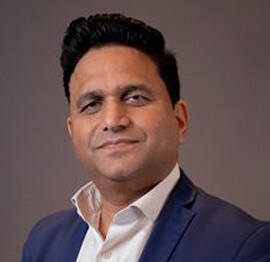
Raj Tiwari
Digital Transformation Leader, Futurist and Visionary

Joseph Guadagno
Microsoft MVP, Lead Quicken Loans

Nikita Sachdev
Entrepreneur, Blockchain Enthusiast & Advisor, Social Media Influencer

Doug Wagner
COO & Founder Adapt Technical Group

Ritesh Modi
Architect, Senior Evangelist, Cloud Architect

Crystal Wenrick
Director Communications Mindcracker

Allen O’Neill
Microsoft MVP, Consulting Engineer/Architect
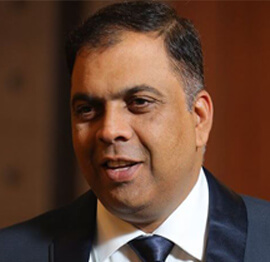
Praveen Kumar
CEO MCN Solutions

Chris Love
Founder Love2Dev, Microsoft MVP, Author

Sanjay Vyas
Microsoft Regional Director, Microsoft MVP, Founder & CEO SkillLabs Technologies

Veena Sarda
Deep Learning Consultant, Author

Sekhar Srinivasan
C# Corner MVP, Microsoft Certified Trainer, Pluralsight Author
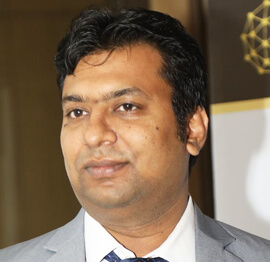
Lalit Bansal
Founder & CEO - EIY SYS

Navdeep Garg
CEO Revinfotech

Prakash Tripathi
Tech Manager/Leader, Microsoft MVP, Blogger
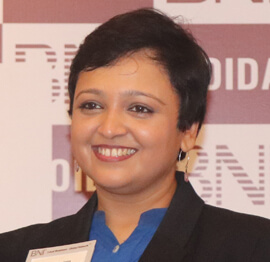
Bhavna Jain
Breakthrough Consultant

Naveen Sharma
Enterprise Architect, Leadership Coach, Author

Vidya Vrat Agarwal
Principal Architect, Microsoft MVP, Author

Sheetal Agarwal
Founder Clownselors, Medical Clown, Trainer

Abhishek Kant
Founder GTM Catalyst

Vishnu Saran
Founder & CEO VoiceQube

Sandeep Soni
Founder & CEO Deccansoft, Microsoft Certified Trainer

Parveen Malik
AVP InfoSec & Vulnerability Management, Information Security Expert

Nitin Pandit
Microsoft MVP, Developer Evangelist, Author

Niloshima Srivastava
C# Corner MVP, Tech Architect, Trainer, Blogger

Bala Chirtsabesan
Senior Software Engineer at Microsoft, Author

Manoj Mittal
Sr. Technical Architect, C# Corner MVP, Author

Chandni Di
Co-Founder Voice of Slum

Vithal Wadje
Technical Lead, Microsoft MVP, Author

Shivam Ahuja
Founder SkillCircle, Business Mentor

Chervine Bhiwoo
Solution Architect, Microsoft MVP, Author

Saurabh Jain
Vice President Paytm, Founder Fun2Do Labs, Author

Vinay Solanki
Head IoT at Lenovo, Founder IoT-NCR

Anshu kumari
Founder Blockchainkids, Inventor, Trainer

Amit Singal
CEO Startup Buddy

Dev Pratap
Co-Founder & CEO Voice of Slum

Amey Vartak
Technology Consultant, Full Stack Developer, C# Corner MVP, Author

Viswanatha Swamy
Principal Software Engineer, C# Corner MVP, Author

Sanket Verma
Research Engineer @ Ballistics (Forensics) and Chair, PyData Delhi

Sourabh Somani
Lead Developer, Microsoft MVP, Author

Abhishek Mishra
Software Architect, C# Corner MVP, Author

Siddharth Vaghasia
Technical Consultant, C# Corner MVP, Blogger

Bassam Alugili
Senior Software Specialist, Database Expert

S Ravi Kumar
Solution Architect, C# Corner MVP, Author

Sundaram Subramanian
Full Stack Developer, C# Corner MVP, Speaker

Deepesh Somani
Solution Architect, Microsoft MVP, Author

Debasis Saha
Technical Project Manager, C# Corner MVP, Blogger, Author
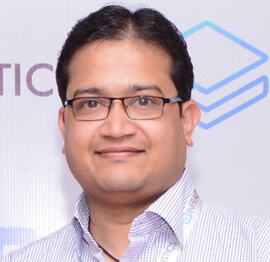
Vipul Jain
Software Architect, C# Corner MVP, Author

Akshay Patel
Technical Architect, Microsoft Certified Trainer, C# Corner MVP, Author

Stephen Simon
RPA Developer, Evangelist, Author

Vivek Sharma
Founder Kingster636, AR/VR Specialist

Jeetendra Gund
Technical Lead, C# Corner MVP, Author

Sujal Beniwal
AI Enthusiast, Student

M Viknaraj
Microsoft MVP, Azure Architect, Author

Prasham Sabadra
Software Architect, C# Corner MVP, Trainer, Author

Aakash Maurya
Senior Developer, C# Corner MVP, Speaker

Ankit Sharma
Senior Software Engineer, C# Corner MVP, Author

Mangesh Gaherwar
Team Lead, C# Corner MVP, Author

Viral Jain
Technical Consultant, C# Corner MVP, Author

Bhasker Das
Solution Architect, Evangelist

Manish Dwivedi
Associate Project Manager

Ck Nitin
Programmer, Author

Rohit Gupta
Technical Trainer, Author

Manish Tewatia
Full-stack Marketer, UX Designer

Bhavya Gaur
Technical Illustrator

Rohit Tomar
SEO/SMO Expert
Web Track
Cloud & Data Track
Dev Track
Registration & Breakfast
Future of Desktop Apps with JS (ElectronJs)
Nitin Pandit
Building Serverless Microservices Using Microsoft Azure
Vithal Wadje
Innovating RPA: A Robot for Every Person
Stephen Simon
Managing Cloud Storage Accounts using Logic Apps
Viknaraj Manogararajah
Data visualization using Python
Sekhar Srinivasan
Going Cross platform with AR Foundation
Vivek Sharma
Keynote
Managing your Azure dependencies in ASP.NET Core apps using VS
Bala Chirtsabesan
Securing Applications on Intelligent Azure
Abhishek Mishra
Getting started with Blazor the Framework of Future
S Ravi Kumar
Lunch
Build Progressive Web Apps using Angular 9
Debasis Saha
Build and deploy to any platform using Azure DevOps
Chervine Bhiwoo
Deep Dive in Azure Service Bus
Akshay Patel
Build a Native Mobile Application using React Native and JavaScript
Joseph Guadagno
Making sense of Web Job, Web Job SDK and Functions in Azure
Prakash Tripathi
CloudFront Distribution in AWS
Viral Jain
Tea Break
Introduction to PowerBI
Aakash Maurya
Build Advanced SPFx solutions with React and Graph API
Siddharth Vaghasia
Build Business Intelligence Analyst (BIA) Skills
Sundaram Subramanian
Deep dive of Power Platform – AI BUILDER
Prasham Sabadra
Panel 1
What's new in SharePoint development
Vipul Jain
Build a SSO (Single Sign On) based Native JavaScript application with Microsoft Identity within 10 minutes
Manoj Mittal
Panel 2
Applications and working of AI
Veena Sarda
Deploying serverless API's with .Net core 3.0 on AWS & Azure
Amey Vartak
Panel 3
Blockchain with .NET Core (Ark)
Anshu Kumari
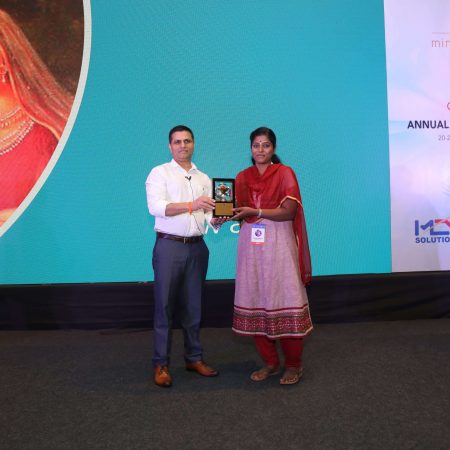
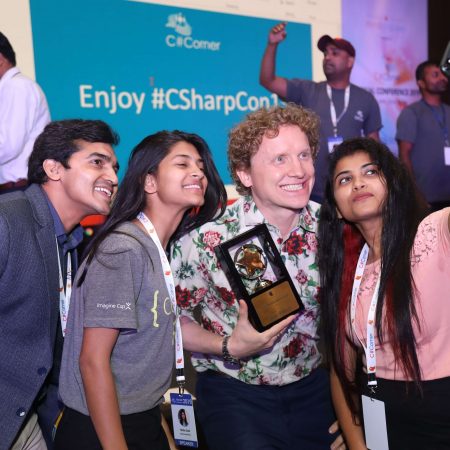
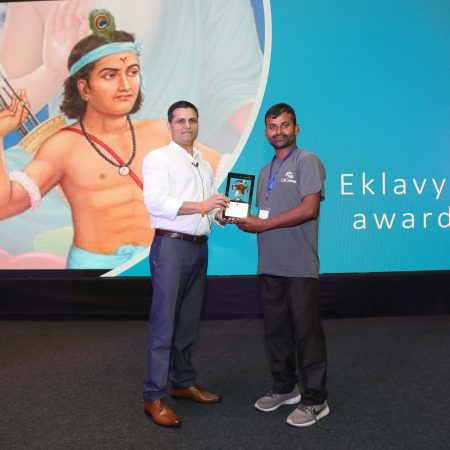
Closing Note & Prize Distribution
Dev Track
Cloud Track
Architecture Track
Emerging Tech Track
Registration & Breakfast
Creating Full-Stack Web Apps Using Server-Side Blazor
Ankit Sharma
Real time face recognition with MS Cognitive Services
Niloshima Srivastava
Building Scalable APIs with GraphQL
Jeetendra Gund
Future of development with AI and Blockchain
Navdeep Garg
Debugging Tips and Tricks with Visual Studio 2019
Joseph Guadagno
Azure Containers
Abhishek Kant
Enterprise Architecture
Naveen Sharma
Bot Framework - learn it fast and look like a boss!
Allen O’Neill
Keynote
.Net Core & C# 8 Performance
David McCarter
Working with Azure kubernetes services
Ritesh Modi
Becoming an Architect
Vidyavrat Agarwal
Why Techies Need to Learn Product Management
Saurabh Jain
Lunch
Build a rules engine in .Net Core
Sanjay Vyas
Building CI and CD Pipeline using Azure DevOps
Sandeep Soni
Entity Framework Core - Tips and Tricks, Performance Optimization, and Tuning
Bassam Alugili
Hacking your way into Data Science
Sanket Verma
Speed up your .Net Core Website
Sourabh Somani
Azure
Magnus Mårtensson
Demystifying Open Distro for Elasticsearch
Suman Debnath
Future of Data
Shivam Ahuja
Tea Break
gRPC with C# and .Net Core
Mangesh Gaherwar
Panel 1
Essentials of Cloud security
Parveen Malik
Power platform and Dynamics 365
Deepesh Somani
Microservices - the gRPC Way
Viswanatha Swamy
Panel 2
Reserved
Reserved
Closing Note & Prize Distribution
Building a Real-Time Data Pipeline with Azure Event Hubs and Stream Analytics
Modern applications generate a continuous flow of telemetry, transactions, clickstream records, device readings, and operational events. Processing that information in scheduled batches can delay important decisions, especially when a business needs to detect fraud, respond to equipment problems, or personalize an active customer session.
Azure Event Hubs and Azure Stream Analytics provide a managed foundation for handling this kind of workload. Event Hubs receives and organizes high-volume event traffic, while Stream Analytics applies SQL-based transformations, filters, aggregations, and routing rules as data moves through the system.
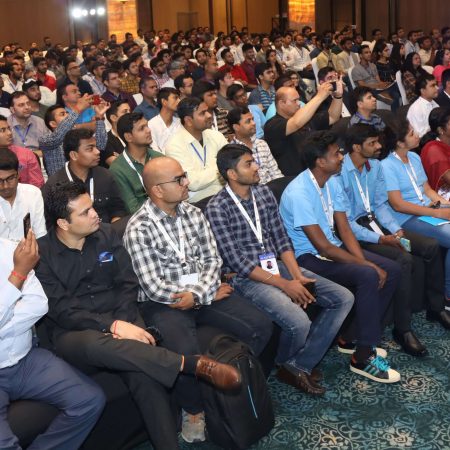
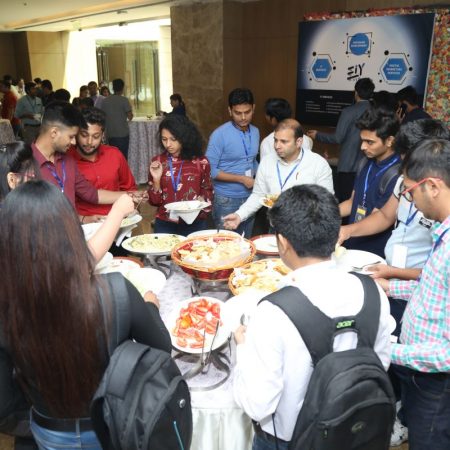
This architecture is especially useful for developers working across Microsoft Azure, cloud computing, data engineering, and DevOps. The conference program from C# Corner Annual Conference 2020 reflects the same broad technology landscape, with sessions covering cloud platforms, analytics, application development, and related Microsoft technologies.
Designing The Event Flow
A reliable real-time pipeline begins with a clear event path. Producers may include web applications, mobile services, connected devices, background workers, or enterprise systems. These sources publish records to an Event Hub, which acts as a durable ingestion layer. Stream Analytics reads those records, performs real-time processing, and sends the results to one or more destinations.
Typical outputs include Azure SQL Database, Azure Data Lake Storage, Cosmos DB, Power BI, Azure Functions, and downstream Event Hubs. A single input stream can support several outcomes. For example, one query may produce a live dashboard feed, another may store enriched data for historical analysis, and a third may send alerts when a threshold is exceeded.
Event payloads should be designed with future processing in mind. JSON is convenient for loosely coupled services, while Avro or another structured serialization format can reduce payload size and enforce stronger schemas. Each event should usually contain an event identifier, source, event type, timestamp, correlation identifier, and schema version. These fields make troubleshooting, deduplication, and replay much easier.
Configuring Event Hubs For Scale
An Event Hub is divided into partitions, and partitions determine how events are distributed and read in parallel. Throughput depends on the number of partitions, the volume of incoming records, and the size of each record. Partitioning by a stable key, such as customer ID or device ID, keeps related events together while distributing unrelated traffic across the available capacity.
The partition key requires careful selection. A key with very few possible values can create a hot partition, while a random key may scatter related events and complicate ordered processing. When a Stream Analytics job calculates activity per device or account, preserving local ordering for that entity is often more valuable than attempting to maintain global ordering across the entire stream.
Consumer groups provide independent read positions for different applications. A monitoring service, a Stream Analytics job, and a separate archival process can each use their own consumer group without interfering with one another. This separation also makes it possible to deploy a new processing job against the same retained events while an existing workload continues to run.
Retention should match operational needs rather than being treated as a permanent archive. Event Hubs can preserve data long enough to absorb temporary outages and support replay, but long-term storage generally belongs in Data Lake Storage or another analytical repository. Azure Event Hubs Capture can automatically write raw events to storage, creating a useful backup and historical source.
Processing Streams With Stream Analytics
Azure Stream Analytics uses a SQL-like language to process incoming records continuously. A basic query can filter invalid events, project selected fields, and write clean data to an output. More advanced queries can group events into time windows, join streams with reference data, calculate moving metrics, and detect patterns.
Time windows are central to stream processing. A tumbling window divides events into fixed, non-overlapping intervals, such as five-minute blocks. A hopping window evaluates overlapping intervals, which helps produce frequently updated rolling metrics. A sliding window emits results when relevant events arrive and is useful for continuously evaluating recent activity.
Event time and arrival time are not always the same. Network interruptions, device buffering, and service delays can cause late events to reach the job after their logical timestamp. A robust design establishes a late-arrival policy and an out-of-order tolerance. Without those settings, a pipeline may produce inconsistent counts or close a time window before all expected records have arrived.
Reference data can enrich an event while it is being processed. A device reading may be joined with a lookup containing location and ownership details, or a transaction may be matched with a risk category. Reference data should be updated carefully, with versioning or effective dates when historical accuracy matters.
| Pipeline Concern | Azure Capability | Design Consideration |
|---|---|---|
| High-volume ingestion | Event Hubs partitions | Select partition keys that distribute traffic evenly |
| Independent processing | Consumer groups | Give each application its own read position |
| Continuous transformations | Stream Analytics queries | Use filters, projections, joins, and window functions |
| Late or unordered events | Time policies | Configure tolerance based on source behavior |
| Historical replay | Event Hubs Capture and storage | Preserve raw records for recovery and analysis |
| Operational insight | Azure Monitor metrics and alerts | Track lag, errors, throughput, and output health |
Handling Schemas And Data Quality
Real-time processing becomes fragile when producers send inconsistent fields or unexpected data types. A schema registry, shared contract, or versioned event model can reduce that risk. Producers should add fields in a backward-compatible way when possible, and consumers should tolerate optional fields rather than failing whenever a harmless extension appears.
Validation can happen at several points. Application code may reject obviously malformed records before publishing. Stream Analytics can filter records with missing identifiers or impossible values. Invalid events should be routed to a dead-letter destination instead of silently discarded. That destination gives developers a way to inspect source defects and decide whether records can be corrected and replayed.
Idempotency is important when outputs may be retried. A downstream database operation should be able to recognize a previously processed event through a unique event ID or deterministic business key. This prevents duplicate inserts when a network failure occurs after the destination accepts a write but before the processing service receives confirmation.
Data quality metrics deserve the same attention as throughput metrics. Track the percentage of rejected events, missing fields, duplicate identifiers, unexpected schema versions, and records arriving outside the acceptable time range. These signals reveal problems upstream before they become visible in reports or customer-facing features.
Securing And Monitoring The Pipeline
Access should follow least-privilege principles across producers, processing jobs, and destinations. Azure role-based access control can grant the permissions required for publishing, consuming, querying, or writing without giving every component administrative access. Managed identities reduce the need to store connection strings and secrets in application configuration.
Network controls may include private endpoints, virtual network integration, firewall rules, and restricted public access. Encryption protects data in transit and at rest, while Azure Key Vault can manage any credentials that cannot be replaced by identity-based authentication. Sensitive values should never be placed in event payloads unless there is a clear business requirement and a defined retention policy.
Monitoring should cover the entire path from producer to destination. Event Hubs metrics can reveal incoming messages, throttling, server errors, and partition-level imbalance. Stream Analytics metrics can expose input events, output events, conversion errors, runtime errors, and watermark delay. Destination monitoring is equally important because successful ingestion does not guarantee that the final database or dashboard is healthy.
Useful alerts include sustained consumer lag, rising deserialization failures, low output volume, abnormal event latency, and sudden increases in rejected records. Logs should include correlation IDs and job names so an individual business event can be traced across services. Dashboards should show both current status and historical trends, helping teams distinguish a short-lived spike from a gradually worsening capacity problem.
Operating For Reliability
A working pipeline needs an operating model that covers deployment, recovery, testing, and cost control. Infrastructure as code can define Event Hubs namespaces, authorization roles, Stream Analytics jobs, storage accounts, alerts, and diagnostic settings consistently across environments. Automated deployment reduces configuration drift between development, staging, and production.
Capacity planning should use measured traffic rather than average traffic alone. Estimate peak events per second, average and maximum payload size, burst duration, query complexity, and output write rate. Load testing should include uneven partition distribution, delayed events, malformed payloads, destination throttling, and temporary service interruptions.
The following practices help maintain a dependable streaming workload:
- Use stable, high-cardinality partition keys to distribute event traffic evenly.
- Preserve raw events in durable storage when replay, auditing, or forensic analysis is important.
- Set explicit late-arrival and out-of-order tolerances based on real source behavior.
- Add dead-letter handling for invalid records instead of dropping them without visibility.
- Test failure recovery, duplicate delivery, scaling behavior, and destination outages before production release.
Recovery planning should define what happens when a Stream Analytics job stops, a destination becomes unavailable, or producers exceed expected capacity. Retained events and captured data can support replay, but replay must be controlled to avoid overwhelming downstream systems. Separate recovery outputs, throttling, and checkpoint-aware procedures make restoration safer.
Cost management also belongs in the design phase. Right-size Event Hubs capacity, avoid unnecessary duplicate processing jobs, limit excessive diagnostic retention, and select output stores according to access patterns. A small optimization in event size or query frequency can produce meaningful savings at high volume.
A real-time data pipeline becomes valuable when it delivers trustworthy information quickly and predictably. Event Hubs supplies scalable ingestion and durable event retention, while Stream Analytics turns raw messages into operational metrics, alerts, and enriched records. The strongest implementations treat partitioning, schemas, time semantics, security, monitoring, and recovery as connected design decisions.
Use these principles to build a small proof of concept with representative event traffic, then measure latency, throughput, error handling, and operating cost under realistic conditions. Continue refining the pipeline until developers, operations teams, and business users can rely on its results, and use the C# Corner technology community as a place to explore related Azure, data, and cloud development practices.









1, CBD, Maharaj Surajmal Road, Near Yamuna Sports Complex, Delhi, 110032





GENERAL QUERIES
Manish Tewatia
manish@csharpcon.com
+91-9718-431-042
TICKET QUERIES
Atul Gupta
conference@csharpcon.com
+91-9910-125-804